EasyManua.ls Logo

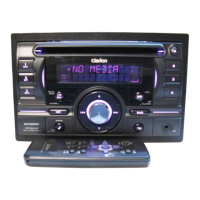
Clarion DUZ385SAT - User Manual

Clarion DUZ385SAT
41 pages
Print Icon
To Next Page IconTo Next Page
Loading...
CD/USB/MP3/WMA/AAC RECEIVER WITH CeNET CONTROL
AUTORADIO CD/USB/MP3/WMA/AAC / AVEC COMMANDE CeNET
RECEPTOR CD/USB/MP3/WMA/AAC CON CONTROL CeNET
DUZ385SAT
Owner’s manual
Mode d’emploi
Manual de instrucciones
DUZ385SAT_EN.book Page 1 Friday, November 23, 2007 7:49 PM

Questions and Answers

  • T
    Taylor SchultzAug 13, 2025
    Why does my Clarion Car Receiver power not turn on?
    • R
      Rhonda PittsAug 13, 2025
      The Clarion Car Receiver might not be turning on due to a blown fuse. Replace it with a fuse of the same amperage. If it blows again, consult your store of purchase. Another possible cause is incorrect wiring; in this case, consult your store of purchase.
  • N
    Noah WongAug 17, 2025
    What to do if there is no sound output with amplifiers or power antenna on my Clarion Car Receiver?
    • Z
      zsotoAug 17, 2025
      If you experience no sound output when operating your Clarion Car Receiver with amplifiers or a power antenna attached, it might be because the power antenna lead is shorted to ground, or excessive current is required for remote-on the amplifiers or power antenna. Here's how to troubleshoot: 1. Turn the unit off. 2. Remove all wires attached to the power antenna lead and check each wire for a possible short to ground using an ohm meter. 3. Turn the unit back on. 4. Reconnect each amplifier remote wire to the power antenna lead one by one. If the amplifiers turn off before all wires are attached, use an external relay to provide remote-on voltage (excessive current required).
  • J
    Julie GonzalezAug 21, 2025
    What to do if my Clarion Car Receiver buttons don't work and the display is not accurate?
    • Z
      zhopkinsAug 21, 2025
      If the buttons on your Clarion Car Receiver aren't working and the display is inaccurate, it could be due to a microprocessor malfunction caused by noise. Turn off the power, then press the reset button for about 2 seconds with a thin rod. Another possible cause is dirty DCP or main unit connectors. Wipe the dirt off with a soft cloth moistened with cleaning alcohol.
  • D
    Denise HughesAug 25, 2025
    What to do if no sound is heard from Clarion Car Receiver?
    • K
      Kevin BushAug 26, 2025
      If you are not hearing any sound from your Clarion Car Receiver, the speaker protection circuit may be operating. Turn down the sound volume. Function can also be restored by turning the power off and on again. (Speaker volume is reduced automatically when the speaker protection circuit operates). If the sound is muted again, consult our service department.
  • M
    Mark FrankAug 28, 2025
    What file system should I use for my Clarion Car Receiver?
    • W
      westradaAug 28, 2025
      For your Clarion Car Receiver, use ISO9660 level 1, 2 or JOLIET or Romeo or APPLE ISO file system.
  • L
    lindsey41Sep 1, 2025
    What to do if my Clarion Car Receiver doesn't play MP3/WMA/AAC files?
    • A
      Andrea HollandSep 1, 2025
      If your Clarion Car Receiver isn't playing MP3/WMA/AAC files, ensure the device contains MP3/ WMA/AAC files. If not, record MP3/WMA/AAC files properly to the device. Also, ensure that the files are in proper MP3/ WMA/AAC format. Use only properly encoded MP3/WMA/AAC files. Lastly, check if the connectors are loose. Disconnect the device and reconnect securely.
  • J
    jeffrey42Sep 5, 2025
    What to do if my Clarion Car Receiver doesn't recognize the device?
    • L
      Luis HenrySep 5, 2025
      If your Clarion Car Receiver doesn’t recognize the device, it could be damaged. Disconnect the device and reconnect. If the device is still not recognized, try replacing with a different device. It could also be due to loose connectors. Disconnect the device and reconnect. The communication fault could also be the cause, according to the state of operation on the device. Disconnect the device and reconnect.
  • H
    hesterjeanneSep 8, 2025
    Why does my Clarion Car Receiver not play MP3/WMA/AAC files from a disc?
    • O
      ocookSep 9, 2025
      If your Clarion Car Receiver is not playing MP3/WMA/AAC files from a disc, ensure that MP3/WMA/AAC files are present on the disc. Write MP3/WMA/AAC files onto the disc properly. Also, ensure that the files are recognized as an MP3/WMA/AAC file. Use MP3/WMA/AAC files encoded properly. Finally, ensure that the file system is correct. Use ISO9660 level 1, 2 or JOLIET or Romeo or APPLE ISO file system.

Summary

Precautions

Controls

Names of the Buttons and Their Functions

Details the function of each button on the main unit for operation.

Remote Control

Functions of Remote Control Unit Buttons

Details the operation of buttons on the remote control unit.

Operations

Basic Operations

Covers fundamental operations like turning the unit on/off and adjusting volume.

Sound Adjustment

Guides on adjusting sound quality, including Z-Enhancer Plus settings.

Setting the MAGNA BASS EXTEND

Explains how to activate and use the enhanced bass feature.

Radio Operations

Listening to the Radio and Tuning

Instructions for selecting radio bands and tuning stations.

XM Satellite Radio Operations

CD;MP3;WMA;AAC Operations

Operations Common to Each Mode

Security Features

Setting and erasing the anti-theft personal code (CATS).

Troubleshooting

General System Issues

Resolving problems related to power, sound output, and display.

Media Playback Troubleshooting

Solutions for issues with CD, MP3, WMA, AAC, USB, MTP, and iPod playback.

Error Displays

CD;MP3;WMA;AAC Errors

Common error codes and solutions for CD/MP3/WMA/AAC playback.

Changer Errors (CD;DVD)

Error codes and remedies for CD and DVD changer malfunctions.

USB;MTP;iPod Errors

Error codes and troubleshooting for USB, MTP, and iPod connections.

Clarion DUZ385SAT Specifications

General IconGeneral
DIN SizeDouble DIN
Remote ControlYes
Preamp RCA Outputs3 (Front, Rear, Subwoofer)
Subwoofer Preamp RCA OutputYes
USB InputYes
AUX InputYes
Memory Card ReaderSD Card
BluetoothYes
HD RadioNo
NavigationNo
Display TypeLCD
Steering Wheel Control CompatibleYes
Screen Size6.2 inches
Audio Formats SupportedMP3, WMA, AAC
Resolution800 x 480
AM/FM TunerYes
Rear Camera InputYes
TypeCar Receiver
Faceplate SecurityDetachable
Peak Power Output200 Watts
SIRIUS or XM RadioSIRIUS
Satellite RadioSIRIUS

Related product manuals