EasyManua.ls Logo

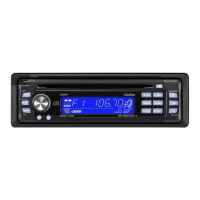
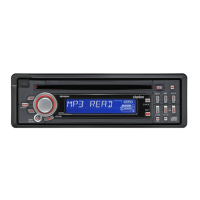
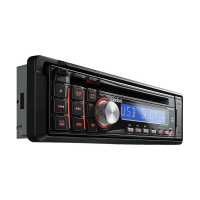
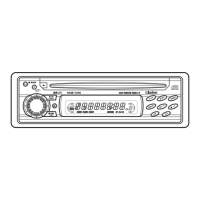
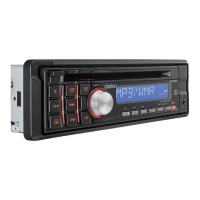
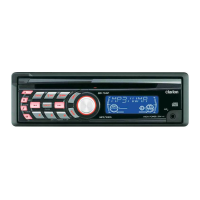
Clarion DB255 - User Manual

Clarion DB255
21 pages
Print Icon
To Next Page IconTo Next Page
Loading...
Manual de·instrucciones
DBZ55
CD
RECEIVER
RECEPTEUR
CD
RECEPTOR
CD
WJoO§~
DIGITAL
AUDIO

Questions and Answers

  • A
    Adam SmithJul 30, 2025
    What to do if buttons don't work on my Clarion Car Receiver?
    • B
      Brooke GreerJul 30, 2025
      If your Clarion Car Receiver isn't responding to button presses or the display is inaccurate, it could be due to a microprocessor malfunction. Try turning off the power, then press the [OPEN] button and remove the DCP. Alternatively, the DCP or main unit connectors might be dirty. Clean them with a soft cloth moistened with cleaning alcohol.
  • S
    Sarah WilliamsAug 7, 2025
    Why won't my Clarion Car Receiver turn on?
    • W
      wharrisAug 7, 2025
      If your Clarion Car Receiver is not turning on and no sound is produced, the fuse may be blown. Replace it with a fuse of the same amperage. If the fuse blows again, consult your store of purchase. Also, incorrect wiring may be the reason. In this case, consult your store of purchase.
  • A
    Aaron SandersAug 14, 2025
    What to do if my Clarion Car Receiver sound skips?
    • M
      michael43Aug 14, 2025
      If the sound from your Clarion Car Receiver skips or is noisy, the compact disc might be dirty. Clean it with a soft cloth. Alternatively, the compact disc might be heavily scratched or warped. Replace it with an undamaged disc.
  • K
    Katrina SpearsAug 21, 2025
    Why does my Clarion DB255 sound bad when first turned on?
    • N
      Nicholas CunninghamAug 21, 2025
      If the sound quality of your Clarion Car Receiver is poor immediately after turning it on, especially after parking in a humid environment, water droplets may have formed on the internal lens. Let the unit dry for about 1 hour with the power on.

Summary

CONTROLS

BUTTON TERMINOLOGY

Button Functions Explained

Detailed explanation of each button's operation in various modes.

DETACHABLE CONTROL PANEL (DCP)

Removing the DCP

Step-by-step instructions for detaching the control panel unit from the main unit.

Attaching the DCP

Step-by-step instructions for reattaching the control panel unit to the main unit.

REMOTE CONTROL

REMOTE CONTROL FUNCTIONS

OPERATIONS

Basic Operations and Volume Control

Turning the unit on/off, mode selection, and adjusting volume levels.

RADIO MODE OPERATIONS

CD MODE OPERATIONS

TROUBLESHOOTING

ERROR DISPLAYS

Error Code Explanations

Explains error messages (ERROR 2, 3, 6) and their corrective measures.

INSTALLATION AND WIRING GUIDE

Mounting the Source Unit

Step-by-step instructions for physically mounting the unit in a vehicle.

FIXED MOUNT INSTALLATION AND REMOVAL

Fixed Mount Procedures

Instructions for installing the unit in specific vehicle types and removing it.

WIRING AND SYSTEM CONSIDERATIONS

WIRE CONNECTIONS

Power, Antenna, and Accessory Wiring

Details on connecting power, antenna, illumination, and accessory leads.

Clarion DB255 Specifications

General IconGeneral
BrandClarion
ModelDB255
Channels4
Display TypeLCD
Detachable FaceYes
Speaker Level InputsNo
DIN SizeSingle DIN
Audio Formats SupportedMP3, WMA
Preamp Voltage2V
Equalizer3-Band

Related product manuals