Section 3. Common Truck
Operator Controls 3-3
Operator Controls
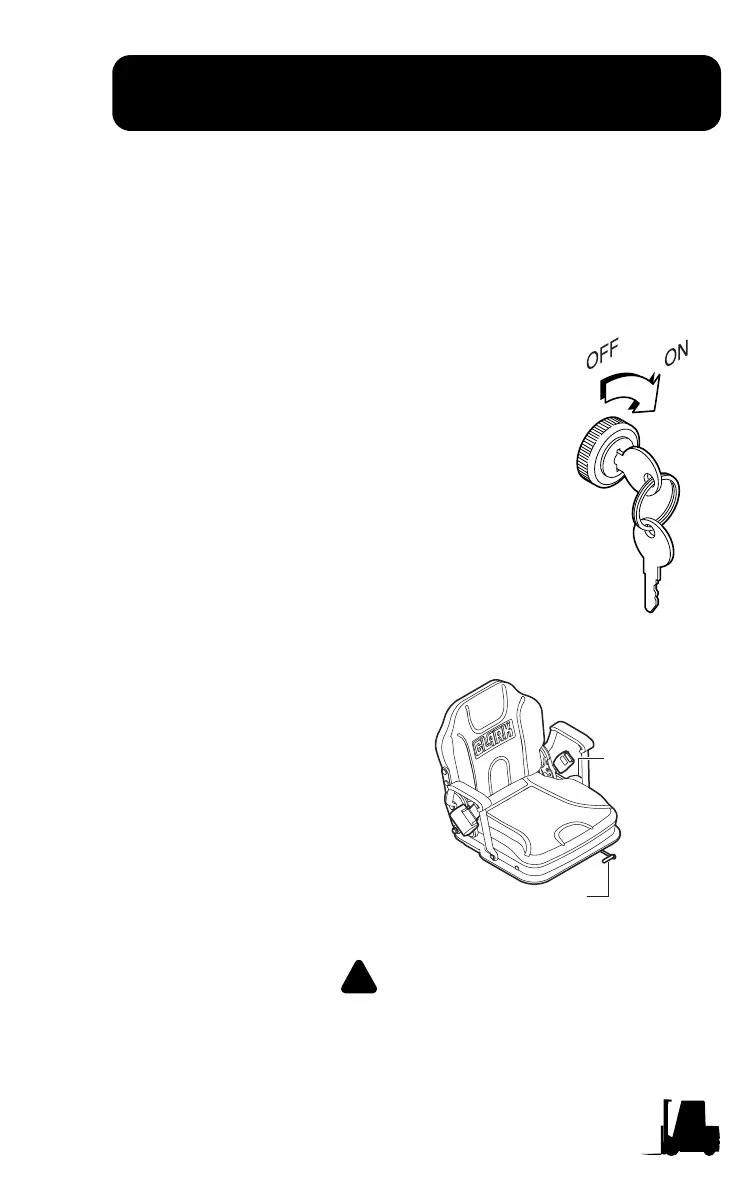
Key/Start Switch
• Connects the battery with all truck operating systems (drive, lift,
and steer electrical circuits) except the horn.
• Connects battery to the diagnostic display hour meter and bat-
tery charge status.
The key switch must always be turned to the
ON position to operate the truck. When the
key is
in the vertical OFF position,
instruments, drive and pump motor electrical
circuits are disconnected (shut-off), and the
key can be removed.
Seat Adjustment
Back Reclining
Adjustment
Fore and Aft
Adjustment
The fore and aft adjustment lever is
located on the front under the seat.
T
o unlock, rotate lever upward and
adjust the seat, release the lever.
Be sure that the seat locking
mechanism is engaged. The back
declining adjustment lever is
located on the left side of seat
cushion. Pull the lever up and
adjust the back, release the lever.
Be sure that the back locking
mechanism is engaged.
Never adjust driver's seat while truck is moving, to avoid
the possibility of loss of control and of personal injury.



 To Next Page