EasyManua.ls Logo

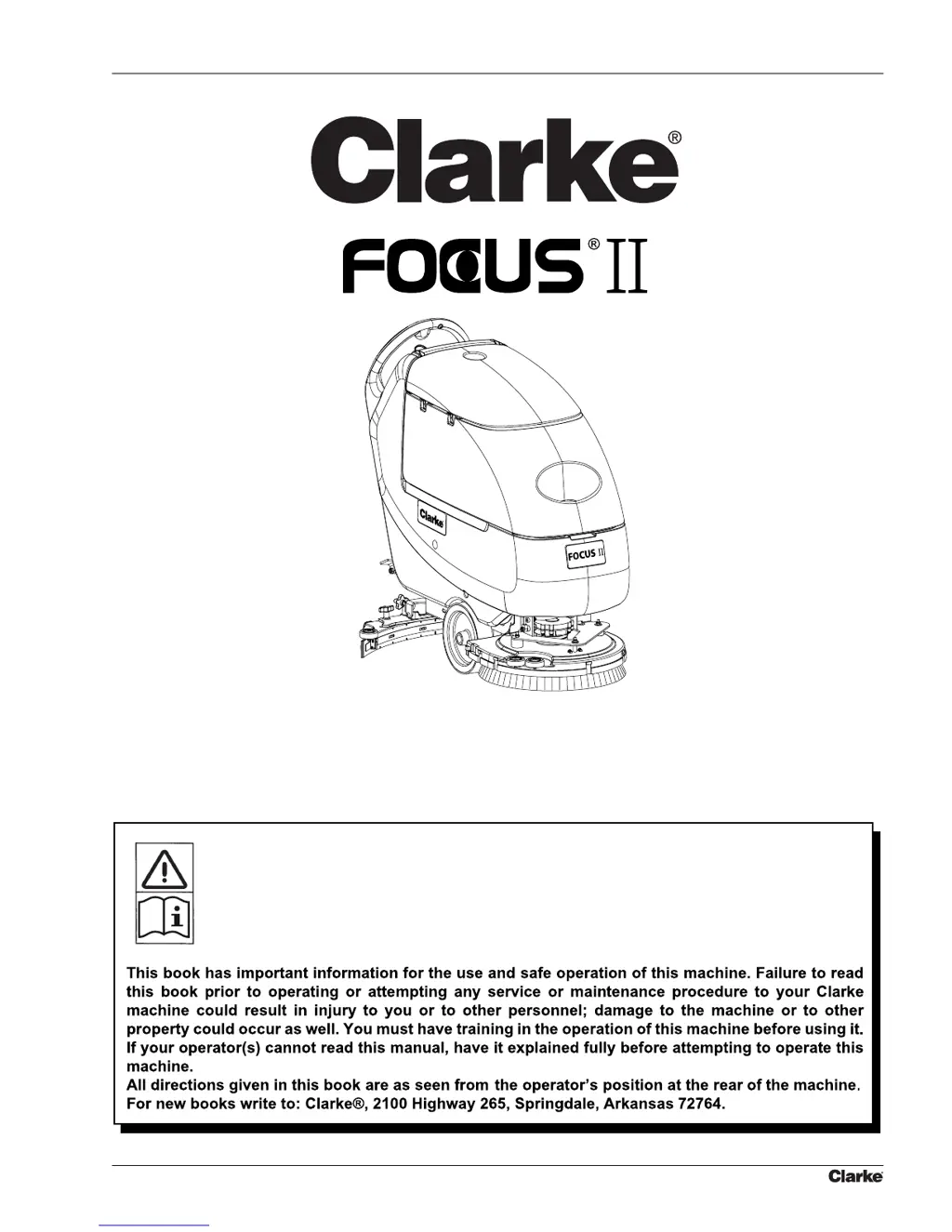
Clarke FOCUS II BOOST L20 - Service Manual

Clarke FOCUS II BOOST L20
60 pages
Print Icon
To Next Page IconTo Next Page
Loading...
Operators Manual
Libro de Instrucciones
Manuel d’utilisation
READ THIS BOOK
LEA ESTE MANUAL
LISEZ CE MANUEL
EN
ES
FR
English (2 - 33)
Español (34 - 65)
Français (66 - 98)
Form No. 9097067000 - 04/2008
SERVICE MANUAL

Table of Contents

Questions and Answers

  • A
    Aaron PerezAug 15, 2025
    What to do if small amount of solution or no solution reaches the brush of Clarke Scrubber?
    • C
      Connor MooreAug 15, 2025
      If your Clarke Scrubber isn't dispensing enough solution or any at all, start by checking the solution/clean water filter for clogs or dirt and clean it. Also, make sure the solution/clean water tap isn't stuck closed; replace it if necessary. Inspect the solenoid valve for damage or electrical connection issues, replacing the valve or repairing the connection as needed. Finally, check the solution tank and hoses for any debris that might be blocking the flow, and clean them thoroughly.
  • J
    jdaltonAug 18, 2025
    Why does solution/clean water reach the brush of Clarke FOCUS II BOOST L20 Scrubber even when the machine is off?
    • S
      sarah24Aug 18, 2025
      If the solution/clean water continues to flow to the brush of your Clarke Scrubber even when the machine is turned off, it's likely due to dirt or calcium deposits on the solenoid valve gasket, which requires cleaning. Alternatively, the solenoid valve itself may be broken and needs replacement.
  • S
    smithalecAug 21, 2025
    Why is the recovery water vacuuming insufficient in my Clarke Scrubber?
    • T
      Timothy MedinaAug 21, 2025
      Insufficient recovery water vacuuming from your Clarke Scrubber can occur for several reasons: * The recovery water tank might be full, so empty the tank. * A hose could be disconnected from the squeegee, so ensure it's connected. * The vacuum grid might be clogged, or the float could be stuck closed, so clean the grid and check the float. * The squeegee might be dirty, or the blades could be worn or damaged, so clean and check the squeegee. * The tank cover might not be properly closed, the gasket could be damaged, or the compensation hole could be clogged, so close the cover correctly, replace the gasket, or clean the compensation hole. * The recovery water tank itself might be dirty, so clean it.
  • M
    Mr. Anthony YorkAug 25, 2025
    How to stop a Clarke Scrubber squeegee from leaving marks?
    • D
      Daniel AdamsAug 25, 2025
      If the squeegee on your Clarke Scrubber is leaving marks on the floor, there are a few potential causes: * Debris may be trapped under the squeegee blades, so remove any debris. * The squeegee blades may be worn, chipped, or torn, so replace the blades. * The squeegee may not have been adjusted with the knob, so adjust it.
  • M
    Morgan JonesAug 28, 2025
    What to do if Clarke FOCUS II BOOST L20 motors don't work and no light is on?
    • N
      nblakeAug 28, 2025
      If the motors on your Clarke Scrubber aren't working and no warning light turns on, it could be due to: * A disconnected battery connector, so connect the battery connector. * Completely discharged batteries, so charge the batteries.
  • T
    Tricia MitchellAug 31, 2025
    Why don't the brushes work and the red light is on Clarke FOCUS II BOOST L20?
    • J
      Judy HallAug 31, 2025
      If the brushes on your Clarke Scrubber do not work and the red warning light is on, the batteries may be discharged. Charge the batteries.
  • U
    uwrightSep 4, 2025
    What does it mean when 3 battery charge indicators flash on Clarke FOCUS II BOOST L20?
    • B
      Benjamin KnightSep 4, 2025
      If the three battery charge indicators are flashing simultaneously on your Clarke Scrubber, it may indicate: * Brush motor overload, so use less aggressive brushes and/or avoid working with extra pressure activated. * Foreign materials (like tangled threads) preventing the brush from rotating, so clean the brush hub.
  • D
    Daniel ValenciaSep 7, 2025
    How to fix insufficient solution flow in Clarke Scrubber brushes?
    • D
      David HebertSep 7, 2025
      If the solution flow to the brushes of your Clarke Scrubber is insufficient, the solution/clean water filter may be dirty. Clean the filter.
  • C
    Christina HamiltonSep 10, 2025
    What to do if Clarke FOCUS II BOOST L20 doesn't move?
    • C
      Christina Williams MDSep 10, 2025
      To address this issue with your Clarke Scrubber, turn the ignition key to “0”, then try to start the machine again without pressing the switches.

Summary

General Information and Safety

Conventions and Definitions

Defines directional terms and conventions used throughout the manual.

Machine Lifting and Transportation Safety

Provides warnings and procedures for safely lifting and transporting the machine.

Reference Manuals and Symbols

Lists other available manuals and explains safety symbols used in the document.

Machine Symbols and General Instructions

Explains symbols on the machine and provides general operational warnings and cautions.

Technical Data Specifications

Presents detailed technical specifications for different machine models.

Maintenance and Nomenclature

Scheduled Maintenance Table

Outlines recommended maintenance procedures and their intervals.

Machine Component Nomenclature

Identifies and lists machine components with corresponding reference numbers.

Solution and Clean Water Supply System

Tank and Supply System Cleaning Procedure

Step-by-step instructions for cleaning the solution tank and supply system.

Solution Filter Cleaning

Procedure for cleaning the solution filter.

Solenoid Valve Disassembly and Assembly

Detailed steps for disassembling and reassembling the solenoid valve.

Solution System Troubleshooting

Addresses common issues and provides solutions for the solution/clean water system.

Chemical Mixing System Troubleshooting

Chemical Mixing System Troubleshooting Guide

Lists common problems and solutions related to the chemical mixing system.

Brushing System Operations

Brush and Pad Cleaning

Instructions for cleaning the brushes and pads used on the machine.

Brush Deck Disassembly and Assembly

Procedures for removing and installing brush/pad-holder or cylindrical brush decks.

Brush Motor Electrical Input Check (Standard Models)

Checks electrical input for brush motors on L17, S20, and L20 models.

Brush Motor Electrical Input Check (Cylindrical Model)

Checks electrical input for brush motors on the L20 Cylindrical model.

Brush Motor Carbon Brush Check;Replacement (Standard Models)

Procedure to inspect and replace carbon brushes for brush motors on L17, S20, L20.

Brush Motor Carbon Brush Check;Replacement (Cylindrical Model)

Procedure to inspect and replace carbon brushes for brush motors on L20 Cylindrical.

Brush Motor Disassembly;Assembly (Standard Models)

Steps to disassemble and reassemble the brush motor for L17, S20, L20 models.

Brush Motor Disassembly;Assembly (Cylindrical Model)

Steps to disassemble and reassemble the brush motor for L20 Cylindrical model.

Drive Belt Maintenance for Cylindrical Brushes

Procedure for checking, replacing, and adjusting drive belts for cylindrical brushes.

Brushing System Troubleshooting

Lists common problems and solutions for the brushing system.

Recovery Water System

Recovery Tank and Vacuum Grid Cleaning

Instructions for cleaning the recovery water tank and vacuum grid.

Squeegee Cleaning and Blade Replacement

Procedure for cleaning the squeegee and replacing its blades.

Vacuum System Motor Filter Cleaning

Steps to clean the filter for the vacuum system motor.

Vacuum System Motor Electrical Input Check

Checks the electrical input of the vacuum system motor.

Vacuum System Motor Carbon Brush Check;Replacement

Procedure to inspect and replace carbon brushes for the vacuum system motor.

Vacuum System Motor Disassembly;Assembly

Detailed steps for disassembling and reassembling the vacuum system motor.

Squeegee Spring Check;Replacement (Aluminium Squeegee)

Procedure for checking and replacing squeegee springs on aluminium squeegees.

Recovery Water System Troubleshooting

Lists common problems and solutions for the recovery water system.

Drive System Operations

Speed Potentiometer Disassembly;Assembly

Procedure to remove and install the maximum speed potentiometer.

Drive System Motor Electrical Input Check

Checks the electrical input of the drive system motor for various models.

Drive System Motor Carbon Brush Check;Replacement

Procedure to inspect and replace carbon brushes for the drive system motor.

Drive System Motor-Differential Disassembly;Assembly

Steps to remove and install the drive system motor and differential assembly.

Drive System Troubleshooting

Lists common problems and solutions for the drive system.

Drive System Electronic Board Diagnostic Table

Diagnostic table for drive system electronic board error codes and actions.

Other Systems

Screw and Nut Tightening Check

Procedure to check and tighten mounting screws and nuts on the machine.

Electrical System

Machine Working Hour Check

How to check the machine's total working hours using the optional hour meter.

Battery Charge and Maintenance

General guidance on charging and maintaining the machine's batteries.

Battery Disassembly and Assembly

Procedure for safely removing and installing the machine's batteries.

Battery Type Setting (No Drive Models)

Configures the machine for WET or AGM batteries on non-drive models.

Battery Type Setting (Drive Models)

Configures the machine for WET or AGM batteries on drive models.

Fuse Check and Replacement

Procedure for checking and replacing various fuses within the electrical system.

Brush Motor Electromagnetic Switch Disassembly;Assembly

Steps to disassemble and reassemble the brush motor's electromagnetic switch.

Drive System Electronic Board Disassembly;Assembly

Procedure to remove and install the drive system electronic board.

Function Electronic Board Disassembly;Assembly

Procedure to remove and install the function electronic board.

Electrical System Troubleshooting

Addresses common electrical system issues and provides troubleshooting steps.

Component Layout (No Drive Models)

Diagrams illustrating the location of electrical components for non-drive models.

Wiring Diagram (No Drive Models)

Electrical wiring diagram for non-drive models of the machine.

Component Layout (Drive Models)

Diagrams illustrating the location of electrical components for drive models.

Wiring Diagram (Drive Models)

Electrical wiring diagram for drive models of the machine.

Clarke FOCUS II BOOST L20 Specifications

General IconGeneral
CategoryScrubber
ModelFOCUS II BOOST L20
Cleaning Path20 inches
Power SourceBattery
Battery Voltage24V
Brush Width20 inches
Machine Length51 in (130 cm)

Related product manuals