EasyManua.ls Logo

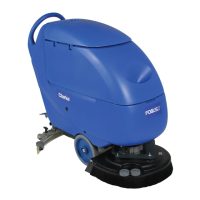
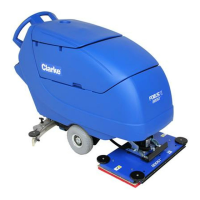
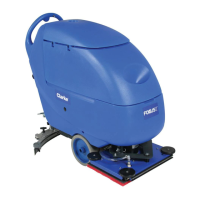
Clarke FOCUS II L17 - User Manual

Clarke FOCUS II L17
138 pages
Print Icon
To Next Page IconTo Next Page
Loading...
Patents Pending
READ THIS BOOK
LEA ESTE MANUAL
LISEZ CE MANUEL
ES
EN
FR
Form No. 9097066000 - 11/2011
Instructions For Use - Original Instructions / Instrucciones de uso / Mode d’ emploi
Models: 9087202020 - 9087203020
This book has important information for the use and safe operation of this machine. Failure to read this
book prior to operating or attempting any service or maintenance procedure to your Clarke machine could
result in injury to you or to other personnel; damage to the machine or to other property could occur as
well. You must have training in the operation of this machine before using it. If your operator(s) cannot read
this manual, have it explained fully before attempting to operate this machine.
All directions given in this book are as seen from the operators position at the rear of the machine.
English (2 - 33)
Español (34 - 65)
Français (66 - 98)
A COVER 11-2001.indd 1 16/11/2011 9.10.30

Table of Contents

Other manuals for Clarke FOCUS II L17

Questions and Answers

  • J
    Jacob JohnstonJul 30, 2025
    Why is the recovery water vacuuming insufficient in my Clarke FOCUS II L17 Scrubber?
    • J
      James BennettJul 30, 2025
      Insufficient recovery water vacuuming from your Clarke Scrubber can occur for several reasons: * The recovery water tank might be full, so empty the tank. * A hose could be disconnected from the squeegee, so ensure it's connected. * The vacuum grid might be clogged, or the float could be stuck closed, so clean the grid and check the float. * The squeegee might be dirty, or the blades could be worn or damaged, so clean and check the squeegee. * The tank cover might not be properly closed, the gasket could be damaged, or the compensation hole could be clogged, so close the cover correctly, replace the gasket, or clean the compensation hole. * The recovery water tank itself might be dirty, so clean it.
  • W
    Wesley RosarioAug 3, 2025
    How to stop a Clarke Scrubber squeegee from leaving marks?
    • T
      Tanya GambleAug 3, 2025
      If the squeegee on your Clarke Scrubber is leaving marks on the floor, there are a few potential causes: * Debris may be trapped under the squeegee blades, so remove any debris. * The squeegee blades may be worn, chipped, or torn, so replace the blades. * The squeegee may not have been adjusted with the knob, so adjust it.
  • C
    Christopher RiveraAug 8, 2025
    What to do if Clarke FOCUS II L17 motors don't work and no light is on?
    • E
      Emily TaylorAug 8, 2025
      If the motors on your Clarke Scrubber aren't working and no warning light turns on, it could be due to: * A disconnected battery connector, so connect the battery connector. * Completely discharged batteries, so charge the batteries.
  • R
    Ryan BrooksAug 11, 2025
    Why don't the brushes work and the red light is on Clarke FOCUS II L17?
    • R
      Robin BrownAug 11, 2025
      If the brushes on your Clarke Scrubber do not work and the red warning light is on, the batteries may be discharged. Charge the batteries.
  • G
    Gordon MyersAug 16, 2025
    What does it mean when 3 battery charge indicators flash on Clarke FOCUS II L17?
    • D
      Daniel TaylorAug 16, 2025
      If the three battery charge indicators are flashing simultaneously on your Clarke Scrubber, it may indicate: * Brush motor overload, so use less aggressive brushes and/or avoid working with extra pressure activated. * Foreign materials (like tangled threads) preventing the brush from rotating, so clean the brush hub.
  • C
    Colleen MurphyAug 20, 2025
    How to fix insufficient solution flow in Clarke Scrubber brushes?
    • J
      Jessica BradleyAug 20, 2025
      If the solution flow to the brushes of your Clarke Scrubber is insufficient, the solution/clean water filter may be dirty. Clean the filter.
  • K
    Karen MackAug 25, 2025
    What to do if Clarke Scrubber doesn't move?
    • C
      Cassandra WalkerAug 26, 2025
      To address this issue with your Clarke Scrubber, turn the ignition key to “0”, then try to start the machine again without pressing the switches.

Summary

OPERATOR SAFETY INSTRUCTIONS

Safety Symbol Definitions

Explains DANGER, WARNING, CAUTION symbols used in the manual.

Operational Safety Warnings

Lists critical safety precautions and warnings for machine operation.

TECHNICAL DATA

MACHINE DESCRIPTION

USE

Battery Check and Setting on New Machine

Procedures for checking and setting machine batteries upon initial use.

BATTERY INSTALLATION AND TYPE SETTING

SOLUTION;TANK FILLING

MACHINE START AND STOP

Starting the Machine

Step-by-step guide to safely power on and begin operating the machine.

Stopping the Machine

Procedures for safely powering off the machine.

MACHINE OPERATION (SCRUBBING;DRYING)

Machine Drive Controls

Explanation of how to control the machine's movement and speed.

TANK EMPTYING

Recovery Water Tank Emptying

Steps to safely drain and empty the recovery water tank.

MAINTENANCE

Scheduled Maintenance Table

Overview of routine maintenance tasks and their intervals.

SQUEEGEE CLEANING

SQUEEGEE BLADE CHECK AND REPLACEMENT

CLEANING PROCEDURES

TANK AND VACUUM GRID CLEANING

BRUSH;DECK DISASSEMBLY;ASSEMBLY

BATTERY CHARGING

Preliminary Procedures

Steps to prepare the machine before charging the batteries.

Charging with Installed Charger

How to charge batteries using the on-board charger.

MACHINE CHECKS AND REPLACEMENT

Fuse Check;Replacement

Locating and replacing fuses in the machine's electrical system.

ACCESSORIES, TROUBLESHOOTING, AND SCRAPPING

Troubleshooting Guide

Common problems and their solutions for machine operation.

PARTS LISTS AND DIAGRAMS

WIRING DIAGRAMS

Wiring Diagram - No Drive

Electrical schematic for the machine without drive system.

Wiring Diagram - Drive

Electrical schematic for the machine with drive system.

Clarke FOCUS II L17 Specifications

General IconGeneral
BrandClarke
ModelFOCUS II L17
CategoryScrubber
LanguageEnglish

Related product manuals