7
English
6. Troubleshooting chart
6.1 My remote control doesn’t work at all!
• Check your device, eg. TV. Ifits power switch is set to off, nothing will work.
• Check that thebatteries are theright way round, with plus and minus facing
theright way.
• Check that you have pressed thebutton for thecorrect device type.
• Replace thebatteries if they are low.
• It is not compatible with your model of device. Theremote control is not compatible
with every model on themarket, so even if your make (eg Philips) appears in thecode
list, there is no guarantee that theremote control will work with your particular device.
6.2 What do I do if more than one code is listed for my device?
• Try thecontrol codes one at atime until you find theone that results in correct
operation of thegreatest number of buttons on thecontroller.
6.3 My device responds to some commands but not others.
• You have chosen acode that only works for alimited number of commands.
Tryother codes until you find theone that gives correct operation of thegreatest
number of buttons on thecontroller.
7. Waste management
Follow local ordinances when disposing of this product.
Ifyou are unsure about how to dispose of this product contact your municipality.
8. Specifications
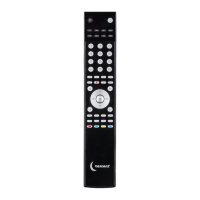
System Pre-programmed infrared remote control
Supply voltage 2 × AAA/LR03 batteries (sold separately)
Dimensions 230 × 40 × 15 mm


 To Next Page