EasyManua.ls Logo

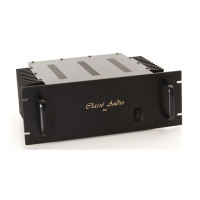
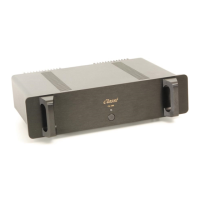
Classe Audio DR-10 - User Manual

Classe Audio DR-10
11 pages
Print Icon
To Next Page IconTo Next Page
Loading...

Other manuals for Classe Audio DR-10

Questions and Answers

  • H
    Holly ContrerasAug 13, 2025
    What to do if Classe Audio Amplifier won't turn on?
    • D
      Deborah WhiteAug 13, 2025
      If your Classe Audio Amplifier won't turn on, check the connections, fuses, soft-start circuit, and relays. Also, inspect the power supply circuits, including the positive rail, negative rail, and Mosfet supply.
  • T
    Teresa ShermanAug 16, 2025
    What to do if Classe Audio Amplifier has no output?
    • T
      Traci ElliottAug 16, 2025
      If your Classe Audio Amplifier has no output, check the connections and output relays. Also, check the power supply circuits (positive rail, negative rail, and Mosfet supply) and the output transistors.
  • H
    hjohnsonAug 20, 2025
    Why does my Classe Audio Amplifier keep blowing fuses?
    • D
      David RichAug 20, 2025
      If your Classe Audio Amplifier is blowing fuses, check for a short between the fuse and ground. Also, examine the power supply circuits, including the positive rail, negative rail, and Mosfet supply.
  • J
    Jennifer OrrAug 25, 2025
    What to do if Classe Audio Amplifier turns into protection mode?
    • P
      Peter AndersonAug 25, 2025
      If your Classe Audio Amplifier goes into protection mode, check for smoked or burned components. Inspect the power supply circuits (positive rail, negative rail, and Mosfet supply), source, and load. Also, check the protection circuit, sensor wires between the sensor PCB and control PCB, and the output transistors and Mosfet drivers.
  • C
    Caitlin BradleyAug 28, 2025
    What to do if Classe Audio Amplifier has smoked or burned components?
    • B
      brianna83Aug 28, 2025
      If your Classe Audio Amplifier has smoked or burned components, check for a short between components and ground. Also, check the output transistors, output relays, and power supply circuits (positive rail, negative rail, and Mosfet supply).
  • B
    Bailey HughesSep 1, 2025
    How to fix excessive buzz or hum in Classe Audio Amplifier?
    • A
      Andrea GomezSep 1, 2025
      To address excessive buzz or hum in your Classe Audio Amplifier: * Check the electrical lines. * Check for a ground loop in the system. Also, check the source, capacitors on the main board, and the 4.7? resistor.
  • T
    Taylor EvansSep 4, 2025
    What causes intermittent signal in Classe Audio Amplifier and how to fix it?
    • B
      Barry Smith DVMSep 4, 2025
      If your Classe Audio Amplifier has an intermittent signal, check the connections and replace the shield wires.
  • Y
    Yolanda MarquezSep 7, 2025
    Why is the output relay clicking intermittently/fast on my Classe Audio Amplifier?
    • J
      Jennifer HuertaSep 8, 2025
      If the output relay on your Classe Audio Amplifier is clicking intermittently or fast, check the DC offset before the relays. Also, inspect the relays and the capacitors on the protection circuit.

Summary

Unpacking and Setup Guide

Fuse Rating Information

Details fuse types for different line voltages for safe operation.

Placement and Cooling Requirements

Specifies optimal placement for performance, airflow, and hum prevention.

General Audio Connections

AC Power Cord Connection

Instructions for connecting the power cord and important safety precautions.

Stereo Audio Wiring

Guidance on making stereo connections using appropriate cables and phasing.

Mono Audio Configuration

Steps for configuring the amplifier for mono operation and connection details.

Input Connections: Regular vs. Balanced

Connecting Regular Inputs

How to connect using standard RCA input jacks.

Connecting Balanced Inputs

How to connect using XLR balanced inputs and pin configuration.

Mono Operation with Balanced;Regular Inputs

Details on using mono mode with either input type.

DR-10 Product Warranty Information

Warranty Conditions and Limitations

Outlines conditions that will void the warranty coverage for the amplifier.

Warranty Registration Process

Instructions and form for registering the product to validate the warranty.

DR10 Technical Specifications

Classe Audio DR-10 Specifications

General IconGeneral
TypeStereo Power Amplifier
Input Impedance75 kOhms
Power Output (4 Ohms)200 W
Frequency Response20Hz - 20kHz
Signal-to-Noise Ratio110 dB
Input Sensitivity1.0 V

Related product manuals