EasyManua.ls Logo

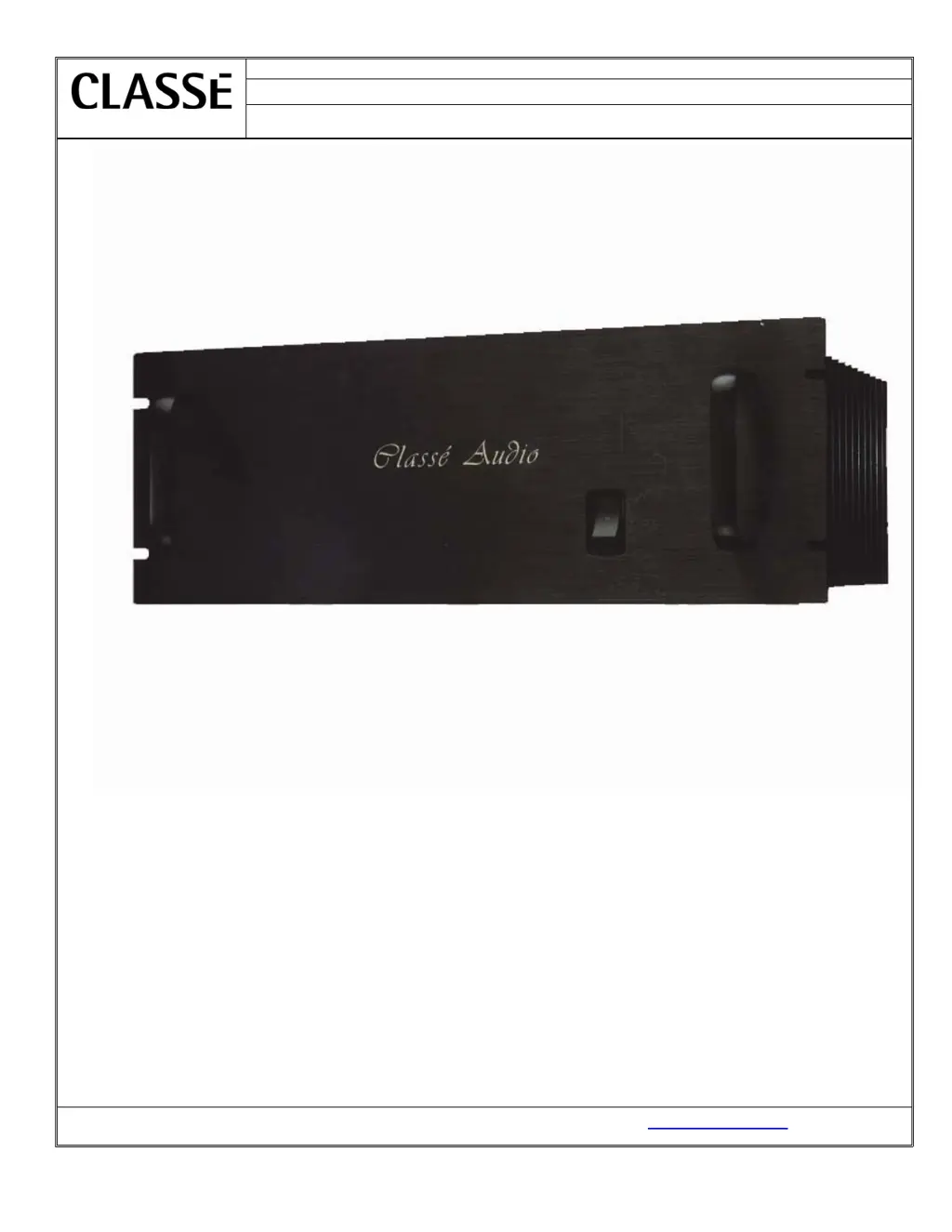
Classe Audio DR-9 - User Manual

Classe Audio DR-9
12 pages
Print Icon
To Next Page IconTo Next Page
Loading...
PRO-SVR_LEGACY Page 1 of 11
Date:
August 27, 2007
Model Number:
DR-9
Classé Audio Inc.
Subject:
Service manual
Classé Audio, Inc. 5070 François Cusson Lachine, Québec Canada H8T1B3, www.classeaudio.com

Questions and Answers

  • F
    Frank ChambersAug 14, 2025
    How to troubleshoot Classe Audio Audio amplifier that won't turn on?
    • J
      jasmine27Aug 14, 2025
      If your Classe Audio amplifier won't turn on, begin by verifying all connections. Then, check the fuses and inspect the soft-start circuit. Additionally, examine the relays and the power supply circuits, including the positive rail, negative rail, and Mosfet supply.
  • N
    nguyennicoleAug 18, 2025
    What to do if my Classe Audio Audio amplifier has no output?
    • G
      garnertimothyAug 18, 2025
      If your Classe Audio amplifier has no output, begin by verifying all connections. Next, check the output relays and the power supply circuits, including the positive rail, negative rail, and Mosfet supply. Finally, inspect the output transistors.
  • J
    John NewtonAug 21, 2025
    What to do if my Classe Audio Audio amplifier turns into protection?
    • T
      Toni BaldwinAug 21, 2025
      If your Classe Audio Audio amplifier is turning into protection mode, you should: 1. Check for smoked or burned components. 2. Check the power supply circuits (positive rail, negative rail, Mosfet supply). 3. Check the source and load. 4. Check the protection circuit. 5. Check the sensor wires between the sensor PCB and the control PCB. 6. Check the outputs transistors and Mosfet drivers.
  • M
    Michael KennedyAug 25, 2025
    What to do if I see smoked or burned components in my Classe Audio Audio amplifier?
    • M
      Mrs. Carolyn NealAug 25, 2025
      If you notice smoked or burned components in your Classe Audio Audio amplifier, check for shorts between components and ground. Also, check the output transistors, output relays, and power supply circuits, including the positive rail, negative rail, and Mosfet supply.
  • A
    Angel WoodsAug 28, 2025
    Why does my Classe Audio Audio amplifier keep blowing fuses?
    • J
      John HendersonAug 28, 2025
      If the fuses in your Classe Audio Audio amplifier are blowing, check for a short between the fuse and ground. Also, check the power supply circuits, including the positive rail, negative rail, and Mosfet supply.
  • T
    taylorbarbaraAug 31, 2025
    How to eliminate excessive buzz or hum from my Classe Audio Audio amplifier?
    • R
      Richard LarsonAug 31, 2025
      To address excessive buzz or hum in your Classe Audio Audio amplifier, first, check the electrical lines. Second, check for a ground loop in the system.
  • J
    Joanna GomezSep 3, 2025
    What causes intermittent signal in Classe Audio Audio amplifier?
    • S
      Stephanie GriffinSep 3, 2025
      If your Classe Audio Audio amplifier has an intermittent signal, check the connections. You may also need to replace the shield wires.
  • J
    Julie RuizSep 7, 2025
    How to troubleshoot oscillation in Classe Audio Audio amplifier?
    • K
      Kenneth MyersSep 7, 2025
      To troubleshoot oscillation in your Classe Audio Audio amplifier, check the source. Also, check the capacitors on the main board and the 4.7? resistor.
  • S
    sarah74Sep 12, 2025
    What causes intermittent output relay click in Classe Audio Audio amplifier?
    • C
      carolyn85Sep 12, 2025
      If you are experiencing an intermittent or fast output relay click with your Classe Audio Audio amplifier, check the DC offset before the relays. You should also check the relays themselves and the capacitors on the protection circuit.

Classe Audio DR-9 Specifications

General IconGeneral
Input Impedance50k ohms
TypeStereo Power Amplifier
Frequency Response20Hz to 20kHz ±0.1dB
Dimensions19 x 7 x 17.5 inches
Signal-to-Noise Ratio100dB
Input Sensitivity1.0V

Related product manuals