11
There are 5 types of chorus.
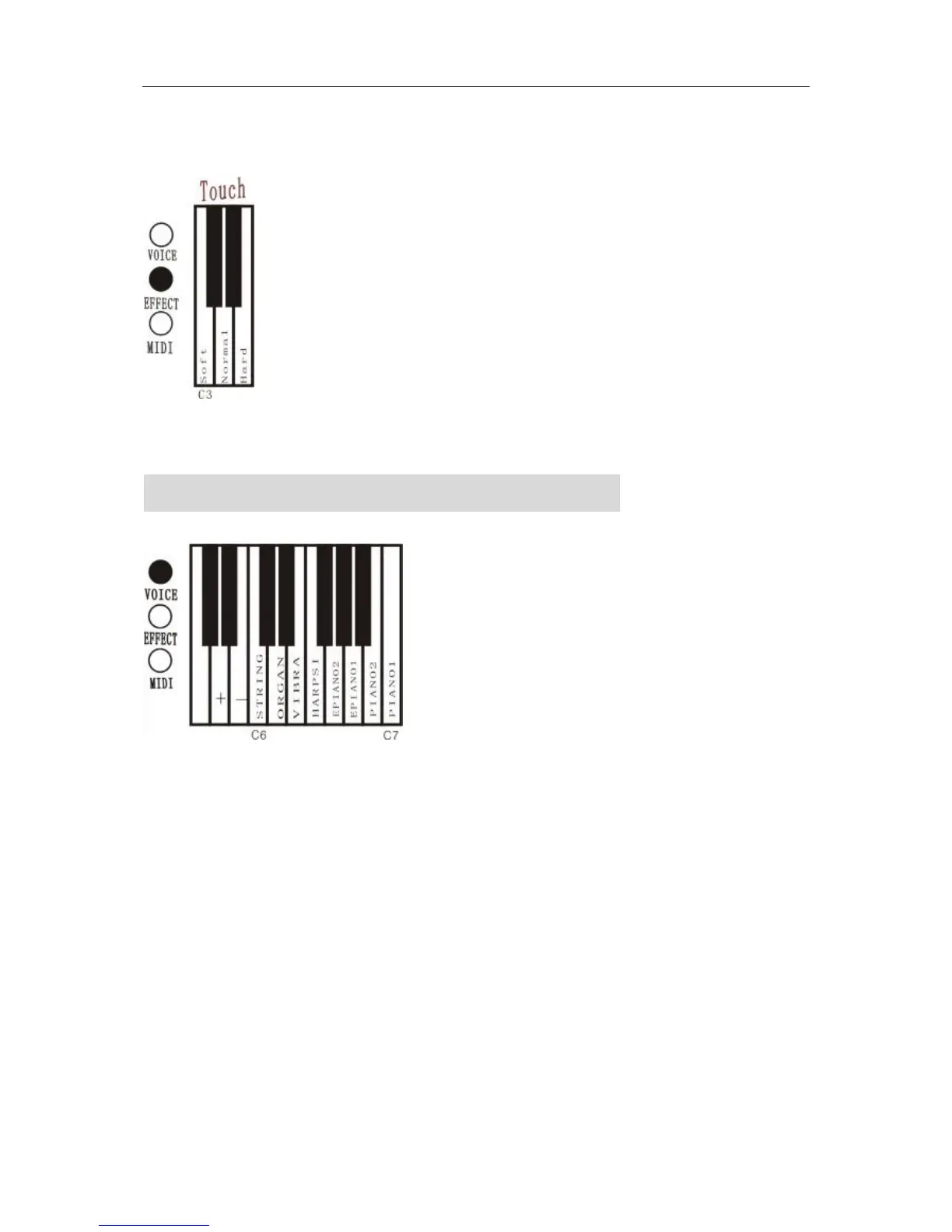
3. Effect of touch
Hold down the EFFECT button and press the keyboard’s key(C3-E3), to select the touch soft, hard, and
normal.
FUNCTION OF DOUBLE TIMBRES
Use this function; the piano can make two timbres at the same time.
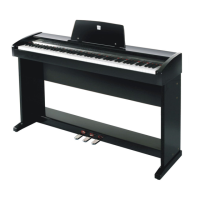
1. Make double timbres
Holding press VOICE button and press two keyboard’s key(C6-C7) at the same time.
2. Adjust volume balance of the double timbres.
A. Holding press EFFECT button and press the keyboard’s key(A5 and B5),to adjust volume balance of
the double timbres
3. Quit from the setting of double timbre
Holding press VOICE button and press one keyboard’s key(C6-C7),quit double timbre function.
●Double timbre can not be adjusted under the MIDI function.
●Balance of volume is limited to the timbre combination which is registered when the power is on.



 To Next Page