7
Terminal of pedal
Please connect terminal of pedal with plug of jack.
Terminal of MIDI.
Please refer to function of MIDI
Terminal of AUX input
Terminal of the same of rhythm
Switch of piano body main volume can’t adjust the volume, so connected equipment that should adjust
equipment with volume.
Terminal of AUX output
The same as the sound speaker makes, transmit the sound of piano to other machine to make sound
(magnify, stereo acoustics). Main volume switch of the piano can adjust sound.
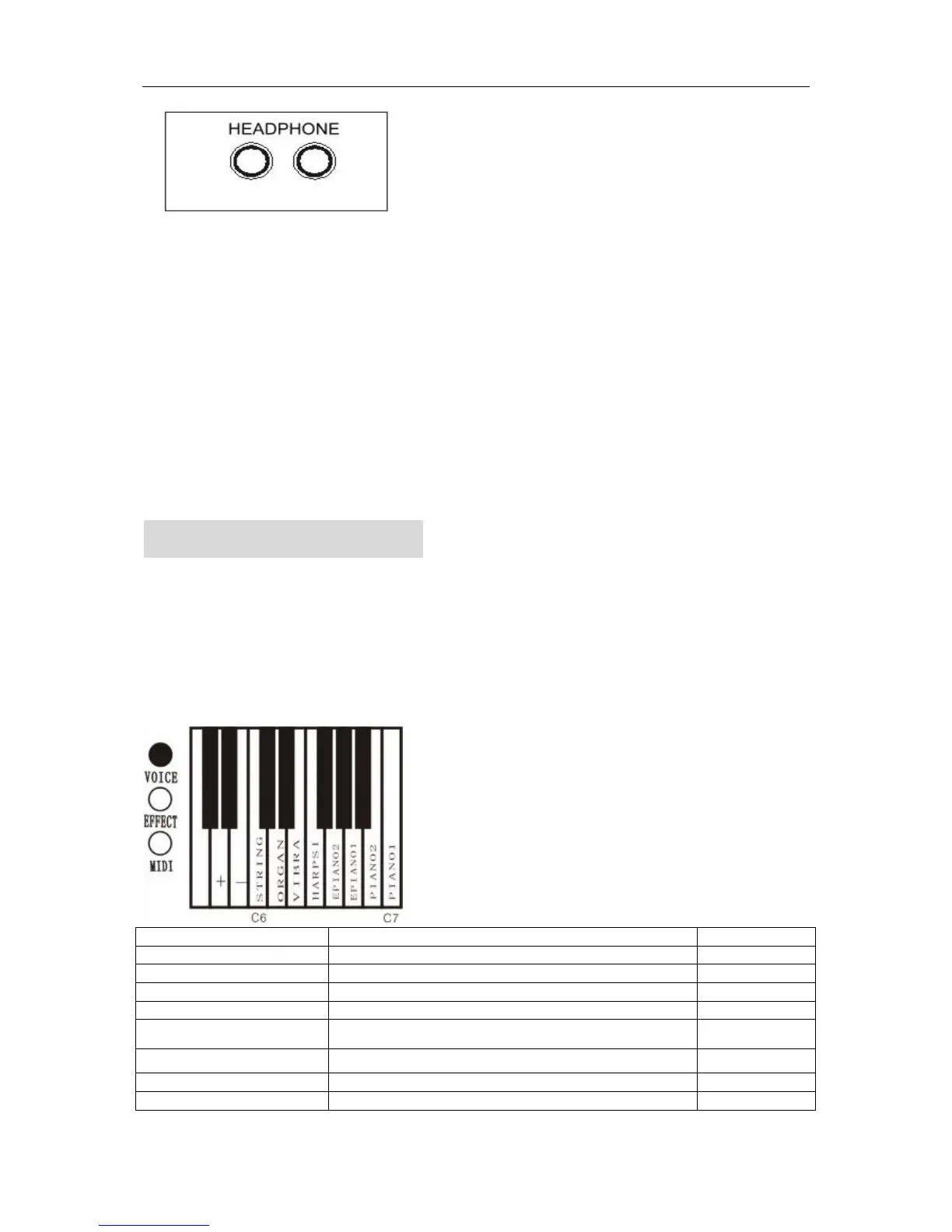
Headphone jack
PLAY (BASIC PLAY)
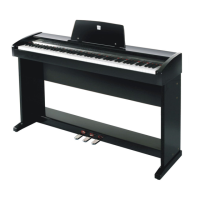
1. Instrument selection
● Hold the VOICE button down, then press the keyboard’s key to select tone (top octave)
Name of instruments Feature Keyboard’s key
Piano 1
Concert Grand Piano C7(108)
Piano 2
Bright Grand Piano B6(107)
Electronic piano1
Popular Electronic Piano A6(105)
Electronic piano2
Melodic Electronic Piano G6(103)
Harpsichord
A Baroque style instrument with strings that are plucked F6(101)
Vibraphone


 To Next Page