14
the keyboard’s key (B-1)
●Hold down the EFFECT button and press the keyboard’s key (D0),start playback track 2.
The play stops after all the record is finished or holding press EFFECT button and press the
keyboard’s key (D0)
●Hold down the EFFECT button and press the keyboard’s key (E0),start playback track 1 and 2.
TRANSPOSE
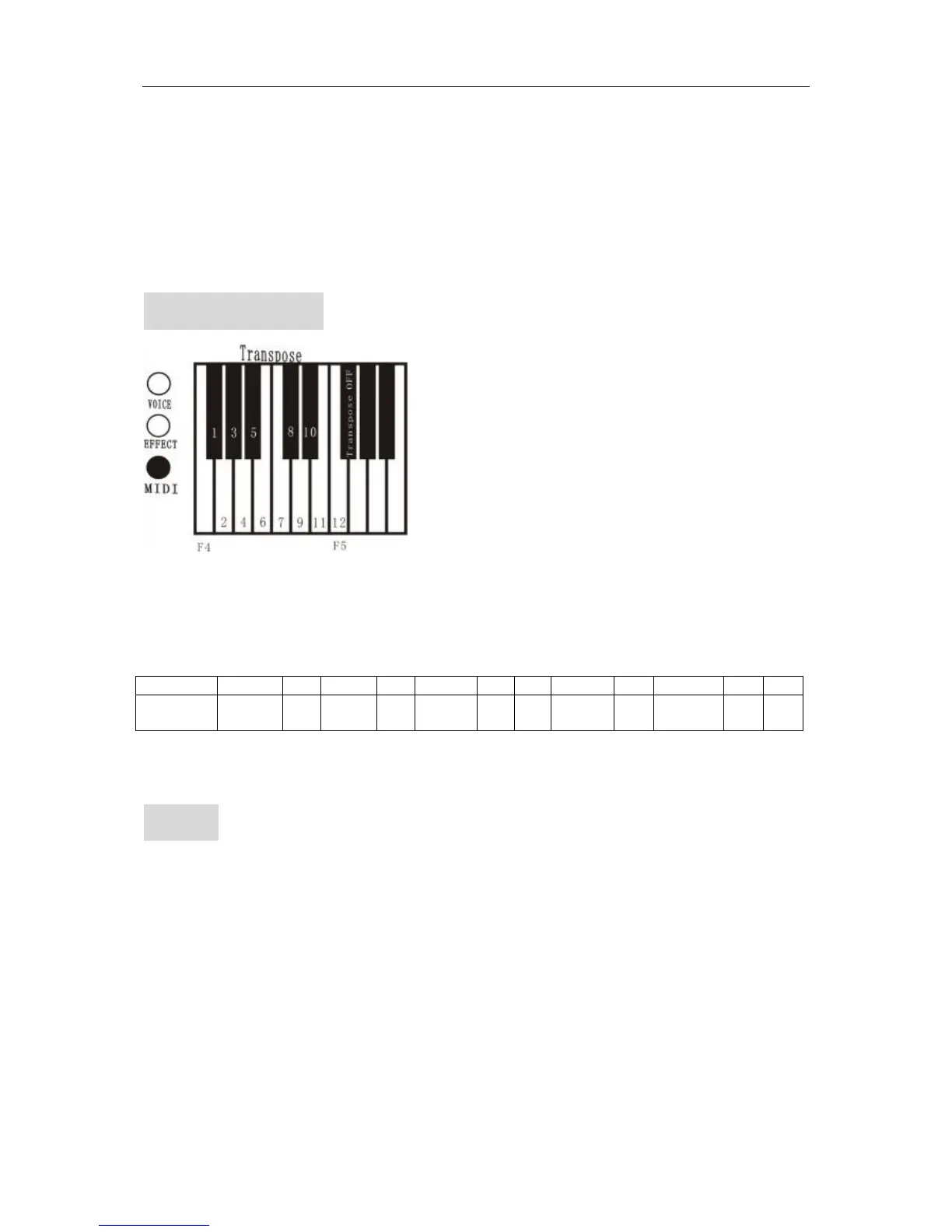
You can reduce or raise the tone directly without change the play through keyboard.
1. Transpose
Hold down the MIDI button and press the keyboard’s key(F4# and F5),select transpose.
2. Back to the standard tone
Hold down the MIDI button and press the keyboard’s key(F5# ),close transpose.the light is off.
Key Gb(F#) G Ab(G) A Bb(A#)
B C Db(C#) D Eb(D#) E F
Modify
tone
-3sound -2 -2 -1 -1 0 + +1 +1 +2 +2
MIDI.
MIDI (musical instrument digital interface) is the world specification is confirmed by main instrument
manufacture in the world. MIDI transmits play data with digital data by cable. Any electronic instrument
with MIDI interface can exchange data.
1. Play with MIDI keyboard.
MIDI signal
MIDI OUT MIDI IN
As it is shown, output interface of digital piano is connected with MIDI input interface of MIDI keyboard
by MIDI cable.
Connecting by above way, when you play the digital piano, MIDI keyboard make sound of the same song
at the same time, it is the acoustic of equivalent play. Because timbres are set , all kinds of concerts are


 To Next Page