Classeq Under Counter Range - User Manual
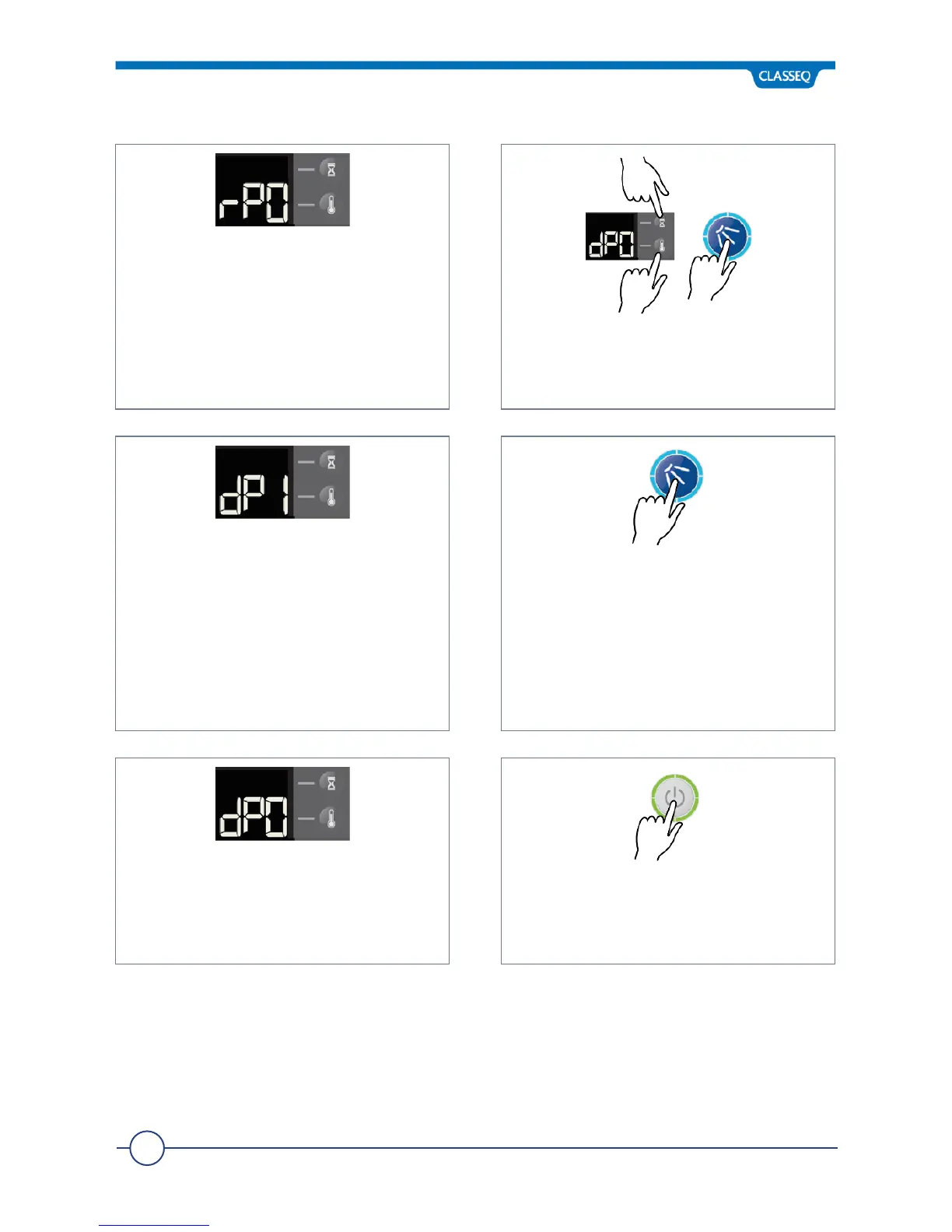
The display will stop flashing and revert
to rP0.
Using the Up and Down keys (5 and 6),
scroll to the detergent prime menu
(dP0) and press Enter (2)
The display will flash and will change to
dP1.
This will start and run the Detergent
Pump for a maximum of 2 minutes,
drawing chemical into the warewasher.
When the chemical has reached the
back of the warewasher (the chemical is
visible through the tubing), press Enter
(2) again to stop the Pump.
The display will stop flashing and revert
to dP0.
Press Exit (1) until the warewasher exits
Commissioning Mode and returns to
the off state.


 To Next Page