MP#XYY
29
www.tsicustomerservice.com26MMS9872REV.2
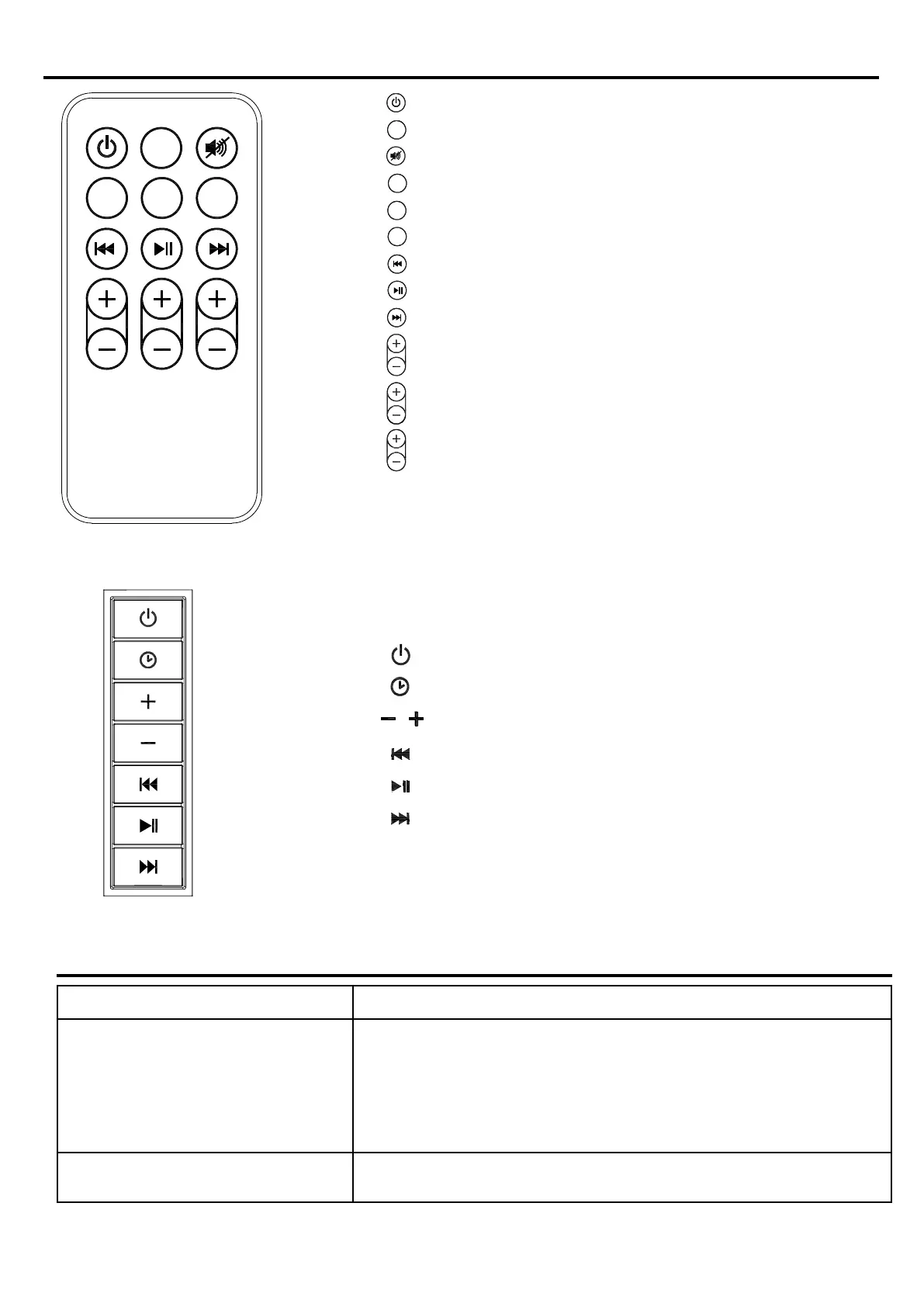
CONTROLS
LINE IN
OPTICAL
CLOCK
TREBLE
BASS
VOLUME
BLUE
Fig.2 Remote Control
Fig.3 Control Panel
- Power / Standby
- Display time
- Mute
- Bluetooth
- Line in
- Optical in
- Back (Previous)
- Play/Pause
- Forward (Next)
- Adjust Treble
- Adjust Bass
- Adjust Volume
- Main Power / Scroll through source input options
- Display / Set Time
- Adjust Volume
- Back(Previous)
- Play/Pause
- Forward(Next)
BLUE
LINE IN
OPTICAL
CLOCK
TREBLE
BASS
VOLUME
TROUBLESHOOTING
PROBLEM SOLUTION
1. Sound is distorted. 1a. Decrease the volume.
1b. If the iPhone/iPod original sound source is of poor quality,
distortion and noise are easily noticed with high-power speakers.
Try a different audio source such as a music CD.
1c. If you are using an external sound source like older generation
of iPod, try reducing the output volume on the device itself.
1d.Try changing the bass and treble settings using the remote control.
2. Unit gets warm after extended
play at high volume.
2a. Turn the unit off for a period of time or lower the volume.



 To Next Page