
 Need help?
Do you have a question about the Clavia nord STAGE and is the answer not in the manual?
Warnings about electrical shock risks, enclosure opening, and unqualified servicing.
Essential precautions when using electric products, including water, placement, and power.
Introductory message and overview of the Nord Stage's purpose and design philosophy.
Highlights the main capabilities of the Nord Stage, including its instrument sections and effects.
Explains the manual's structure, referencing objects, and display conventions.
Information on accessing and navigating the manual in PDF format.
Guidance on finding product information and updates on the Clavia website.
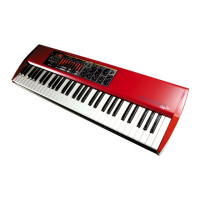
Describes the layout and main sections of the Nord Stage's front control panel.
Details the function of the Program section for selecting, storing, and managing sounds.
Explains the Master Level control and the integrated Rotor speaker simulation effect.
Introduces the Organ section, detailing its emulations of classic organ models.
Describes the Piano section, highlighting its sampled instruments and sound capabilities.
Details the versatile stage synthesizer section, covering its synthesis techniques and features.
Explains how to control external MIDI instruments using the Nord Stage.
Covers the various effects available to enhance sounds, including modulation and spatial effects.
Discusses the keyboard's feel, response, and zone splitting capabilities.
Explains the types of knobs and buttons used for control and editing, including their functionality and interaction.
Details the various audio and MIDI ports located on the rear panel of the Nord Stage.
Instructions for making audio connections, including cable types and output configurations.
Guidance on connecting MIDI keyboards and external MIDI instruments.
Explains how to connect various pedals, including sustain, swell, and rotor speed pedals.
Details the use of the expression pedal for controlling organ volume and other parameters.
Describes how to use a pedal to control the speed of the rotary speaker effect.
Defines 'Instruments' as Organ, Piano, and Synth sections within a Program.
Explains what a Program stores, including instruments, effects, and panel settings.
Outlines the methods for loading and selecting Programs from the Nord Stage memory.
Provides a simple approach to modifying existing Programs and overwriting factory presets.
Explains how to restore a Program to its originally stored state.
Details the process of saving edited Programs and assigning them names.
Describes how to enable or disable the Organ, Piano, and Synth sections within a Program.
Explains how to use basic instrument initialization setups for Organ, Piano, and Synth.
Explains the dual panel system allowing independent settings for two sets of instruments and effects.
Details how to manage which panel's settings are currently active for editing.
Explains how to adjust the volume level for each instrument section using rotary encoders.
Describes how to apply global effects like Compressor and Reverb to all sounds.
Introduces the Program section's role in handling programs, system pages, and other functions.
Details the various methods for loading Programs, including buttons, value dial, and live buffers.
Explains how to preview programs without loading them immediately.
Describes the function of the PAGE buttons for navigating program pages and system menus.
Explains the main display's role in showing program names and system parameters.
Details the SHIFT button's use for accessing secondary functions and exiting menus.
Describes the VALUE DIAL's function for selecting programs, parameters, and typing names.
Explains the Live memory feature for temporary sound storage and quick recall.
Explains the function of the STORE button for saving Programs.
Describes the six PROGRAM buttons for loading programs and accessing menus.
Explains how the LIVE 1/2 buttons activate live buffers and load specific instrument inits.
Details how these buttons are used to activate keyboard zones for splits and layers.
Explains how to assign parameters to controllers like the Mod Wheel for real-time expression.
Describes how the PANEL A/B buttons control independent sound setups and allow layering.
Defines the comprehensive nature of a Program, covering all settings.
Provides a step-by-step guide on how to store Programs, including naming options.
Details the process of naming Programs using the display and controls.
Introduces the three main instrument types: Organ, Piano, and Synth.
Outlines common controls and features applicable to all instrument sections.
Explains how to enable sustain pedal and pitch bend response for instruments.
Describes the LEVEL rotary encoder for adjusting instrument volume.
Explains how to assign instruments to keyboard zones for splits and layers.
Details how to transpose instrument pitch up or down in octave steps.
Explains how to route instrument audio outputs to different channels.
Introduces the Organ section and its three classic model emulations.
Details the digital simulation of the classic Hammond B3 organ sound.
Explains the drawbar controls and their function in shaping organ tone.
Describes the V-Type organ's characteristics and its drawbar system.
Details the F-Type organ's sound and its register selector controls.
Explains the vibrato and chorus effects for organ sounds and how to control them.
Describes how to adjust the key click sound for B3 organ patches.
Details how to use expression pedals for organ swell control.
Explains the Rotor effect and its application to organ sounds.
Describes how to save and recall two organ presets within a single program.
Explains how to create split organ setups using Panel A and B.
Introduces the Piano section, its categories, and the ability to add new instruments.
Explains how piano samples are stored, managed, and replaced.
Guides the user on selecting piano categories and specific instrument types.
Lists and describes the piano instruments included from the factory.
Explains how to play Grand/Upright pianos in mono mode for single-channel output.
Describes how to access instrument name and additional details in the Piano section.
Details the Clavinet sound, its pickup types, and filter combinations.
Explains the Clavinet EQ buttons for selecting filter variations.
Describes the different pickup selections for the Clavinet sound.
Explains how to adjust piano velocity response for different playing dynamics.
Introduces the Synth section, its versatility, and hands-on control for sound design.
Details the oscillator architecture, including synthesis techniques and the TIMBRE knob.
Lists and describes the ten available waveforms in the Analog synthesis category.
Describes the Sawtooth waveform, its harmonics, and suitability for various sounds.
Details the Pulse waveform, its harmonic content, and pulse width modulation.
Explains the Pulse Fixed Time algorithm for constant pulse width.
Describes the Triangle waveform and its suitability for flute-like sounds.
Describes the Noise waveform and its use for special effects.
Explains oscillator synchronization for creating hard sync sounds.
Introduces FM synthesis, its principles, and algorithms.
Details the 77 digital waveforms and their use in creating diverse timbres.
Explains the Mod Envelope's function in shaping tone color and its three modes.
Describes how to set the time for the envelope to return to zero level.
Explains how keyboard velocity affects the Mod Envelope.
Details the different envelope modes for the amplifier envelope.
Explains the Amp Envelope's function in shaping the sound's volume over time.
Describes how to set the attack time for the amplifier envelope.
Explains how to set the decay/release time for the amplifier envelope.
Explains how keyboard velocity affects the Amp Envelope.
Details the different envelope modes for the amplifier envelope.
Introduces the filter section for sound shaping, including low-pass filters.
Explains how to set the cutoff frequency and its modulation.
Describes the selection between 12dB and 24dB low-pass filter slopes.
Details the 24dB/octave low-pass filter characteristics.
Details the 12dB/octave low-pass filter characteristics.
Explains keyboard tracking for filter frequency adjustments.
Describes the Resonance parameter's effect on filter characteristics.
Explains how frequency control affects filter modulation amount.
Covers voice modes like Mono, Legato, and Unison for synth sound generation.
Details the monophonic playing mode for the synth section.
Explains the legato mode, where notes don't retrigger envelopes.
Describes the glide function for smooth pitch transitions between notes.
Explains the auto-glide feature, active only during legato playing.
Details the unison mode for adding thickness and chorus-like effects.
Explains how to control synth vibrato using various methods like Mod Wheel and delay modes.
Describes the 2-band EQ section for adjusting bass and treble frequencies.
Explains how to select and store synth sounds independently from programs.
Guides on navigating and selecting available synth sounds by category.
Details the process of saving synth sounds (patches) to memory locations.
Explains how to reset synth settings to their default values.
Introduces the effect categories: Panel, Global, and Rotor effects.
Explains the channel configurations and internal routing of effects.
Introduces Panel effects, their independent engines, and settings for Panels A and B.
Details the six modulation effects available in the Effect 1 section.
Details the six vintage-style effects available in the Effect 2 section.
Details the Amp Simulator and EQ section for tonal shaping and overdrive.
Introduces Global Effects (Compressor, Reverb) that affect main outputs.
Describes the Rotor effect, simulating Leslie rotating speaker sounds.
Explains how to divide the keyboard into up to three zones for assigning different instruments.
Guides on setting up splits by assigning instruments to different keyboard zones.
Details how to adjust the split point for keyboard zones.
Explains how to layer instruments by assigning them to the same keyboard zones.
Describes how to transpose instrument pitch up or down by octaves within zones.
Explains how to activate both Panel A and B simultaneously for expanded sound layering.
Details how to use an external keyboard to control Panel B.
Discusses controlling the Nord Stage with more than two external keyboards.
Introduces the Morph function for controlling multiple parameters with a single controller.
Provides a practical example of assigning Morph to control instrument levels.
Lists the parameters that can be controlled via the Morph function.
Explains how to set relative and absolute ranges for Morph assignments.
Details the procedure for removing existing Morph assignments.
Explains how Aftertouch can be used as a Morph control source.
Introduces the Extern section for integrating external MIDI control.
Guides on connecting and configuring the Nord Stage for external instrument control.
Explains how to activate and use the Extern section for sending MIDI messages.
Explains how to assign the Extern section to keyboard zones for splits and layers.
Details octave shifting for external instruments within assigned zones.
Explains how to send pitch bend and sustain messages via the Extern section.
Introduces the Parameter section for controlling external device parameters via MIDI.
Explains how to control external instrument volume using the PARAMETER knob.
Details how to send Program Change messages to external instruments.
Explains how to send MIDI Control Change messages for parameter control.
Describes the Send on Load setting for MIDI messages upon program change.
Details the System menu for global settings like transpose, fine tune, and audio routing.
Covers settings related to synth vibrato rate, organ key click, and rotor acceleration.
Details MIDI channel assignments, program change modes, and SysEx dumps.
Explains settings for the Extern section, including MIDI channels, volume, and controller messages.
Explains the Local On/Off setting for controlling internal sounds versus MIDI transmission.
Sets the MIDI channel for Panel A and B, allowing independent control.
Assigns MIDI channels for the Organ section, enabling MIDI-only operation.
Assigns MIDI channels for the Piano section, enabling MIDI-only operation.
Assigns MIDI channels for the Synth section, enabling MIDI-only operation.
Sets the MIDI channel for external keyboards used in Dual KB mode.
Configures transmission and reception of MIDI Program Change messages.
Configures transmission and reception of MIDI Controller Change messages.
Allows dumping of MIDI controllers for a selected panel.
Enables SysEx dumps of programs and live buffers.
Enables SysEx dumps of synth sounds and banks.
Sets a unique ID for instruments to manage SysEx messages in a MIDI network.
Configures the type of connected swell pedal for optimal response.
Sets the destination for swell pedal control (Organ or All sections).
Controls saving of Programs and Synth Sounds, protecting against accidental changes.
Resets system settings and restores original live buffers to default values.
Adjusts how keyboard keys trigger organ sounds, mimicking a real B3.
Sets the polarity for sustain pedals, accommodating reversed functionality.
Allows a single pedal to function as both sustain and rotor speed control.
Sets polarity for rotor speed pedals, accommodating reversed functionality.
Configures rotor speed pedal operation as Hold or Toggle.
Selects the type of control pedal for optimized response and compatibility.
Enables a control pedal to be used for organ swell control.
Sets the MIDI channel for the Extern section, ensuring correct communication.
Controls the volume of external devices via MIDI messages.
Sends Program Change messages to external devices for program selection.
Manages MIDI Program Bank changes for external instruments.
Transmits values for selected MIDI CC numbers to external parameters.
Decides which MIDI Controller number the Extern section sends for CC activation.
Option to disable transmitting Mod Wheel messages via the Extern section.
Option to disable transmitting After Touch messages via the Extern section.
Option to disable transmitting Expression Pedal messages via the Extern section.
Adjusts velocity response curves for the Extern section.
Controls sending MIDI messages when loading a program.
Explains the Flash memory storing OS, Programs, and Piano samples.
Discusses replacing factory Programs and the importance of backing them up.
Guides on downloading and restoring factory presets from the Clavia website.
Informs about obtaining the latest OS versions for the Nord Stage.
Lists the necessary software and driver versions for using Nord Stage Manager.
Introduces the Nord Stage Manager application for organizing memory areas and sounds.
Describes the toolbar icons providing quick access to manager functions.
Explains how to navigate between Piano, Program, and Synth partitions using tabs.
Details the context menu options available when right-clicking on sounds.
Provides a guided tour of the Nord Stage Manager's key functions.
Guides on downloading additional pianos, which may require deleting factory ones.
Explains how to remove piano samples from the Nord Stage using the manager.
Details methods for downloading new piano samples to the Nord Stage.
Explains how to transfer sounds from the Nord Stage to a computer.
Guides on uploading entire banks of sounds from the Nord Stage to a computer.
Explains how to download entire banks of sounds from a computer to the Nord Stage.
Describes how to organize programs and synth patches using drag-and-drop.
Provides a reference for the functions and commands within the Nord Stage Manager.
Function to upload one or several sounds from the Nord Stage to a computer folder.
Function to download sounds from the computer to the next available location.
Allows renaming of programs and synth patches.
Function to delete selected sounds from the Nord Stage memory.
Uploads an entire bank of sounds (piano, program, synth) to the computer.
Downloads an entire bank of sounds from the computer to the Nord Stage.
Creates a backup of all samples, programs, and synth patches.
Restores the Nord Stage from a previously saved backup file.
Describes access to the application's menus for various commands.
Function to upload one or several sounds from the Nord Stage to a computer folder.
Function to download sounds from the computer to the next available location.
Uploads an entire bank of sounds (piano, program, synth) to a computer folder.
Downloads an entire bank of sounds from the computer to the Nord Stage.
Cleans up deleted memory space to make it available for new additions.
Radically formats the entire partition, deleting all sounds.
Exits the Nord Stage Manager application.
Deletes selected items from the Nord Stage memory.
Options for viewing memory content, including dual view and free locations.
Accesses the About box for information on the Nord Stage Manager version.
Explains the use of tabs to select partitions (Piano, Program, Synth) and banks.
Details the footer area, including memory indicators, progress bars, and message areas.
Provides information on downloading updates and new piano samples.
Outlines the MIDI messages transmitted and received by the Nord Stage.
Explains transmission and reception of Note On/Off MIDI messages.
Describes transmission and reception of Pitch Bend MIDI messages.
Details MIDI Control Change messages, including pedal and knob assignments.
Explains transmission and reception of Keyboard Velocity messages.
Describes transmission of Aftertouch messages for parameter control.
Explains how Program Change messages are transmitted and received for program selection.
Details the use of SysEx dumps for transmitting and receiving program and sound data.
Provides instructions for connecting and using the Nord Stage with a MIDI sequencer.
Explains the Local On/Off setting for controlling internal sounds versus MIDI transmission.
Details how to assign individual MIDI channels to panels and instruments.
Explains how sequencer track settings relate to Program Change values.
Discusses recording knob movements and button presses via MIDI.
Addresses potential issues with controller data synchronization in sequencers.
Explains how to send Program, Controller, and Synth Sound SysEx data via MIDI.
Explains how to send MIDI controller data dumps for panels.
Details dumping synth sound banks and individual sounds via SysEx.
Guides on receiving MIDI SysEx dumps into the Nord Stage.
Describes the Panic function to reset stuck notes and parameters.
Provides a comprehensive list of Nord Stage parameters and their corresponding MIDI controller numbers.
Summarizes MIDI capabilities, including transmitted/recognized messages and remarks.
 General
| Type | Stage Piano |
|---|---|
| Display | OLED |
| Effects | EQ, Reverb, Delay |
| Connectivity | USB, MIDI In/Out, Audio In/Out, Headphones, Control Pedal |
| Piano Section | Upright Pianos, Electric Pianos |
| Organ Section | Vox, Farfisa |
| Effects Details | Reverb (Hall, Room, Stage), Delay, EQ (3-band) |
| Connections | USB, MIDI In/Out, Headphone Output, Pedal Inputs |





 To Next Page
