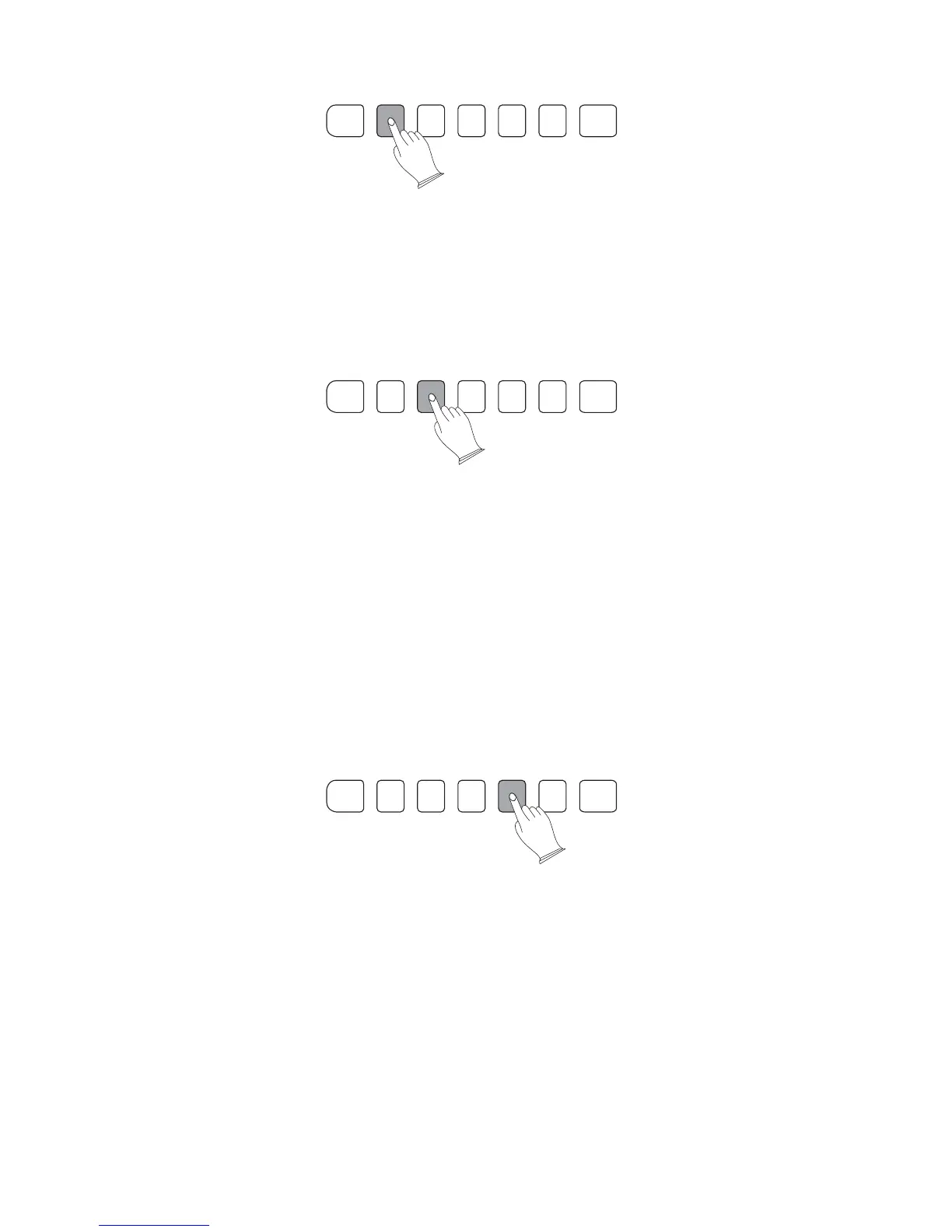
3). Starting the Accompaniment with an Introduction
Any of your TB5200 accompaniment patterns can be started with a beautifully matching
introduction by pressing the [INTRO/ENDING] button.
If you press the [SYNCHRO] button and then the [INTRO/ENDING] button, the
accompaniment will WAIT FOR YOU, and start the introduction as soon as a chord is
detected as played in the AUTO ACCOMPANIMENT section of the keyboard.
4). Adding Fill-In
This is used for playing the main part of the song. It plays an accompaniment pattern of
several measures, and repeats indefinitely until another section's button is pressed. There are
2 variations on the basic pattern. The auto accompaniment changes are harmonically
based on the chords you play with your left hand.
and breaks in the rhythm of theThe fill-in function lets you add dynamic variations
accompaniment, to make your performance sound even more exciting and very professional.
Simply press one of the FILL 1 or FILL 2 buttons whilst you are playing, and the selected
fill-in section plays a fill in pattern automatically (AUTO FILL), spicing up the auto
accompaniment. When the fill-in is finished, it transitions smoothly into the selected main
section There are two variations to the fill-in sections, each especiallyor its variation (1 or 2)
.
musically arranged to match the selected main section.
5). Stopping the Accompaniment
The Auto Accompaniment can be stopped instantly by pressing the [START/STOP] button
or the [SYNCHRO] button. When the [SYNCHRO] button is used to stop the Automatic
Accompaniment, the Auto Accomp will go into standby, and start again as soon as a new chord
is depressed on the left side of the keyboard. Playing on the right hand side of the keyboard
will not trigger the Synchro Start (Hint: This can be used as a tacit or pause)
The accompaniment can also be stopped with an appropriate musical ending by pressing
the [ENDING] button. The musical ending sequence will begin from the first beat of the next
measure. If the [ENDING] is selected in error, simply select [FILL IN 1] or [FILL IN 2] button,
a fill-in will be played, followed by a return to the MAIN pattern.
CHORD SYNCHRO INTRO/
ENDING
START/
STOP
FILL 1 FILL 2 METRONOME
CHORD SYNCHRO INTRO/
ENDING
START/
STOP
FILL 1 FILL 2 METRONOME
CHORD SYNCHRO INTRO/
ENDING
START/
STOP
FILL 1 FILL 2 METRONOME
25



 To Next Page