REVERB
This digital keyboard lets you record your performances and Registration settings to a
USB Stick. Each user song lets you record up to sixteen independent tracks. These include
not only the voices for the keyboard performance, but also the auto accompaniment parts.
It provides two different ways to record: Quick Recording and Multi Track Recording.
(All the recording data will be saved automatically as MIDI Format 0 File to your USB
Stick).
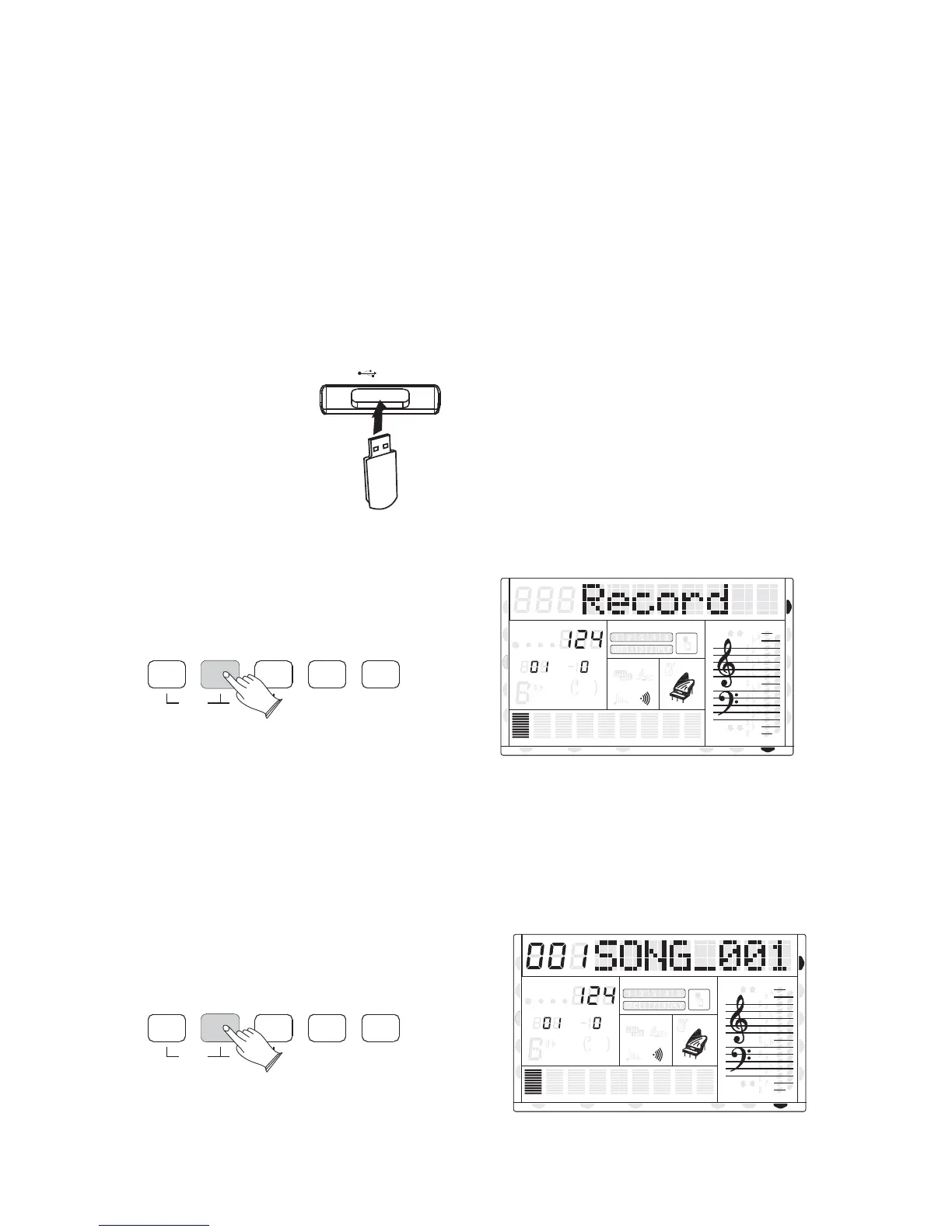
1). Quick Recording
. Insert the USB Disk into the USB TerminalA
B. Press the [RECORD] button to start recording.
(The first one measures are tempo prompt only. It cannot record any data).
C. Press [RECORD] button again to stop recording.
Recording stops and your performance is written to the song. The song to which your
performance is recorded is automatically named xxxSONG_xxx (xxx indicates this file's
sequence Num on the USB Stick. xxx indicates the recording file number). You can edit the
song as required by computer or midi editing software.
USB
SAVE MEM
USB FILE
RECORD
PLAY/LOAD
MULTI
DELETE
Song Recording
8va
8va
ACC
PHR2PHR1
PAD
CHORD2CHORD1
BASS
RHY2RHY1
augsus4
13
5
9
11
7
m
M
6
dim
ACC
O.T.S
METRONOME
PORTABLE GRAND
DSP
SUSTAIN
TOUCH
TRANSPOSE
TEMPO
MEASURE
CHORD
HARMONY
DUAL
SPLIT
VOICE
DEMO
STYLE
REVERB
CHORUS
MIDI IN MIDI OUT FREEZE
TWIN
8va
8va
ACC
PHR2PHR1
PAD
CHORD2CHORD1
BASS
RHY2RHY1
augsus4
13
5
9
11
7
m
M
6
dim
ACC
O.T.S
METRONOME
PORTABLE GRAND
DSP
SUSTAIN
TOUCH
TRANSPOSE
TEMPO
MEASURE
CHORD
HARMONY
DUAL
SPLIT
VOICE
DEMO
STYLE
REVERB
CHORUS
MIDI IN MIDI OUT FREEZE
TWIN
REVERBSAVE MEM
USB FILE
RECORD
PLAY/LOAD
MULTI
DELETE
41
U DISK
U DISK
DUAL
DUAL
NORMAL
NORMAL



 To Next Page