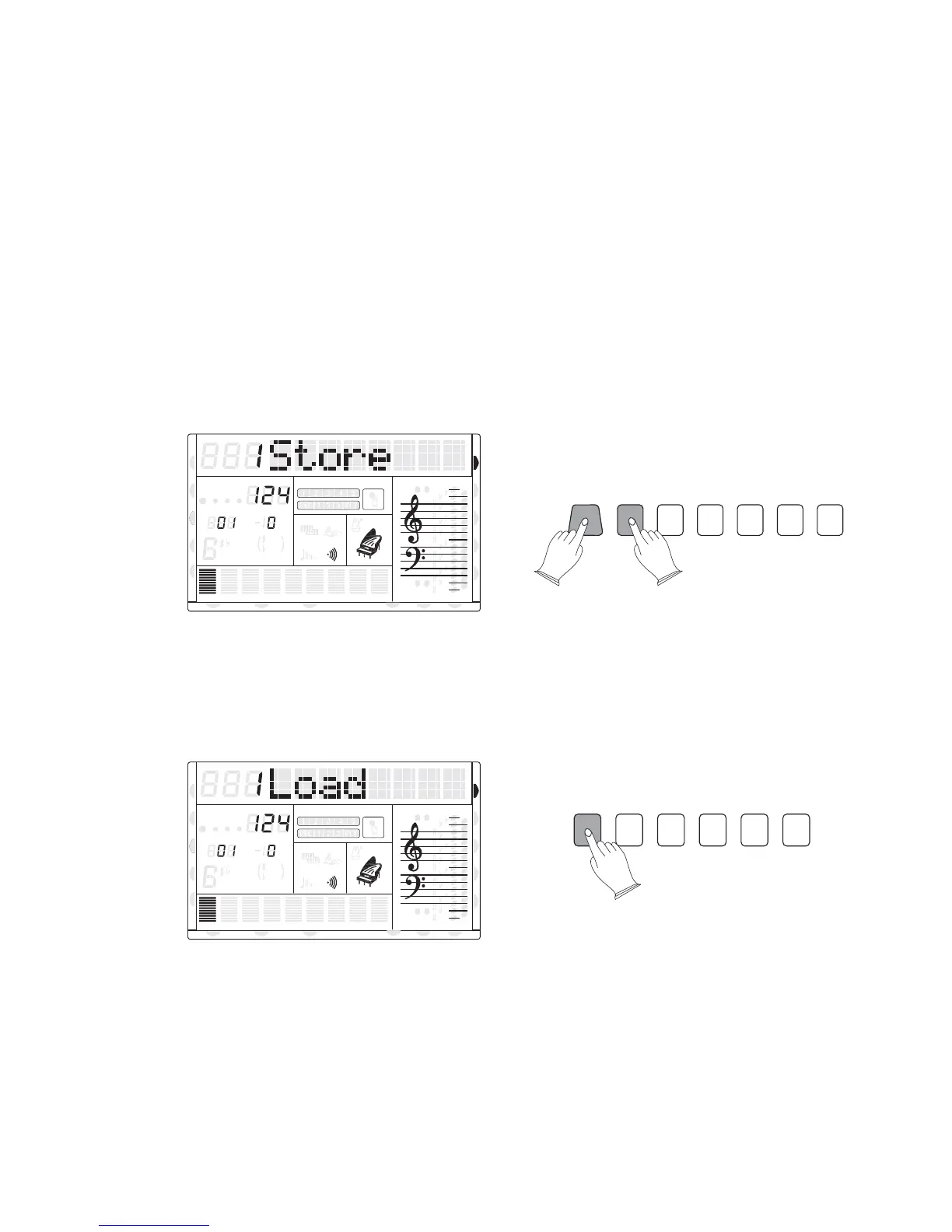
The TB5200 can store 6 groups x 8 banks of panel settings. By pressing the corresponding
memory button, you can recall these settings rapidly. You can preset the panel settings to suit
to your performance and store them to the registration memory positions.
1). Memorizing the settings
These panel settings include: Left and right-hand voice number, voice volume, pan
parameter, octave, DSP depth, style number, sustain, transpose, tune, accompaniment volume,
keyboard mode and so on.
Press and hold [STORE/BANK] button, and then Press the [M1-M6] button, the current
panel settings are stored in the memory. The LCD displays [1STORE] - [6STORE].
2). Recalling the settings
Press the [M1-M6] buttons, can recall the information you have stored. The LCD displays
the panel position number.settings as well as memory
3). Select the different BANK
Press the [STORE/BANK] button, you can select 8 different bank settings. Each bank has
6 registration memory positions. If the current registration memory is the first bank, release
the STORE/BANK button and then press the STORE/BANK button again, the registration
memory location will change to the second bank.
Registration Memory
8va
8va
ACC
PHR2PHR1
PAD
CHORD2CHORD1
BASS
RHY2RHY1
augsus4
13
5
9
11
7
m
M
6
dim
ACC
O.T.S
METRONOME
PORTABLE GRAND
DSP
SUSTAIN
TOUCH
TRANSPOSE
TEMPO
MEASURE
8va
8va
ACC
PHR2PHR1
PAD
CHORD2CHORD1
BASS
RHY2RHY1
augsus4
13
5
9
11
7
m
M
6
dim
ACC
O.T.S
METRONOME
PORTABLE GRAND
DSP
SUSTAIN
TOUCH
TRANSPOSE
TEMPO
MEASURE
M1 M2 M3 M4 M5 M6
STORE/BANK M1 M2 M3 M4 M5 M6
38
CHORD
HARMONY
DUAL
SPLIT
VOICE
DEMO
STYLE
REVERB
CHORUS
MIDI IN MIDI OUT FREEZE
TWIN
U DISK
CHORD
HARMONY
DUAL
SPLIT
VOICE
DEMO
STYLE
REVERB
CHORUS
MIDI IN MIDI OUT FREEZE
TWIN
U DISK
DUAL
DUAL
NORMAL
NORMAL



 To Next Page