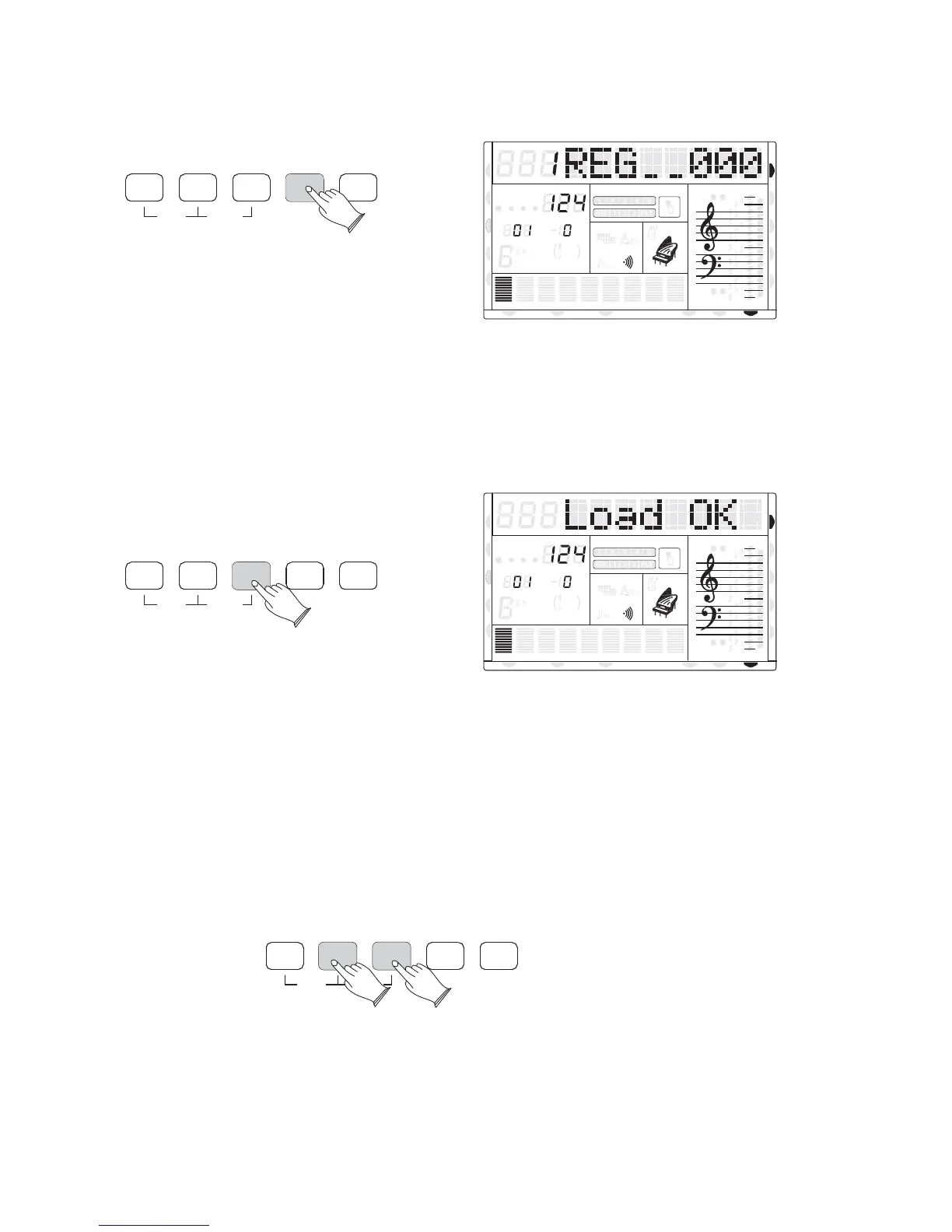
Use Registration Data from USB7).
Insert the USB Disk into the USB terminal. Use [+] and [-] buttons to select REG file,
then press [PLAY/LOAD] button, display shows Load Ok .
48 Registrations will be loaded into the memory storage (8*6) on the front panel. You can
recall/access this stored information you have loaded from the USB stick, by pressing M1-M6.
Delete REG File from USB8).
Insert the USB Disk into the USB terminal. Use [+] and [-] buttons to select REG file
you want to delete, then hold down the [RECORD] button and press [PLAY/LOAD] button.
REVERBSAVE MEM
USB FILE
RECORD
PLAY/LOAD
MULTI
DELETE
8va
8va
ACC
PHR2PHR1
PAD
CHORD2CHORD1
BASS
RHY2RHY1
augsus4
13
5
9
11
7
m
M
6
dim
ACC
O.T.S
METRONOME
PORTABLE GRAND
DSP
SUSTAIN
TOUCH
TRANSPOSE
TEMPO
MEASURE
CHORD
HARMONY
DUAL
SPLIT
VOICE
DEMO
STYLE
REVERB
CHORUS
MIDI IN MIDI OUT FREEZE
TWIN
REVERBSAVE MEM
USB FILE
RECORD
PLAY/LOAD
MULTI
DELETE
8va
8va
ACC
PHR2PHR1
PAD
CHORD2CHORD1
BASS
RHY2RHY1
augsus4
13
5
9
11
7
m
M
6
dim
ACC
O.T.S
METRONOME
PORTABLE GRAND
DSP
SUSTAIN
TOUCH
TRANSPOSE
TEMPO
MEASURE
CHORD
HARMONY
DUAL
SPLIT
VOICE
DEMO
STYLE
REVERB
CHORUS
MIDI IN MIDI OUT FREEZE
TWIN
REVERBSAVE MEM
USB FILE
RECORD
PLAY/LOAD
MULTI
DELETE
40
U DISK
U DISK
DUAL
DUAL
NORMAL
NORMAL



 To Next Page