6
1
DIMMER / STOPPER / STROBE
2
PAN
3
TILT
CHANNEL FUNCTIONS AND OPTIONS
3
The wires must not come into contact with each other or with the metal
casing of the plug.
The casing of the plug/socket must be connected to the screen and to pin 1
of the connectors.
Having completed the operations described above, press the on/off switch (9).
Check that the lamp comes on and the auto-reset sequence starts.
•
Projector address codes (for digital signals)
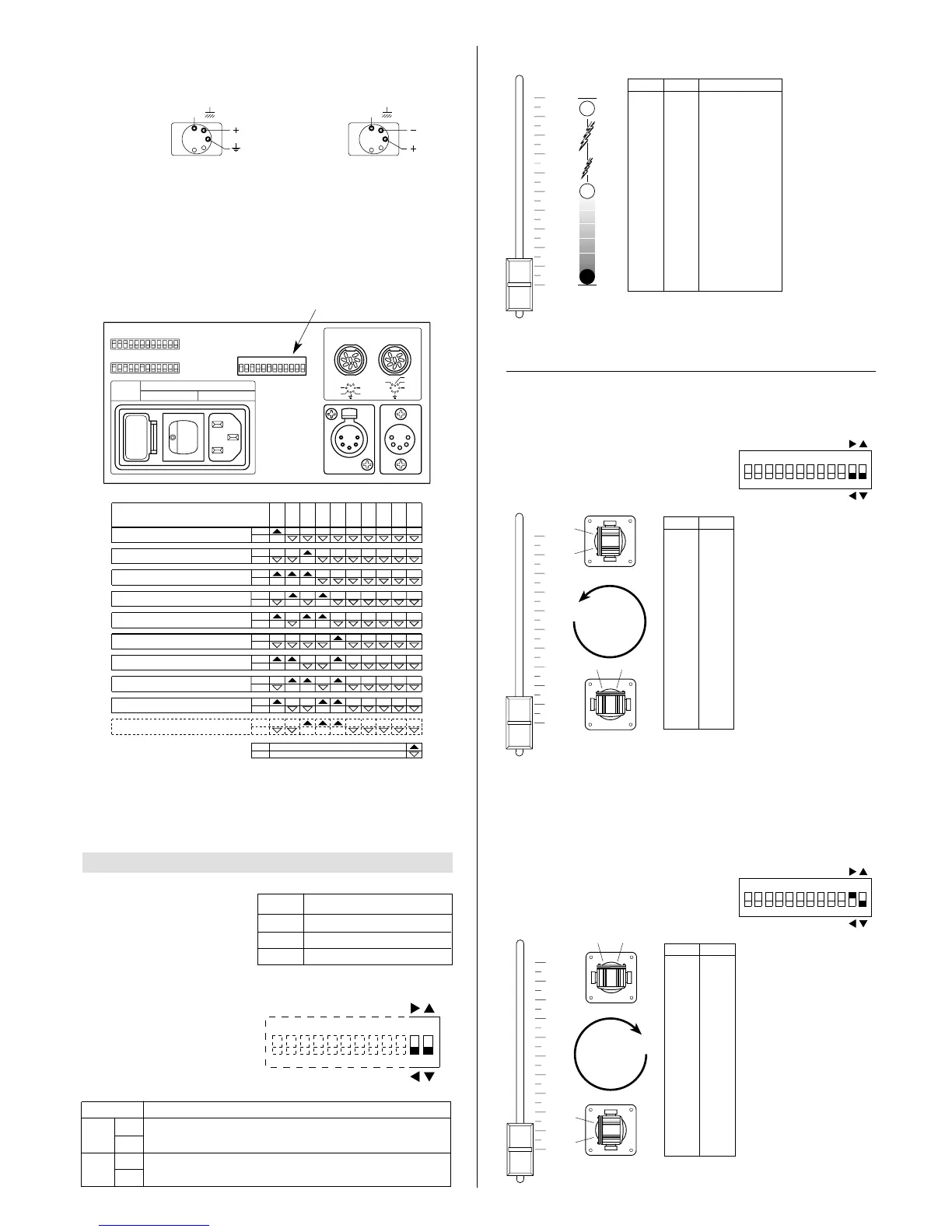
A single PIN SCAN projector utilizes 3 control channels.To ensure that the different
projectors are addressed correctly by the controller, a code must be assigned to
each one.The operation is carried out on each PIN SCAN by setting the microswitch-
es as indicated in the table below.
Setting the TEST switch to the ON position for a few seconds with the projector
powered-up, an auto-reset routine is carried out. Leaving the TEST switch at the
ON position for a longer period, a full self-test program will be completed; once the
operation has terminated, return the switch to the OFF position.
CHANNEL
FUNCTION
ON
Pan direction change.
OFF
ON
Tilt direction change
OFF
11
12
OPTION FUNCTION










 To Next Page