
 Need help?
Do you have a question about the Cleanfix E-Box 3.0 and is the answer not in the manual?
Legal information including copyright and manufacturer/service contact details.
Explains the manual's purpose, target audience, and safe usage guidelines.
Details how to identify the E-Box 3.0 using article and serial numbers for inquiries.
Explains the symbols and terms used throughout the operating instructions for clarity.
Outlines different levels of safety warnings and their meanings to ensure user safety.
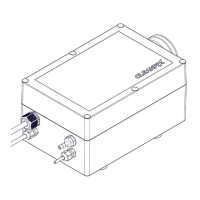
Describes the E-Box 3.0's functionality, operation, and main components.
Lists technical specifications such as weight, dimensions, and electrical connection details.
Specifies the approved purposes for the Cleanfix reversible fan system.
Advises adherence to national laws and regulations for safe operation.
Details critical warnings related to vehicle operation, clothing, and machine running.
Lists the types of standard power and hand tools necessary for installation.
Guides on selecting a suitable mounting location, considering environmental factors and protection.
Step-by-step instructions for connecting the pressure hose to the E-Box and fan.
Instructions for installing the operator's push button in the vehicle cab.
Details on connecting the E-Box and push button to the vehicle's power supply circuit.
Explains the pre-set default times for compressor and valve operation as delivered.
Guides on changing the cleaning cycle interval using DIP switches on the control unit.
Describes how to perform an additional intermediate cleaning cycle manually via a switch.
Explains the timed switching between cooling/cleaning and manual intermediate cleaning.
Specifies the need to replace the air filter at regular machine maintenance intervals.
Recommends storing the E-Box 3.0 in a cool, dry location to preserve its condition.
Provides guidance on proper disposal of plastic, rubber, metal, and electronic parts according to regulations.
Explains LED error codes and their corresponding causes for fault diagnosis and resolution.
 General
| Voltage | 24 V DC |
|---|---|
| Power Supply | 24 V DC |
| Operating Temperature | 0 °C to +50 °C |
| Ambient Temperature | 0 °C to +50 °C |
| Storage Temperature | -20 °C to +70 °C |
| Relative Humidity | non-condensing |

 To Next Page