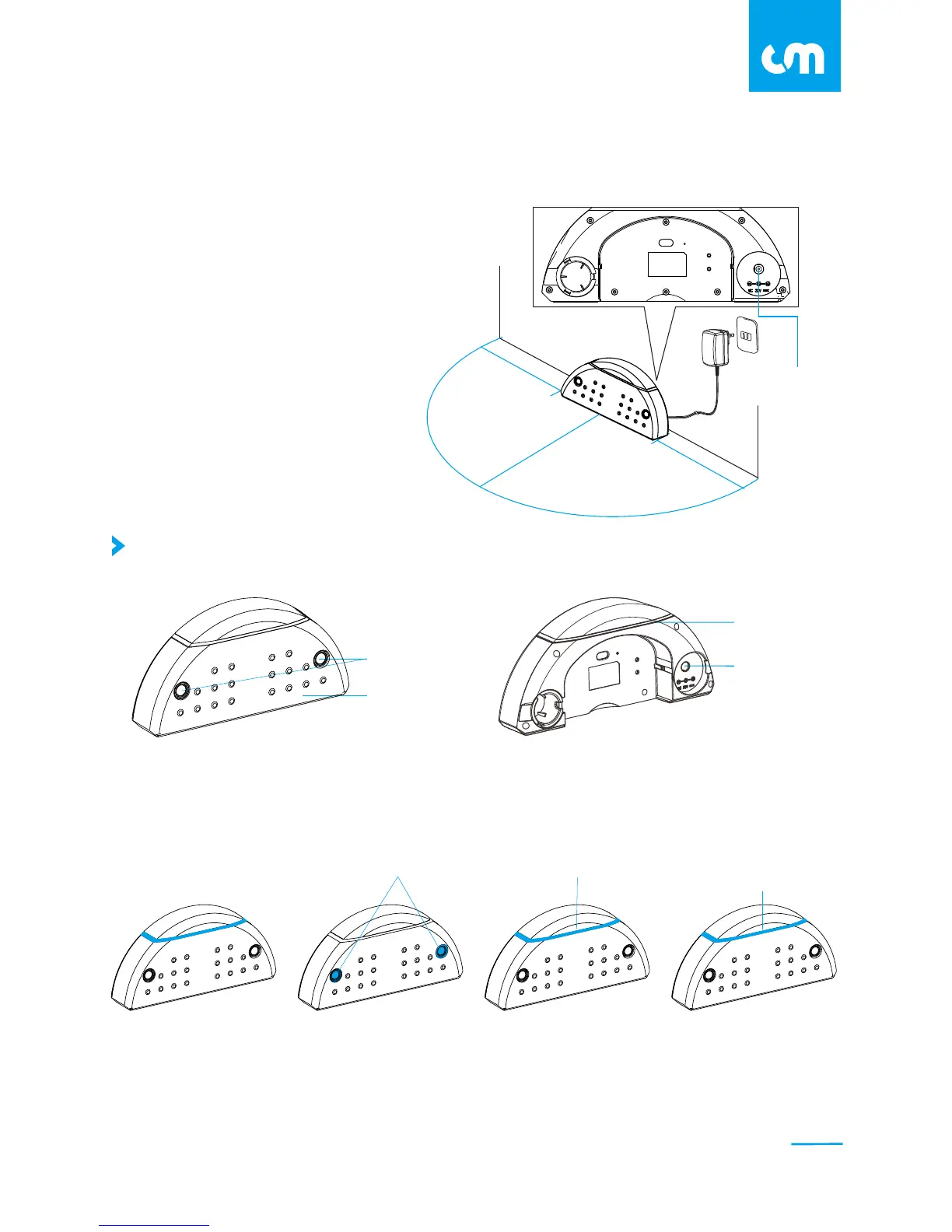
DC Inlet
Ultrasonic LED light
Panel
Blue LED Light
The blue LED light on the Recharging Home Base will turn on when it is plugged in.
While the Ultrasonic LED light will turn on for 2 seconds and then turn off.
* Blue LED light will only display when the remote is placed on the recharging base.
Recharging Base
DC Inlet
Signal Detect Mode
60cm
60cm
1.2m
Install the Recharging Base
Charging
(The robot power button will
blink for 3 second and turn off)
Fully Charged
Blinking
Slow-blinking Turn on for 10
sec and turn off
1. Connect the DC Plug into the recharging base.
2. Place the Recharging Base in an open,
uncluttered area against of the wall.
Position it at a proper location with at least
60cm on each side and 120cm in front of the
recharging base.
3. Connect the AC adaptor to the power
socket on the rear side. Only use the
AC adaptor provided.
Standby Mode
09
C L E A N M A T E



 To Next Page