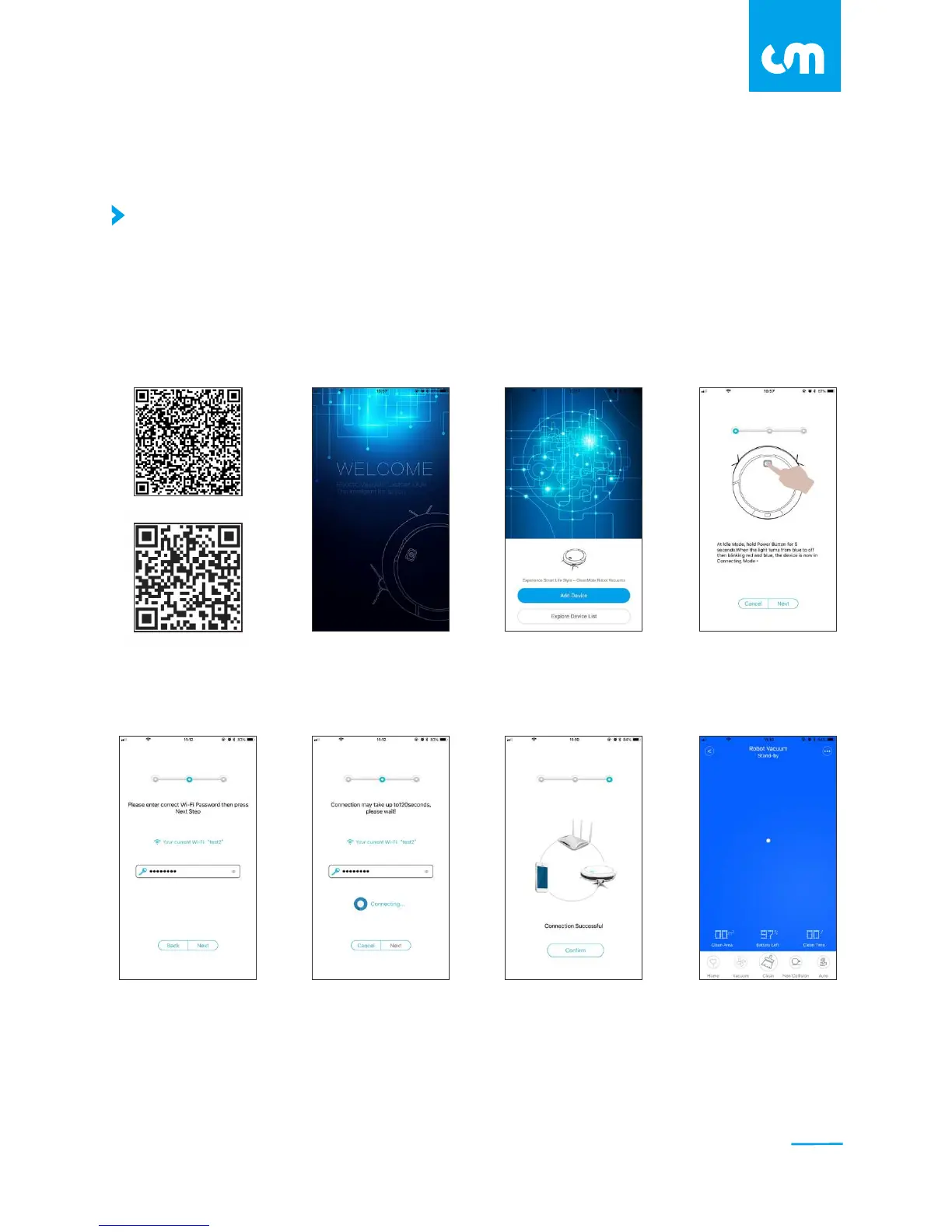
Install Smartphone APP and Connect with Wi-Fi
1.Connect your phone with a Wi-Fi network.
2.Scan the QR code below, or download CleanMate APP in your APP store.
Wi-Fi
connected
Connecting
to the Wi-Fi
Enter your Wi-Fi password,
press next
Follow the instructions,
press next when completed.
Run
the app
Add your robot
to the app
Enter
startup screen
Download and
install the app
11
C L E A N M A T E
Set up the App
Android
iOS



 To Next Page