EasyManua.ls Logo

Cleanmate S400 - Component Identification

Cleanmate S400
18 pages
Print Icon
To Next Page IconTo Next Page
To Previous Page IconTo Previous Page
Loading...
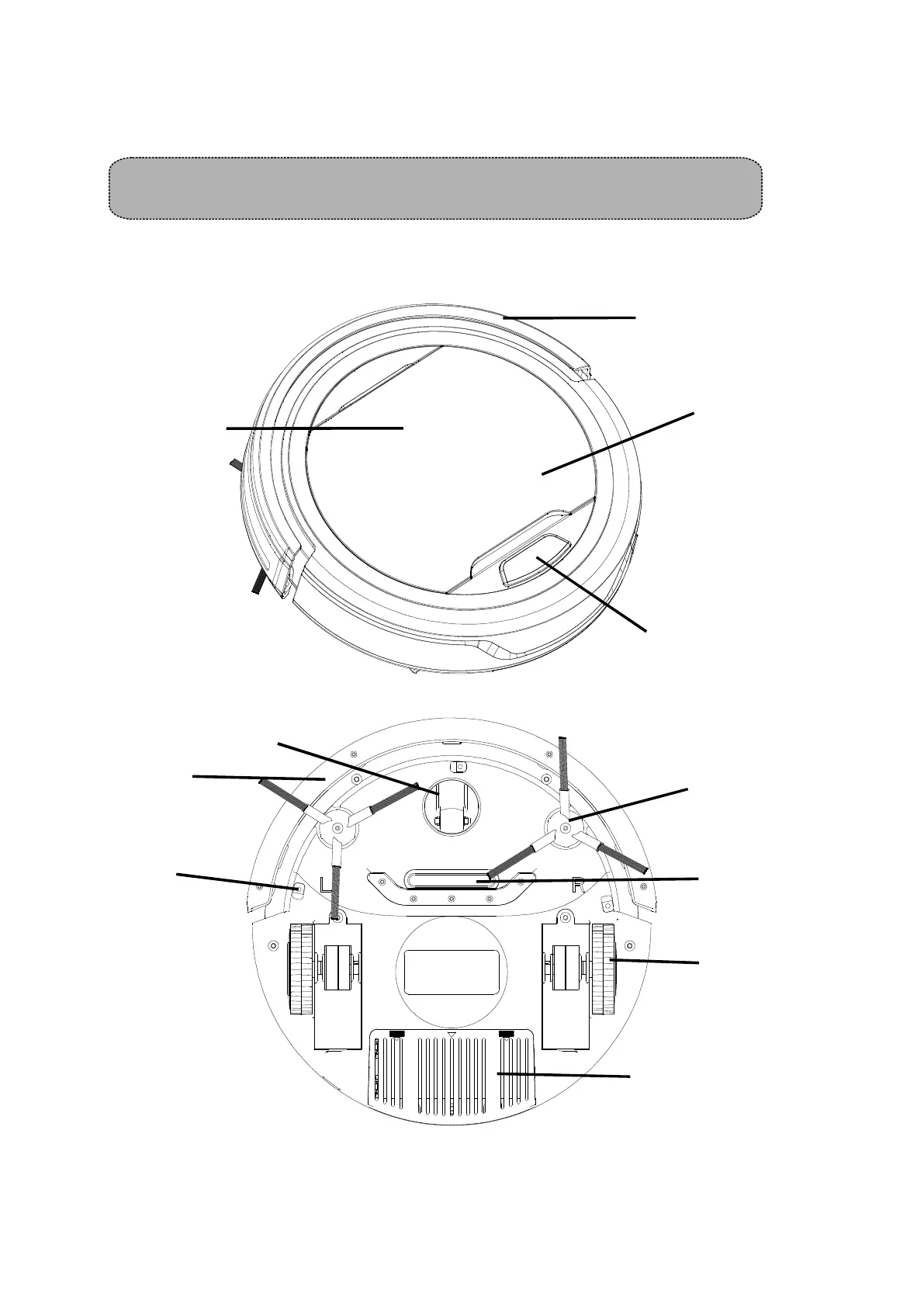
MAIN BODY AND ACCESSORIES
Bumper
Switch on/off
Top cover
Dustbin under lid
Bumper
Front wheel
Side brush
Wheel
Battery house
Vacuum
Intake
3
BATTERY INSTALLATION AND REMOVAL
1, Before installing or removing the battery, the product must be disconnected from the power
source.
2, Open the battery cover.
3, Insert the battery into the battery cabinet and close the cover. Make sure the cover clips well
located in its position.
4

Anti
fall-sensor
8

Related product manuals