Direct: 763.476.6866 • National: 800.422.2537 • www.SeeCleareld.com • techsupport@clfd.net
32
YOURx Multi-Purpose Terminal
Installation Manual
_________________________________________________________
Manual 021023 REV A - Jan 2020
Cleaning the Ferrule
• Lightly moisten the ber optic swab (2.5mm/38542F or 1.25mm/38040)
by spotting a small amount (about 1”) of Electro-Wash PX or
Electro-Wash MX pen onto the QbE. Hold the swab, 1 side down to the
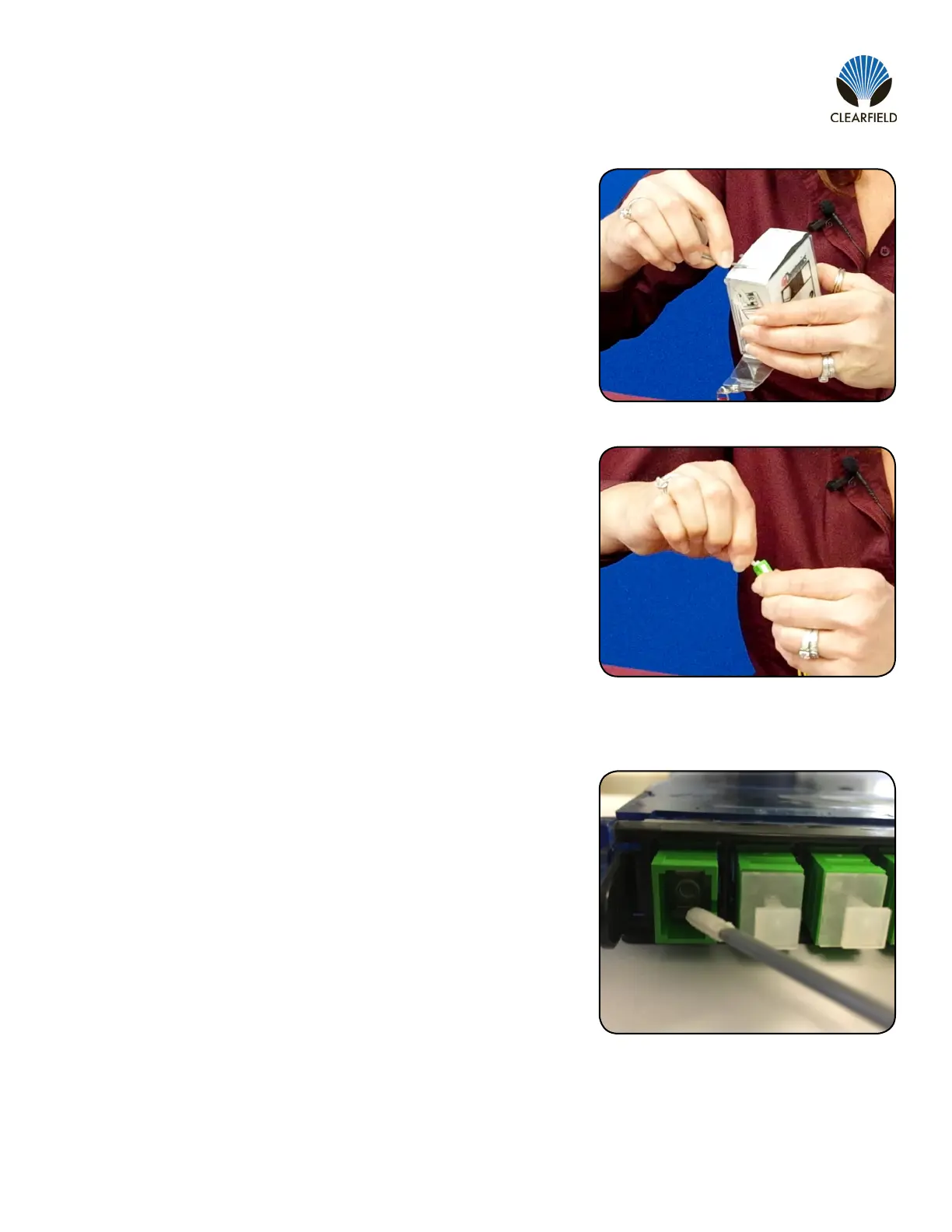
wetted area and hold for a count of 1-2-3-4-5. (Figure 4)
Figure 4
Figure 5
Figure 6
Cleaning the Mate Through an Adapter AND the Adapter Itself
• Lightly moisten the ber optic swab (2.5mm/38542F or 1.25mm/38040)
by spotting a small amount (about 1”) of Electro-Wash PX or
Electro-Wash MX pen onto the QbE. Hold the tip of the swab onto the
wetted area and hold for a count of 1-2-3-4-5.
• Insert the swab into the adapter to the connector, press lightly against
the connector, twist 2-3 times, remove and discard.
• Dry with a second dry swab.
• Inspect, repeat cleaning if necessary, and test for signal strength.
• Use additional swabs to clean inside the actual adapter. Moisten
swab, like above, and insert through hole and remove while twisting.
(Figure 6)
• Insert swab into side of ferrule, wet side to the ceramic ferrule and
circle around 2-3 times and remove. Turn swab to dry side and repeat.
(Figure 5)


 To Next Page