Direct: 763.476.6866 • National: 800.422.2537 • www.SeeCleareld.com • techsupport@clfd.net
18
YOURx Multi-Purpose Terminal
Installation Manual
_________________________________________________________
Manual 021023 REV A - Jan 2020
Splicing Cleareld’s FLATdrop
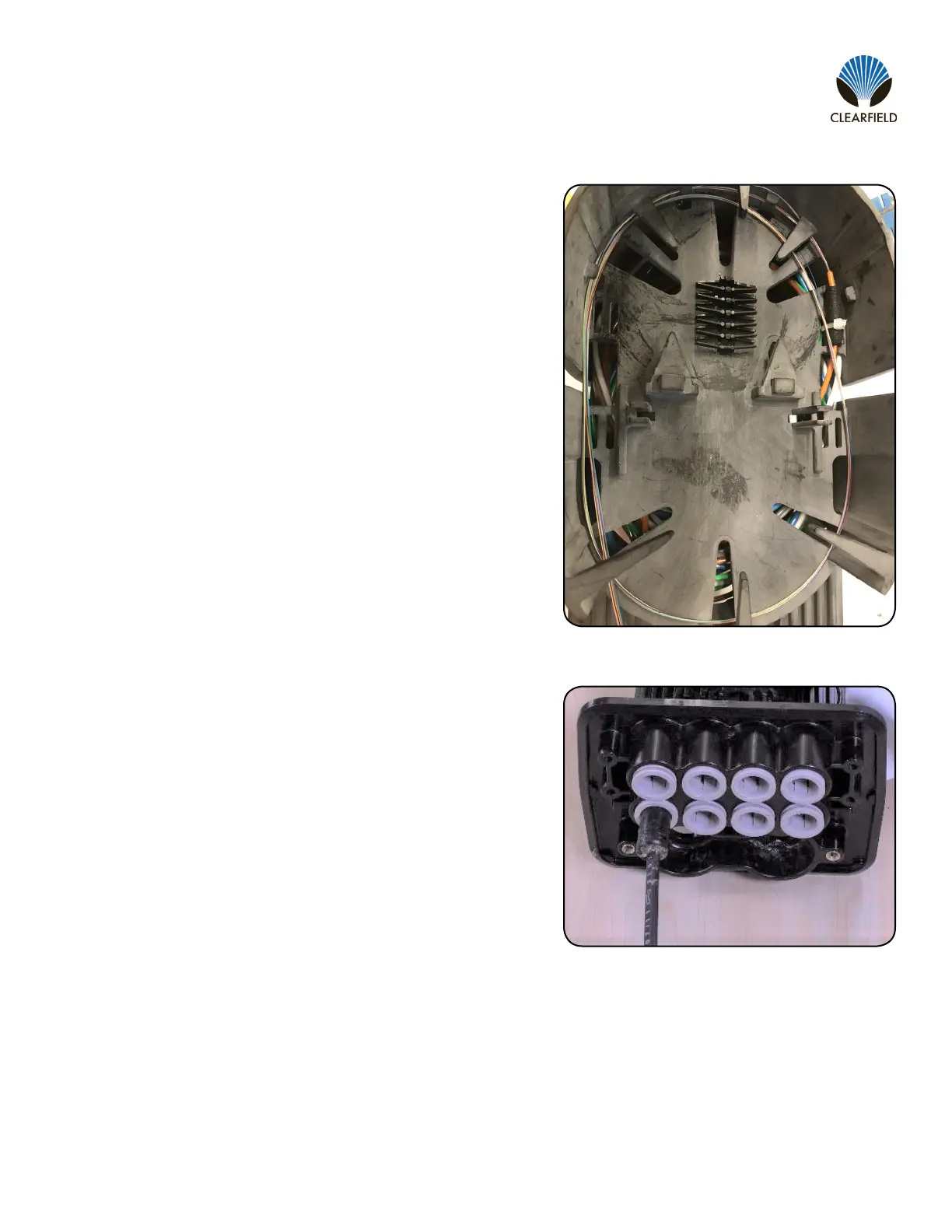
After opening and tying the buffer tube into the splice tray on
the desired side (Cleareld recommends opening a minimum of
30 inches of buffer tube) store the bare 250 micron ber in the
entire splice tray. This will allow for subsequent users to have
easier access to the bers when splicing additional drops at a
later time.
1.
Prepare the at drop, opening at least 30 inches of the cable to
expose the inner buffer tube.
If using a Field Installable FlexConnector, reference the sec-
tion for FLATdrop drops in this manual and follow the provided
instructions for installing the FlexConnector. If using a factory
installed FlexConnector, skip to the next step.
Insert the ber through the FlexPort and into the terminal bulk-
head. Fully seat the FlexConnector into the FlexPort.
2.
3.
4.


 To Next Page