Direct: 763.476.6866 • National: 800.422.2537 • www.SeeCleareld.com • techsupport@clfd.net
8
YOURx Multi-Purpose Terminal
Installation Manual
_________________________________________________________
Manual 021023 REV A - Jan 2020
Aerial Mounting
1.
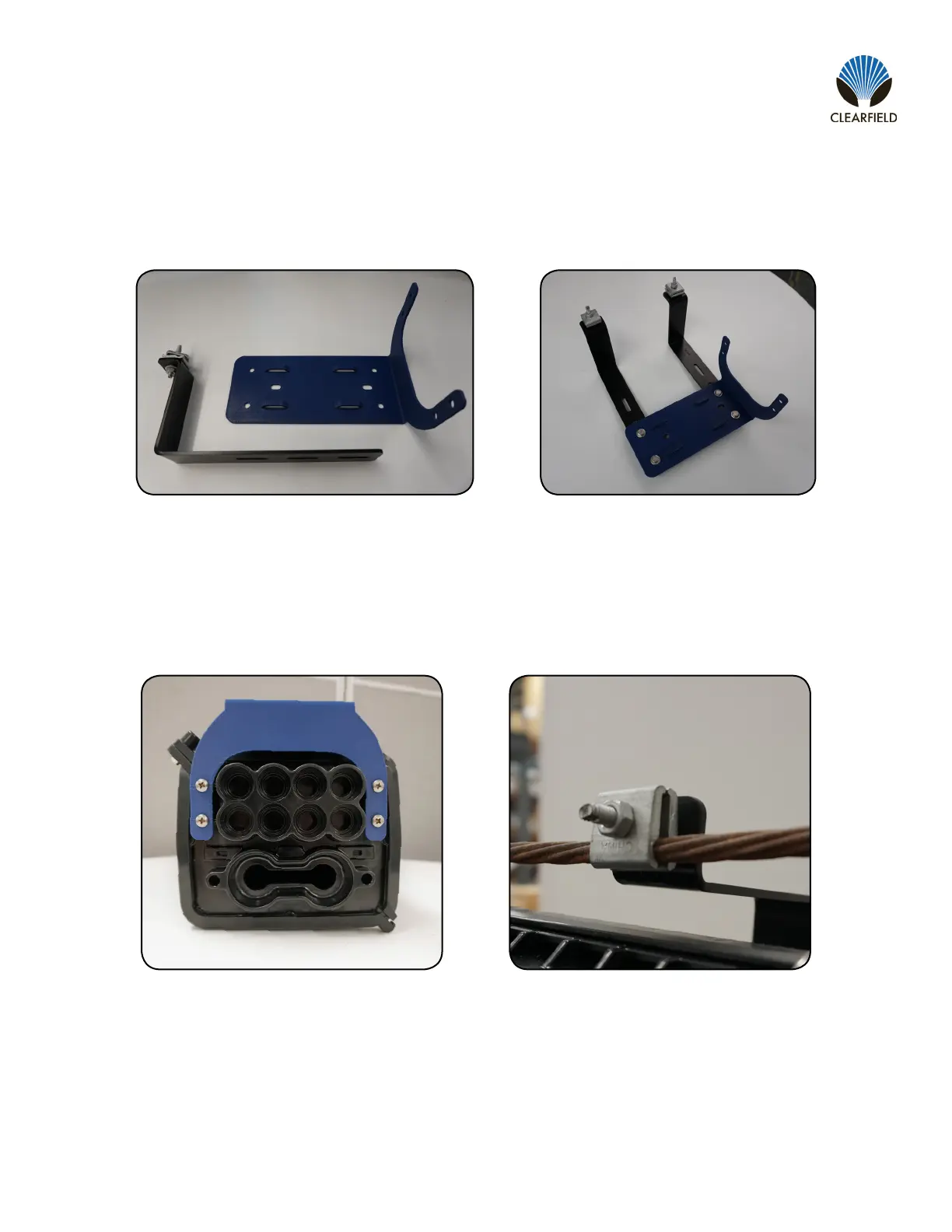
Using the hardware provided, secure the adjustable aerial mounting brackets to the base MPT mounting bracket. The 3
slotted holes on each aerial mounting bracket will allow for a wide range of heights.
2.
3.
Install the MPT onto the base MPT mounting bracket. This will attach via four screws into holes on the base of the
MPT.
Using a can wrench, loosen the bug nuts on the aerial mounting brackets. Place the bug nuts around the strand in the
desired location and tighten the bug nuts.


 To Next Page