>
NNoottee
: If no new firmware or device database updates are available, the following messages will appear
below the progress bar:.
• “Your device contains the most recent firmware”
• “Your database contains the most recent updates”
This indicates that your firmware and database are current. No updates are required.
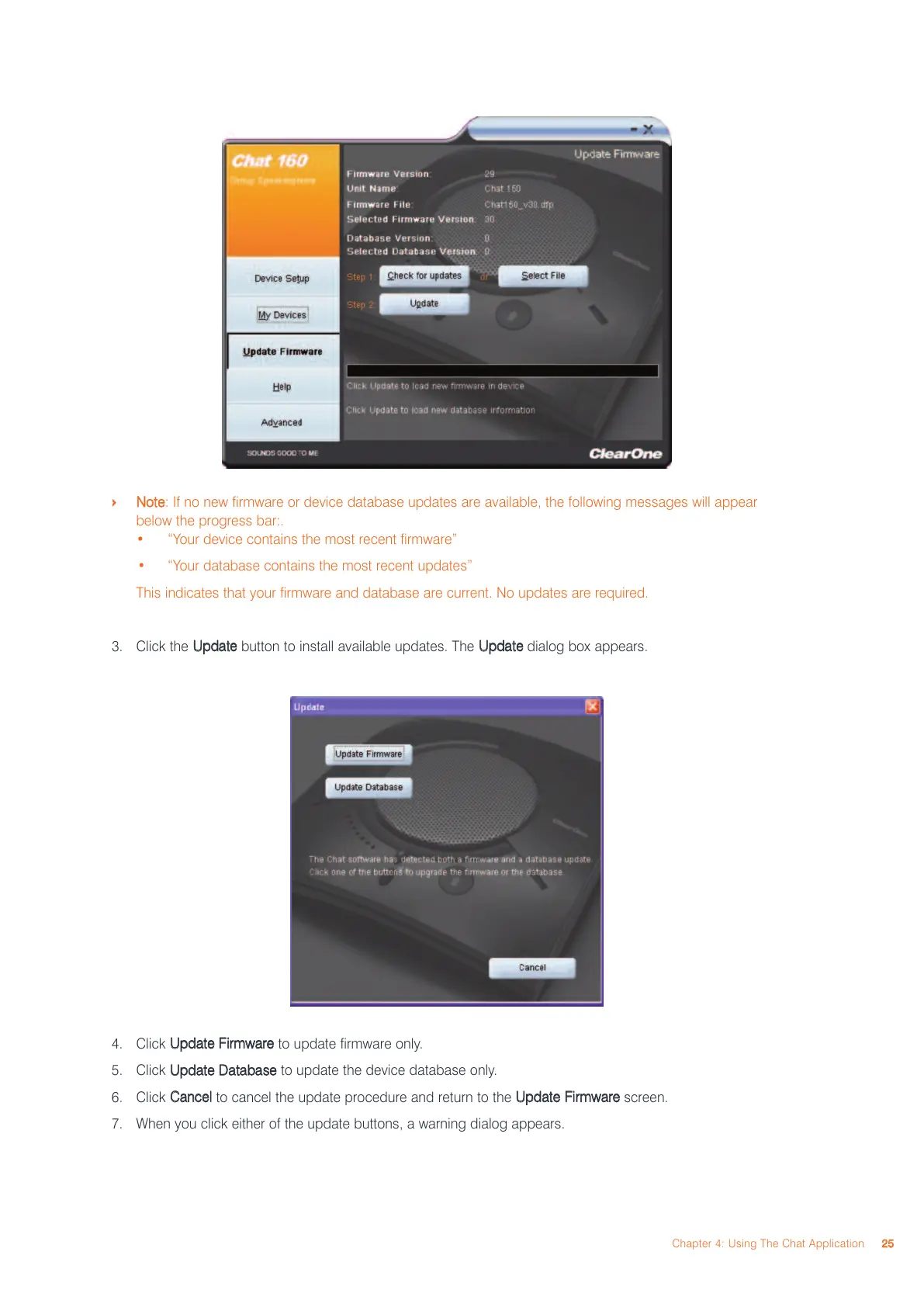
3. Click the
UUppddaattee
button to install available updates. The
UUppddaattee
dialog box appears.
4. Click
UUppddaattee FFiirrmmwwaarree
to update firmware only.
5. Click
UUppddaattee DDaattaabbaassee
to update the device database only.
6. Click
CCaanncceell
to cancel the update procedure and return to the
UUppddaattee FFiirrmmwwaarree
screen.
7. When you click either of the update buttons, a warning dialog appears.
Chapter 4: Using The Chat Application
2255



 To Next Page