8. Click
YYeess
to proceed with the firmware or device database update, or
NNoo
to cancel.
9. A second warning dialog appears. Click
YYeess
to proceed or
NNoo
to cancel.
10. A series of messages appears below the progress bar indicating that the updates are in progress.
WWAARRNNIINNGG
: Do not unplug the CHAT 160 while updates are in progress.
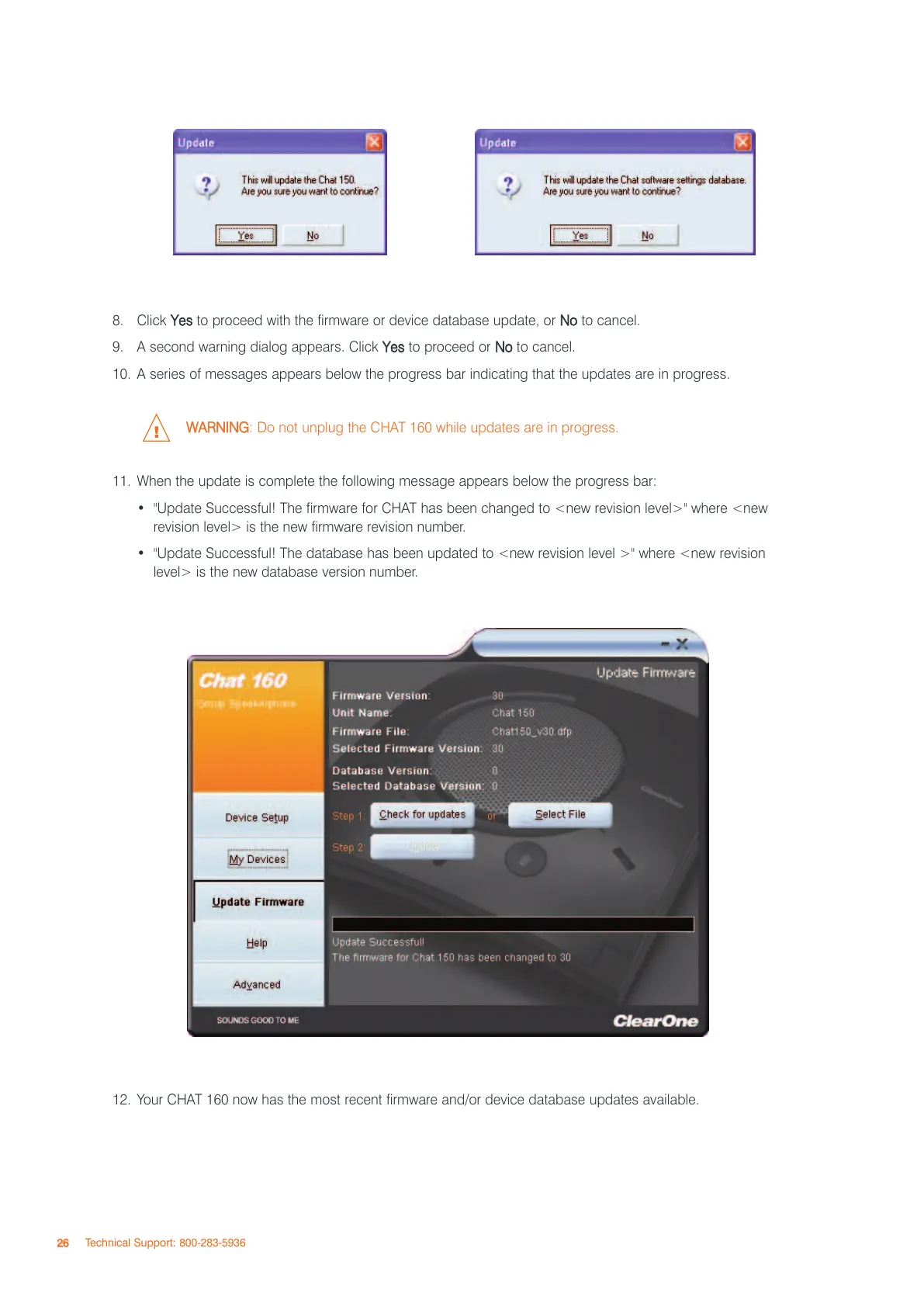
11. When the update is complete the following message appears below the progress bar:
• "Update Successful! The firmware for CHAT has been changed to <new revision level>" where <new
revision level> is the new firmware revision number.
• "Update Successful! The database has been updated to <new revision level >" where <new revision
level> is the new database version number.
12. Your CHAT 160 now has the most recent firmware and/or device database updates available.
2266
Technical Support: 800-283-5936



 To Next Page