Shenzhen Clever Electronic Co., Ltd
8
5.2 System initialization
When power on the MPDU, boot animation starts, the buzzer sounds and RUN indicator flashes. It is going
to be in normal working mode after that unit has initialized and the LCD has started displaying the power
data.
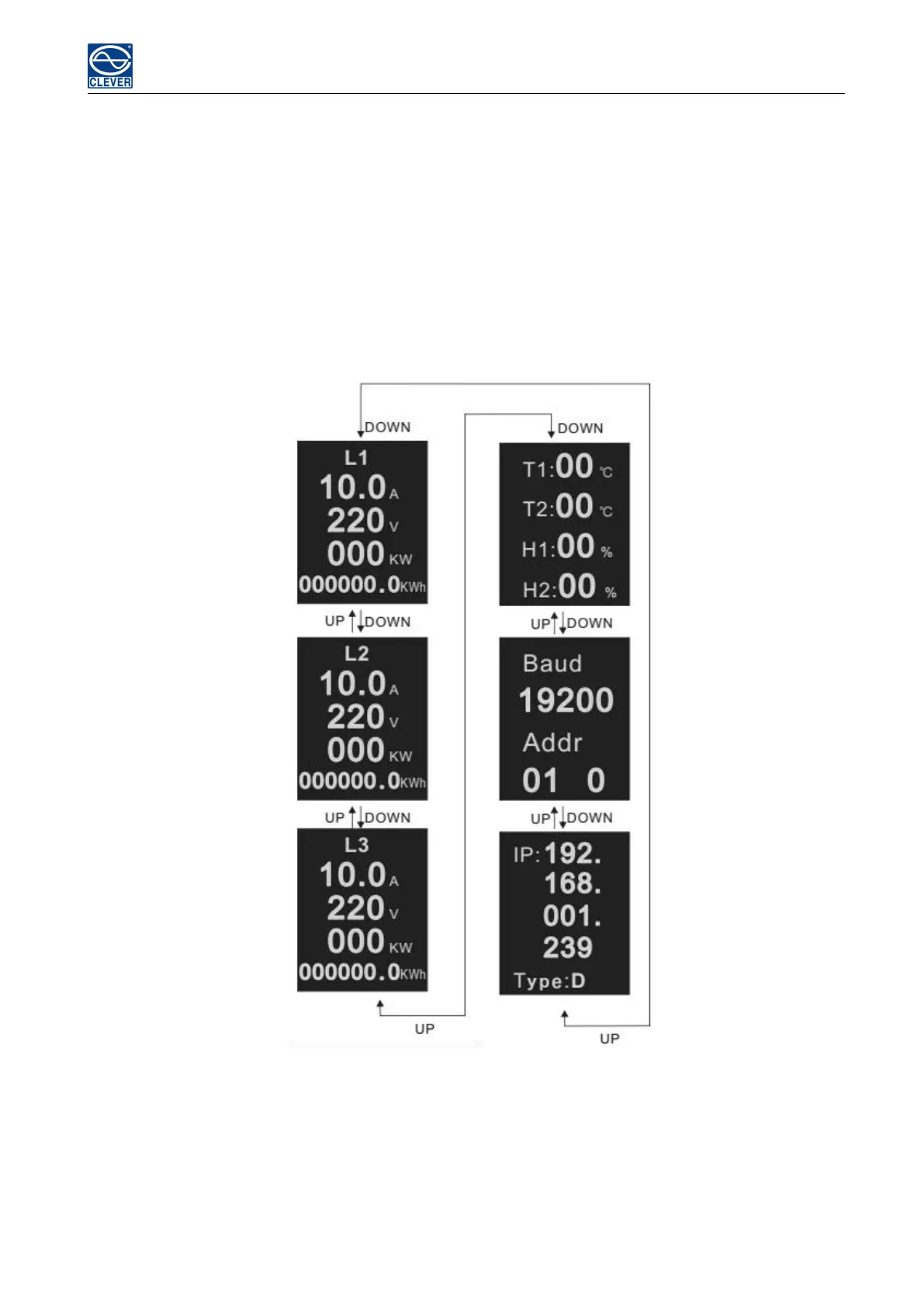
5.2.1 Press the UP/DOWN button to view the Rack PDU information including the input
load/voltage/power/power consumption of each phase, temperature/humidity status, baud rate, Modbus
communication code, Daisy-chain code, IP address and device series.
5.2.2 Press the CONTROL button to view the current/power/power consumption of individual outlet (A&C
series not included)
5.2.3 Press and hold the CONTROL button for 4 seconds to back to the input current/voltage/power/power
consumption of each phase



 To Next Page