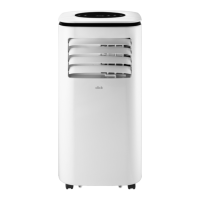
This document is an instruction manual for a portable air conditioner, model CPAC1609-H, manufactured by Click. It provides essential information regarding its functions, technical specifications, usage, and maintenance.
Function Description
The Click Portable Air Conditioner is designed for indoor use to provide cooling, heating, dehumidifying, and fan functions. It operates by drawing in room air, processing it, and then expelling either cool or warm air, depending on the selected mode. In cooling mode, it removes heat and moisture from the air, while in heating mode, it adds warmth. The dehumidifying mode specifically targets excess humidity without significant cooling. The fan mode circulates air without altering its temperature. The unit features an auto-water-evaporating system to improve cooling efficiency and save energy by cycling condensed water to cool the condenser. It also includes an auto-restart function that restores previous settings after a power failure (excluding Timer, Sleep, and Swing). Protective functions include overflow protection, which stops the unit and flashes a "Water Full" indicator when the internal water tank is full, and compressor protection, which implements a 3-minute delay before restarting the compressor to extend its service life.
Important Technical Specifications
- Model: CPAC1609-H
- Power: AC 220-240V ~ 50Hz
- Rated Cooling Capacity: 9000BTU (2.64KW)
- Rated Heating Capacity: 7000BTU (2.05KW)
- Rated Input Power:
- Cooling: 1010W
- Heating: 810W
- Refrigerant/Charge: R290/195g (flammable gas)
- Air Flow Volume: 350 m³/h
- Max. Dehumidifying Capacity: 1.75 L/h
- Waterproof Class: IP20
- Protection Class: Class I
- Climate Type: T
- Working Temperature: 7-35°C
- Operating Temperature Range:
- Cooling: 17-35°C
- Dehumidifying: 7-35°C
- Cooling Operation Test Conditions: 35°C (DB), 24°C (WB)
- Heating Operation Test Conditions: 20°C (DB), 12°C (WB)
- Noise Parameter: Measured in laboratories before leaving the factory.
- Room Area for Storage/Operation: Larger than 12m²
- Exhaust Hose Length: Extendable from 50cm up to 150cm (recommended minimum length for efficiency).
- Window Slider Kit: Minimum 93cm, Maximum 125cm (designed for vertical and horizontal sliding windows).
Usage Features
The air conditioner can be operated via a control panel on the unit or a remote control.
Control Panel and Remote Control Functions:
- POWER Button: Turns the appliance on or off.
- MODE Button: Selects desired operating mode: Cooling, Dehumidifying, Fan, or Heating.
- SLEEP Button: Activates/deactivates sleeping function in Cooling or Heating mode. In sleeping mode, fan speed automatically changes to Low. In cooling, temperature increases by 1°C after the first hour, and another 1°C after the second hour, then remains stable. In heating, temperature decreases by 1°C after the first hour, and another 1°C after the second hour, then remains stable. Sleep mode cannot be activated in Dehumidifying or Fan mode.
- UP/DOWN Buttons: Adjusts setting temperature (16-31°C) in Cooling or Heating mode. Pressing both UP and DOWN buttons simultaneously on the control panel switches between Centigrade and Fahrenheit.
- DISPLAY: Shows selected mode, room/set temperature, or selected timer delay.
- SPEED Button: Sets fan speed to high or low in Cooling, Heating, or Fan mode. Fan speed is pre-set to low and cannot be adjusted in Dehumidifying mode.
- TIMER Button: Sets auto stop (turn off) or auto start (turn on) after a delay of up to 24 hours.
- Indicators: Timer, Fan speed, Sleep, Mode selection, Power on/Standby, and Water Full.
Installation Requirements:
- The unit must be placed upright on a flat floor, at least 50cm away from surrounding objects, and near a single circuit outlet.
- The flexible exhaust hose should not exceed 1.5m and should be kept as short as possible without sharp bends or sags.
- The air outlet must not be blocked.
- The appliance should be plugged directly into a domestic power outlet; extension cords, double adaptors, or power boards are not recommended.
- For cooling and heating modes, the exhaust hose MUST be installed to vent warm air outside. For dehumidifying mode, the exhaust hose is not required, but continuous drainage is necessary.
Remote Control Usage:
- Aim the remote control directly at the Remote Sensor on the front panel.
- Operate within a 5-meter range and a 60-degree angle.
- Uses two AAA 1.5V alkaline batteries. Do not mix old and new batteries or different types. Remove batteries if discharged or not in use for a long time.
Water Condensation Drainage:
- The unit has an auto-water-evaporating system. If the internal water tank fills, the "Water Full" indicator flashes, and the unit enters standby mode.
- Manual Draining: Disconnect power, detach the exhaust hose, move the unit to a suitable drain location, and pull out the rubber plug from the drain port.
- Continuous Draining: Recommended for Dehumidifying mode. Connect the supplied drain hose to the Continuous Drain Port (located at the middle back of the unit) and place the open end in a suitable drain location or outdoors. Ensure the drain hose is lower than the drain port. Do NOT use the drain hose in Cooling mode.
Maintenance Features
General Safety Precautions for Maintenance:
- Always disconnect the unit from the electrical supply before cleaning or servicing.
- Do not disassemble, overhaul, or modify the machine arbitrarily.
- Ensure the area is well-ventilated and free from ignition sources, especially when dealing with flammable refrigerants (R290).
- Only competent persons should carry out work affecting safety.
Cleaning the Air Filter:
- The air filter should be cleaned every two weeks, or more frequently depending on indoor air quality.
- Turn off the unit and unplug it.
- Remove filters from the air inlet vents (upper and lower).
- Clean dust/dirt with a vacuum cleaner. If very dirty, wash in lukewarm soapy water with a mild detergent and a brush.
- Wipe the filter with a soft cloth soaked in water and dry it in the shade. Do not use harsh cleaners, hot water, or a dishwasher.
- Allow filters to dry completely before reinstalling. Do not operate the unit without air filters.
Cleaning the Unit Casing:
- Wipe the case with a slightly damp cloth, then dry with a dry cloth towel.
- Do not pour water onto or into the air conditioner, or use gasoline, thinner, or other chemicals.
After a Long Idle Period and Before Next Use:
- Remove the drain plug and drain water completely.
- Run the unit in Fan mode with the low setting for a few hours to dry out the inside and prevent mildew.
- Switch off the unit and unplug it.
- Clean the filter and outer surface, then allow to dry completely and reinstall the filter.
- Remove batteries from the remote control and store them with the air conditioner in a clean, dry location, away from direct sunlight, extreme temperatures, and excessive dust.
- Remove and store the air exhaust hose in a clean, dry area.
Refrigerant System Maintenance (for qualified personnel):
- Checks to the area, work procedure, general work area, checking for presence of refrigerant, presence of fire extinguisher, no ignition sources, ventilated area, checks to the refrigeration equipment, checks to electrical devices, repairs to sealed components, repairs to intrinsically safe components, cabling, detection for flammable refrigerants, leak detection methods, removal and evacuation, refrigerant charging procedures, and decommissioning are detailed for qualified technicians due to the use of flammable refrigerant R290.
- The appliance must be stored and transported upright to prevent damage to the compressor.


 To Next Page
 General