12
©
2001
Directed Electronics, Inc.
Auxiliary Harness (H2) Wire Connection
Guide
___
___
___
H2/1 GRAY/BLACK (-) Diesel Wait-To-Start Bulb Input
Connect this wire to the wire in the vehicle that sends the signal to turn on the WAIT-TO-START
bulb in the dashboard. In most diesels the wire is negative (ground turns on the bulb) and the
GRAY/BLACK wire can be directly connected to the wire in the vehicle. If the vehicle uses a
positive wire (12V to turn on the bulb) a relay must be used to change the polarity. Here are some
common colors of this wire:
➤➤
Chevrolet and GMC trucks - Light blue or dark blue
➤➤
Ford Trucks - Black/pink
➤➤
Dodge Ram Trucks - Orange/black or black/orange
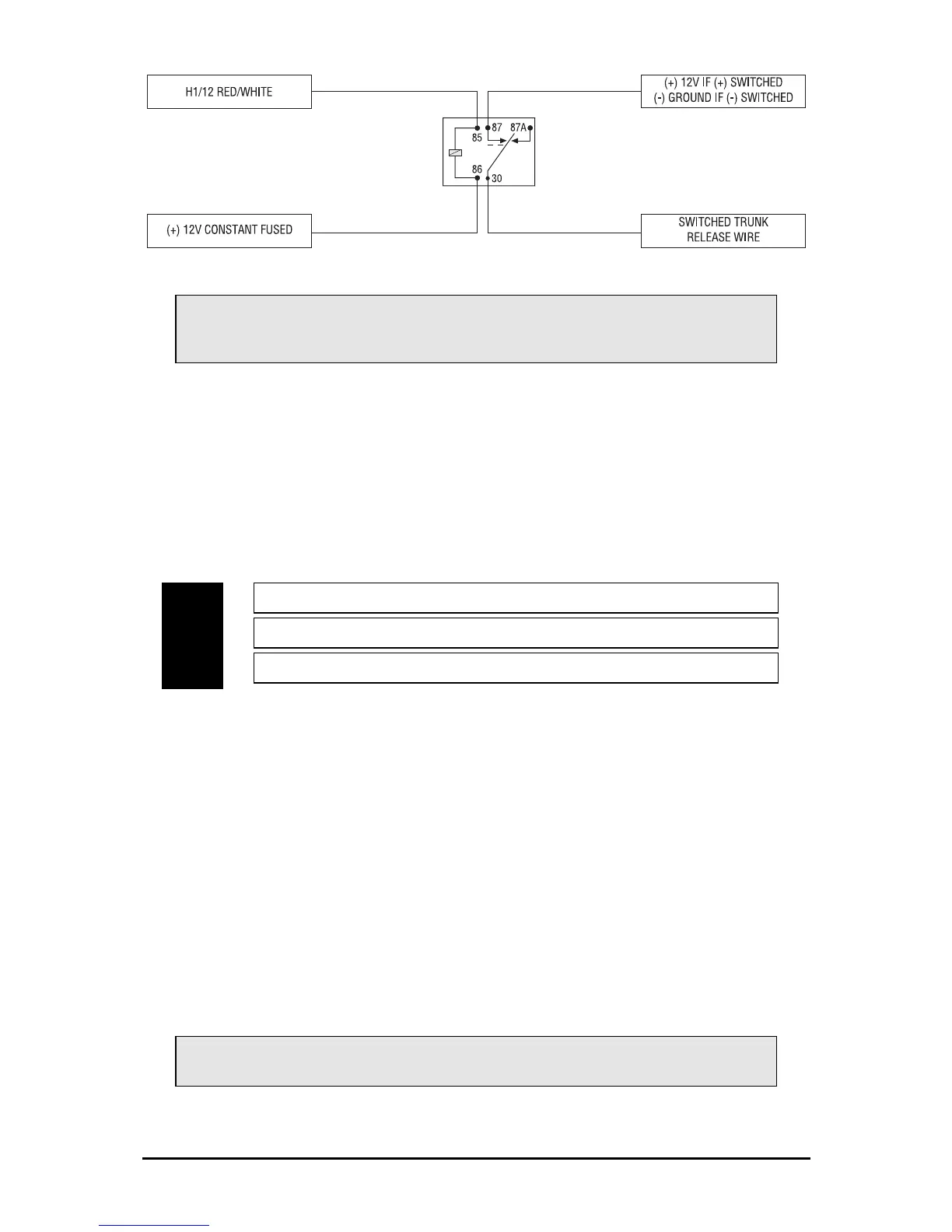
IMPORTANT! A 1-amp diode must be installed in line on the factory wire between the
wait-to-start indicator and the ECM. (See the following diagram for details.)
VIOLET/BLACK (-) 200 mA Channel 4 Programmable Output
LIGHT GREEN/BLACK (-) Factory Disarm Output
GRAY/BLACK (-) Diesel Wait-to-Start Bulb Input
H2/1
H2/2
H2/3
IMPORTANT! Never use this wire to drive anything except a relay or low-current input!
The transistorized output can only supply 200 mA of current. Connecting directly to a
solenoid, motor, or other high-current device will cause it to fail.



 To Next Page