TEMPERATURE SETTINGS (electronic versions)
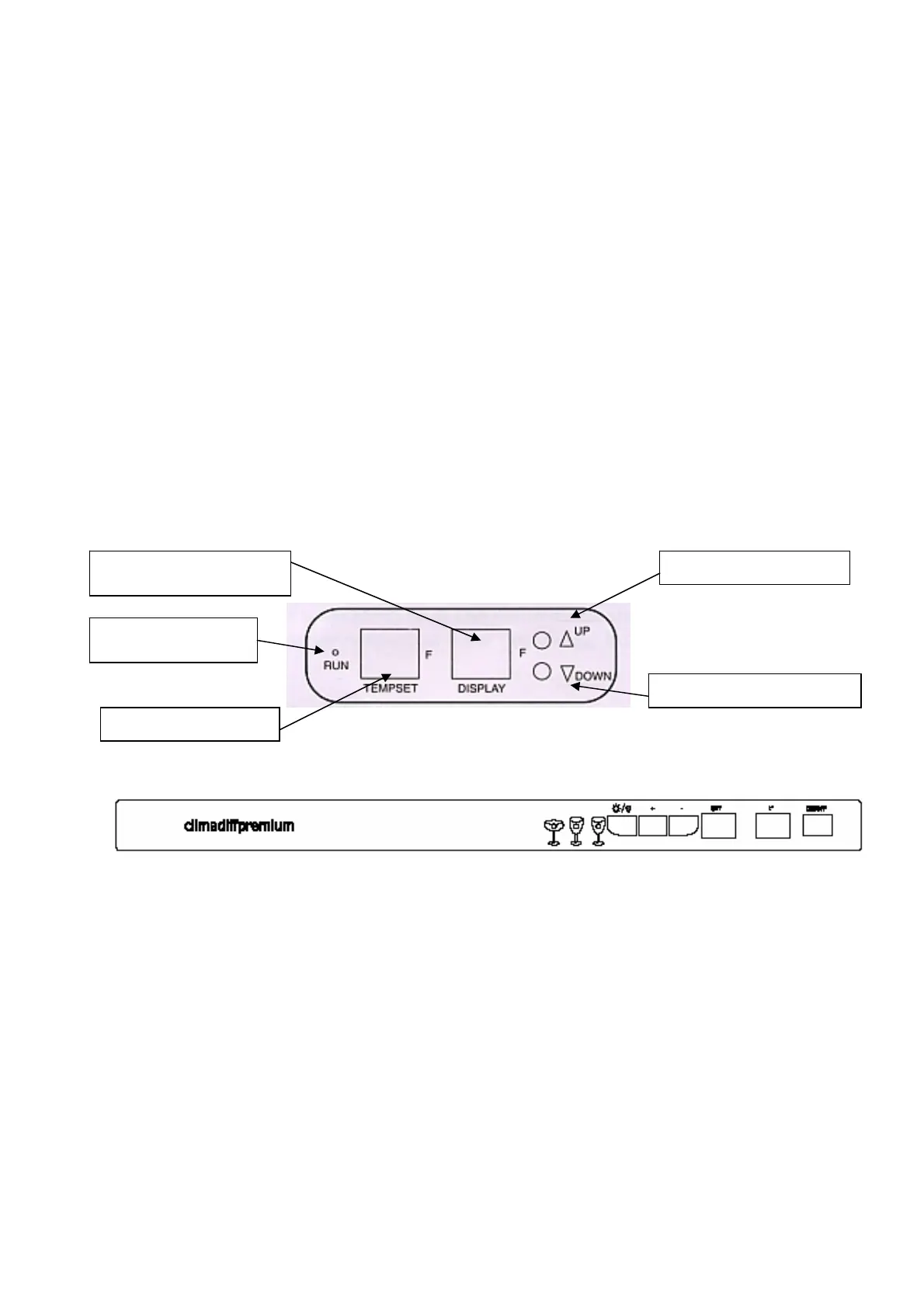
The control panel located at the top inside the wine cellar allowed you to set the servicing
temperature you want without large variations of temperature which are injurious to your wines.
If the temperature become too low, it stops the cooling system. If at contrary it become too high
it starts the cooling system.
NOTE : The power (RUN) indicator light is located on the LED control panel inside the unit
and will illuminate when the compressor (cooling) system is operationnal.
Set the desired cooling temperature by pressing the buttons adjacent to the «Set Upper / Set
lower » program. (Range of temperature between 6 and 18°C). Each depression of the buttons
will increase/decrease the set temperature in increments of 1 degree. The set temperature will be
displayed in the LED (TEMPSET) window.
The temperature will vary depending of the number of bottles and the door frequency opening.
Shows the température
in
i
th
a
in
Power RUN light
in
i
at
Set UP the temperature
Set DOWN the temperature
Setted temperature
TEMPERATURE SETTINGS (mechanic versions)
The normal setting is « Normal ». Make operate the appliance empty during 30 mn minimum
before setting your temperatures.
The “MAX” setting will give a temperature between 5 and 9°C
The “NORMAL” setting will give a temperature between 10 and 14°C
The “MINI” setting will give a temperature between 15 and 18°C
Turn the thermostat button to select the setting position.
20



 To Next Page