TECHNICAL MANUAL
CVM 2
C 5001 CV/04-99 GB
9
3 Software
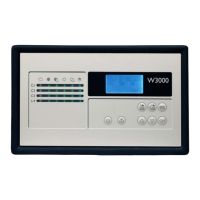
3.1 Description of user interface
If the POWER LED is on, it means that the electronic control is supplied with power.
3.2 Unit startup
+ Press the ON/OFF/RESET key.
$ The inlet temperature value will be displayed on the screen.
+ Press the MODE key.
• If the unit is a CHILLER:
$ The COOLING LED comes on. The two COMPRESSOR 1 and COMPRESSOR 2 LED’s start flashing,
indicating the selection and stand-by condition required by the timer. Then they become steady, indicating operational
readiness, first of COMPRESSOR 1 and then of COMPRESSOR 2.
• If the unit is a HEAT PUMP:
$ the HEATING LED comes on. The two COMPRESSOR 1 and COMPRESSOR 2 LED’s start flashing,
indicating the selection and stand-by condition required by the timer. Then they become steady, indicating operational
readiness, first of COMPRESSOR 1 and then of COMPRESSOR 2.
To modify the operating mode, press the MODE key; the unit will prepare for the change by shutting down the compressors
and then reactivating them in accordance with the procedure described above.



 To Next Page