FL-20A Instruction Manual - Page 23
Model FL-20A Cable Fault Locator
Parameters will appear on the touch screen.
6. If Lock Hi-Pot Settings is OFF, all settings can be changed
here, before the test begins. To change a setting, press on
the setting value to access a keypad, enter the new value,
and press OK. When all settings are correct, press NEXT.
If Lock Hi-Pot Settings is ON, settings cannot be changed.
Press NEXT.
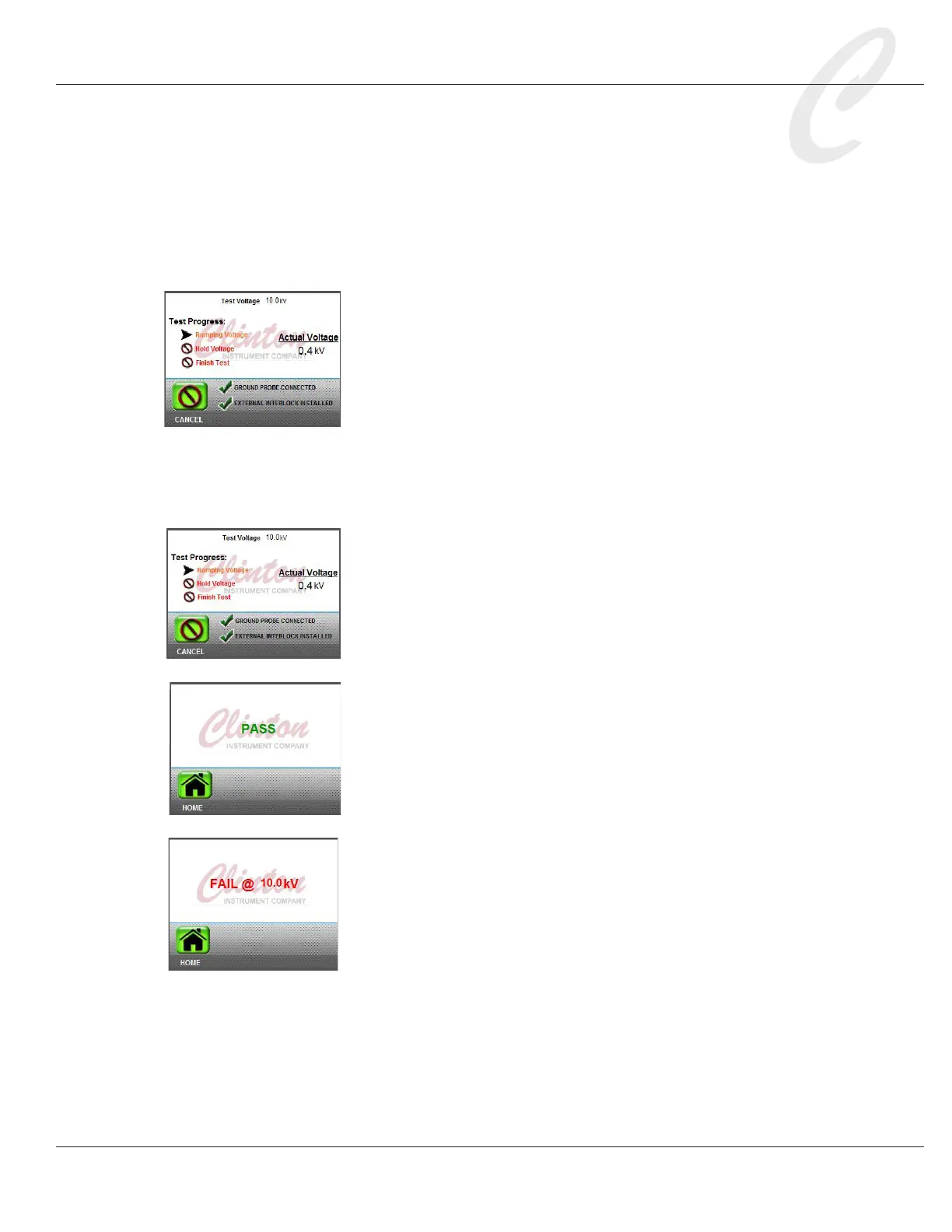
7. The touch screen will guide you through the hi-pot test. If the
green ground probe is connected as described in step 4, the the
touch screen will display, “Ground Probe Connected.”
8. If the Caged Operation setting is ON and the safety interlock
is open, the touch screen will note that the External Interlock
is not installed. When the external interlock is closed, the test
can proceed.
9. For Caged Operation, the touch screen will display: “To ini-
tiate test, momentarily press safety switches.” If the Caged
Operation setting is OFF, the screen will display, “Hold Safety
Switches.”
10. Press the safety switches as directed.
11. The FL-20A touch screen will indicate test progress as it tries
to locate the fault. The X3F yellow light will ash to alert that
a test is in progress, and the red High Voltage light will go on,
indicating that there is high voltage on the test cable.
12. If the hi-pot test is successful, the touch screen will dis-
play, “Pass.” A “Pass” indicates that the tested conduc-
tors were able to withstand the preselected voltage for
the preselected amount of time, without any arcing.
If there is an arc condition, the touch screen will display, “Fail”
and the voltage at which it failed.
13. WARNING: Do not touch the red and blue probes or the
test cable until the red light on the X3F goes OFF. The red
light indicates that there is still a charge present on the test
cable and the probes. Before handling the reel under test,
wait at least 10 seconds, then discharge all conductors to
ground. A stored charge in the cable can be lethal.



 To Next Page