FL-20A Instruction Manual - Page 25
Model FL-20A Cable Fault Locator
300 volts). If adjustments had to be made, press BACK to the
previous screen.
9. Repeat steps 11 and 12 until the multimeter screen reads 15.0
kV (+/- 2% or 300 volts) without further adjustment from the
touch screen. Press NEXT.
Calibrate the FL-20A Voltage Reading
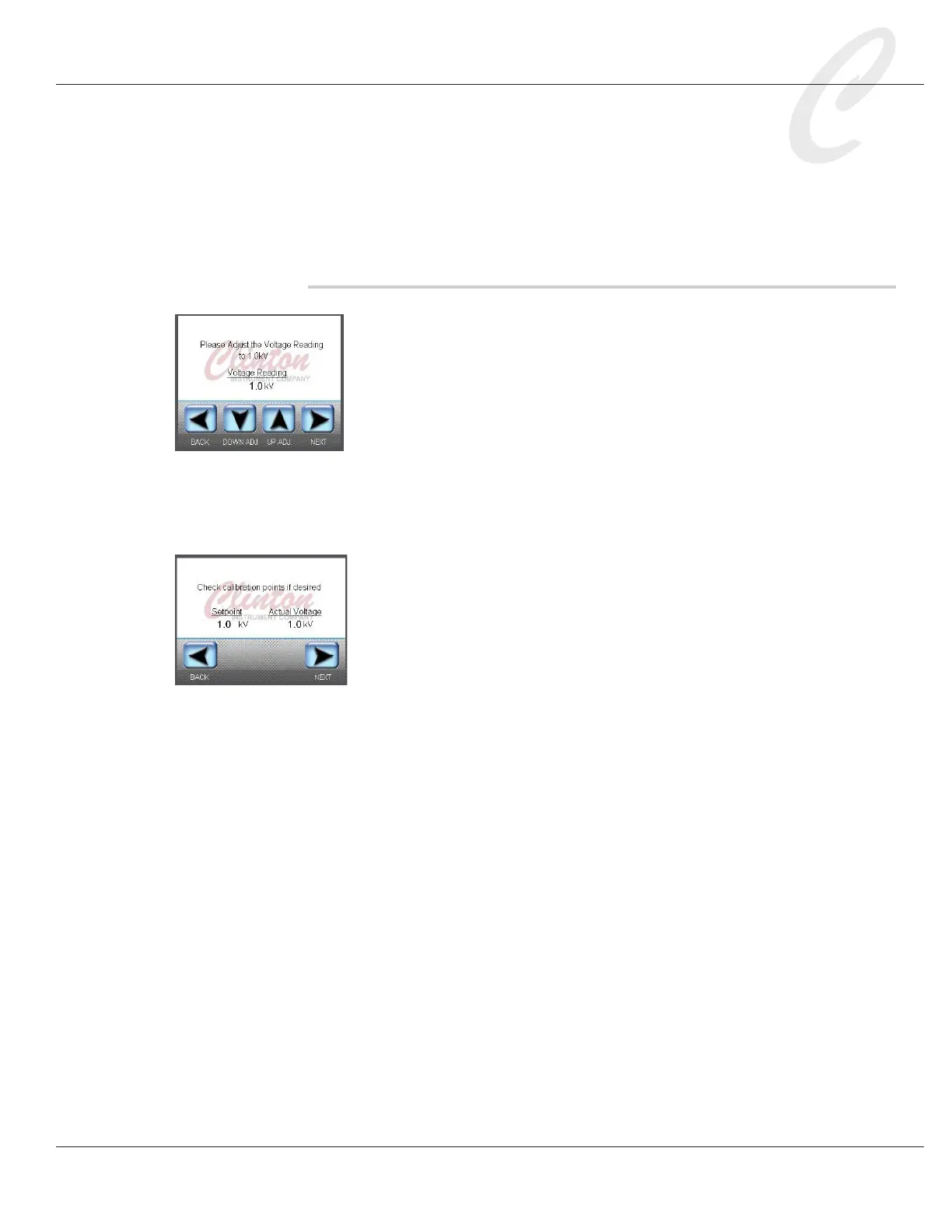
10. As directed on the touch screen, use the DOWN ADJ and UP
ADJ buttons so that the Voltage Reading on the touch screen
displays 1.0 kV. Press NEXT.
11. If the Voltage Reading on the touch screen is not 15.0kV, use
the DOWN ADJ and UP ADJ buttons until the reading is 15.0
kV. If adjustments had to be made, press BACK to the previ-
ous screen.
12. Repeat steps 14 and 15 until the Voltage Reading reads within
2% of 15.0 kV (+/- 300 volts) without further adjustment.
Press NEXT.
13. To record a calibration point, press the Voltage Reading number
to access a keypad. Enter a new Voltage Reading (a number
from .5kV to 20.0kV) and press OK. Record the voltage output
on the multimeter. A number within 2% of the Voltage Reading
is within factory tolerance. Repeat as necessary.
14. Press NEXT. The calibration is complete. Press FINISH.



 To Next Page