18 MSAT-XEE 8.2-30.2 M09G60E14-04
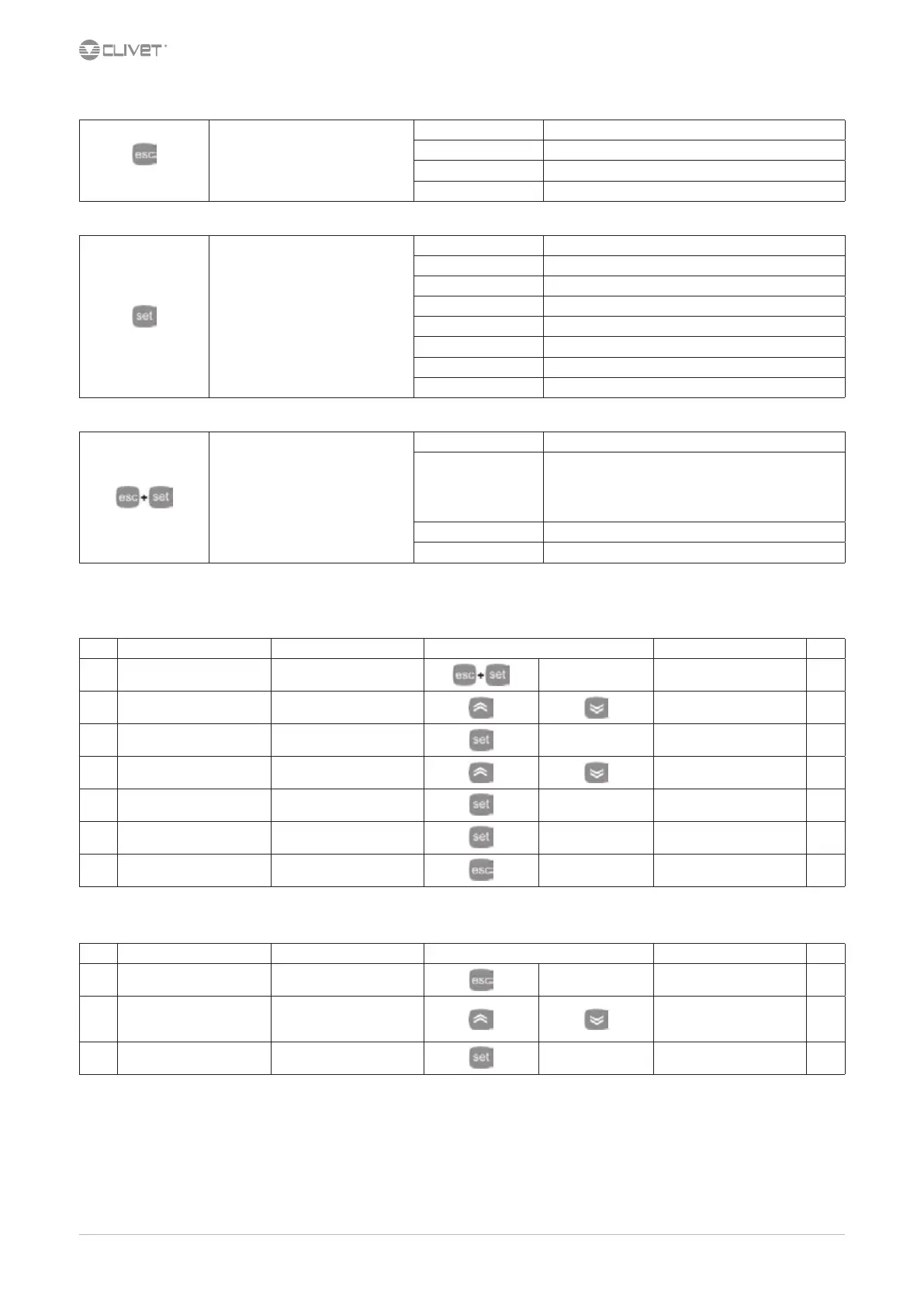
7.4 Navigation
Press 2 sec.
OPERATING MODE
Heat Not used
Cool Cooling
StdBY On/Standby
AS not used currently
STATA
Ai Analogical inputs
AO Analogical outputs
of Digital inputs
dO Digital outputs
CL Clock
AL Active alarms
HR Compressor operating hours
Sr Setpoint
SCHEDULING
PAR - parameters Conguration
Fnc - functions
dEF - not used
tA - alarm reset
St - on / o
CC - copy card
EUr - alarm log reset
PASS - password
EU - alarms Alarm log
7.5 ON/OFF
OFF: Emergency stop, drive stops immediately without observing any timing.
Step Display Action Keys Menu/Variable Notes
1 Main menu Press
PAr
2 PAr Select
FnC
3 FnC Press
dEF
4 dEF Select
St
5 St Press
6 ON/OFF Press
7 Press Back to the previous menu
7.6 Change the operating mode
Step Display Action Keys Menu/Variable Notes
1 Main menu Press 2 sec.
Cool *
2 Cool Select
Choose
standby, o: STBY
cool: COOL
3 Cool Conrm
* O the unit is immediately stopped without respecting any timing.



 To Next Page