11
(1) Power: ON/OFF
(2) Menu: If there’s no menu display, enter the menu; Press <EXIT>, return to previous
menu or exit to.
(3) Channel: When operating the menu, you can select the channel by pressing up or
down menu.
(4) Volume: When operating the menu, you can select the volume by pressing left or right.
(5) Enter: Channel-switch; when operating the menu, you can enter the next menu by
pressing <ENTER>.
TV SETUP
Key Function Description
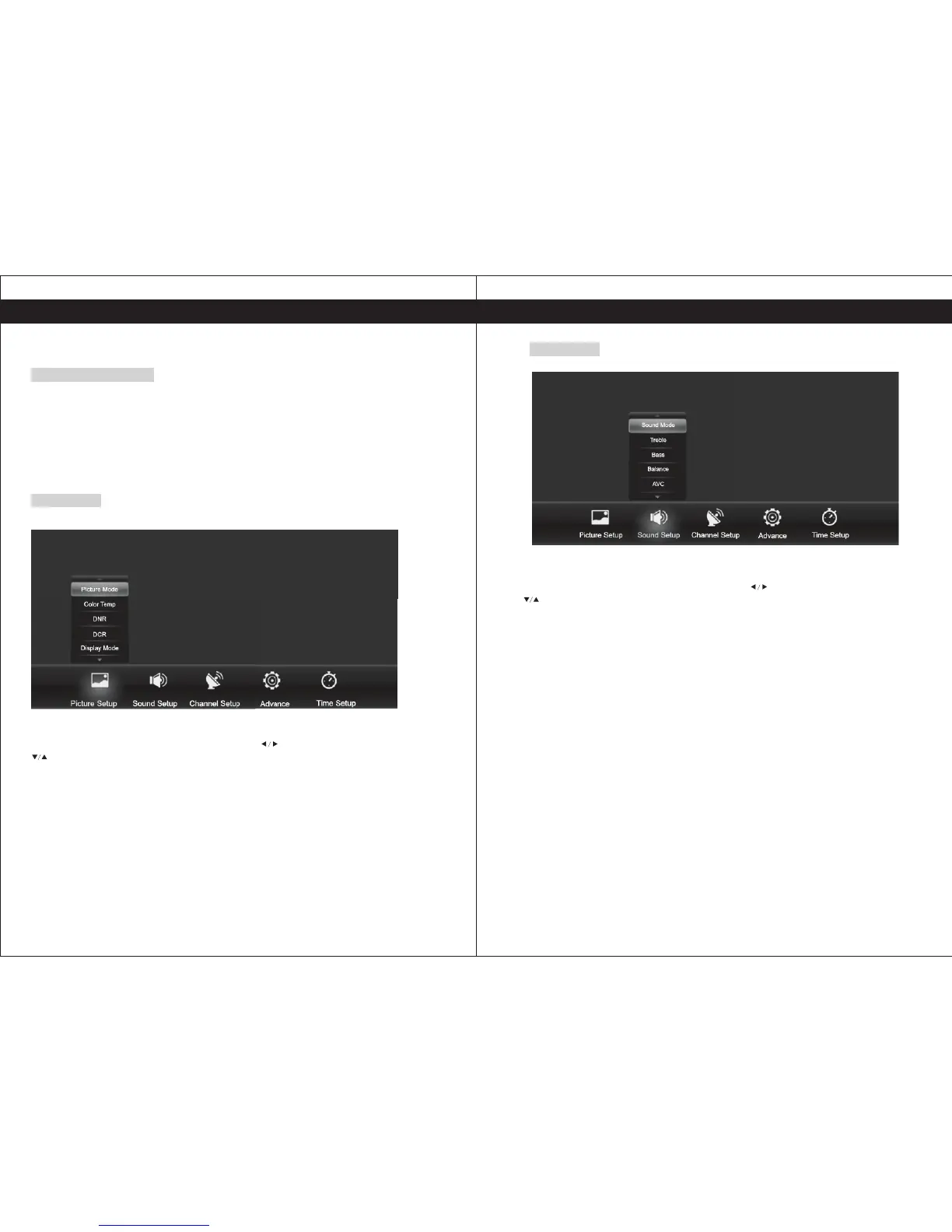
Picture Setup
Press <Menu> to display the main menu, then press to select the Picture setup, press
to select the corresponding sub-menu, press <Menu> to return or press <Exit> to exit
the menu.
Picture Mode: Includes standard, Dynamic, soft and user four modes, the parameters of
brightness, contrast, Saturation, Hue and sharpness effect can be adjusted.
Color Temp: To set the color temperature mat you feel comfortable, including standard,
cool and warm modes.
Digital Noise Reduction(DNR): To improve the quality by reducing noise, divided into low,
middle and high.
Dynamic Contrast(DCR): To improve Dynamic Contrast of the picture.
Display Mode: To select the preferential aspect ratio mode, including 16:9, 4:3, zoom 1, zoom
2 modes.
12
Sound Setup
Press <Menu> to display the main menu, then press to select the Sound setup, press
to select the corresponding sub-menu, press <Menu> to return or press <Exit> to exit
the menu.
Sound Mode: Includes standard, news, music, movie, and user mode.
Sound Mode: When the user mode is set, you can select your favorite sound by different level of
treble, bass and balance.
Auto Volume Concierge(AVC): When it is set as ON, the speaker volume will be limited
automatically.
Menu Operation
Menu Operation


 To Next Page