mDT001 HazMon System Tester Technical Manual /13
CMC INDUSTRIAL ELECTRONICS LTD
Phone: (604) 421-4425 Toll Free: (888) 421-4425
Fax: (604) 421-7734
www.cmciel.com sales@cmciel.com
The Industry Leader
in HazMon Technology
3.5 Sensor Config
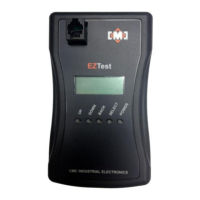
The tester can configure the mTS017 Infrared Temperature Sensor and the mVM001 Vibration
Sensor:
1. Select “Sensor Config” from the main menu;
2. The display will indicate:
3. Once connected, the display will indicate;
4. Once the serial number has been retrieved the display will momentarily indicate;
5. After displaying the serial number the display will indicate;
6. Once the current configuration of the sensor has been read the display will show the values
for the sensors configuration parameters. Use the “UP” and “DOWN” keys to select the
sensor parameter;
7. To change a sensor parameter, first select the parameter using the “UP” and “DOWN” keys
and then press the “SELECT” key. A left and right arrow will appear on the display
indicating it is in change mode. Use the “UP” and “DOWN” keys to set the value and then
press the “SELECT” key to confirm the value. The arrows will disappear when the value is
confirmed;
8. To save the values to the sensor, use the “DOWN” key until the display indicates;
Connect sensor
to configure
166- 0-188- 58
230- 0- 17- 52
Wait getting
Serial number
Getting config
> > > > > > > > > > >


 To Next Page