mDT001 HazMon System Tester Technical Manual /15
CMC INDUSTRIAL ELECTRONICS LTD
Phone: (604) 421-4425 Toll Free: (888) 421-4425
Fax: (604) 421-7734
www.cmciel.com sales@cmciel.com
The Industry Leader
in HazMon Technology
4. Troubleshooting Tips
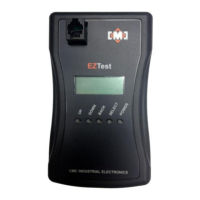
The tester can only locate sensors that are faulted when they are connected to the tester. Sensors
that are intermittent can be more difficult to locate. Here are some tips to assist you in locating
problems:
1. Use the tester as soon as a fault occurs, as it is more likely the fault will be present when
you connect the tester.
2. Some faults are caused when the sensor’s cable becomes in contact with earth ground.
This is especially possible with the temperature sensors that have metal housings. These
faults can be very intermittent and are typically caused when the end of the cable is crimped
against the end of the sensor tube during installation. If the cable is subject to movement
from wind or other vibration sources it can wear through and short the cable to the metal
tube. These faults can be located using the ground test on the sensor tester. You may have
to move the conduit connection at the sensor to cause the fault.
3. In most cases, you do not need to use the tester to locate a bad sensor or wiring on the
network. The basic branch isolation technique is the easiest and fastest way to locate the
fault. The sensor test “Bus Test” can be deployed when a partially faulted sensor is
disrupting the network intermittently. The “Bus Test” measures the signal levels on the
cable system and reports if a sensor is loading the system. The traditional isolation
techniques can then be used to locate the sensor that is loading the system. The sensor
can then be verified using the “Sensor Test” function to confirm it is defective.
4. The “Sensor Test” function can also be used to verify sensors during the installation. It is
especially useful for speed sensors where the sensors reading can be immediately
compared to a handheld tachometer at the source.
5. The “Bus Test” function can also be used to verify that the expected serial numbers are
being polled by a bus converter. Once a system is commissioned and the sensor located
using the acquire function, the “Bus Test” function will display the sensors being polled by
the bus converter. If a sensor is being polled but is not responding then the wiring to the
sensor and the sensor itself should be verified.
A copy of the standard network troubleshooting guide is included with this manual. A full sized
laminated version is available from our sales office on request.


 To Next Page