www.cmi-tech.com EF-45N User Manual, v0.1.1
Copyright 2016, all rights reserved July 2016
OK Save user data to complete biometrics Enrollment, then return to
User Main screen
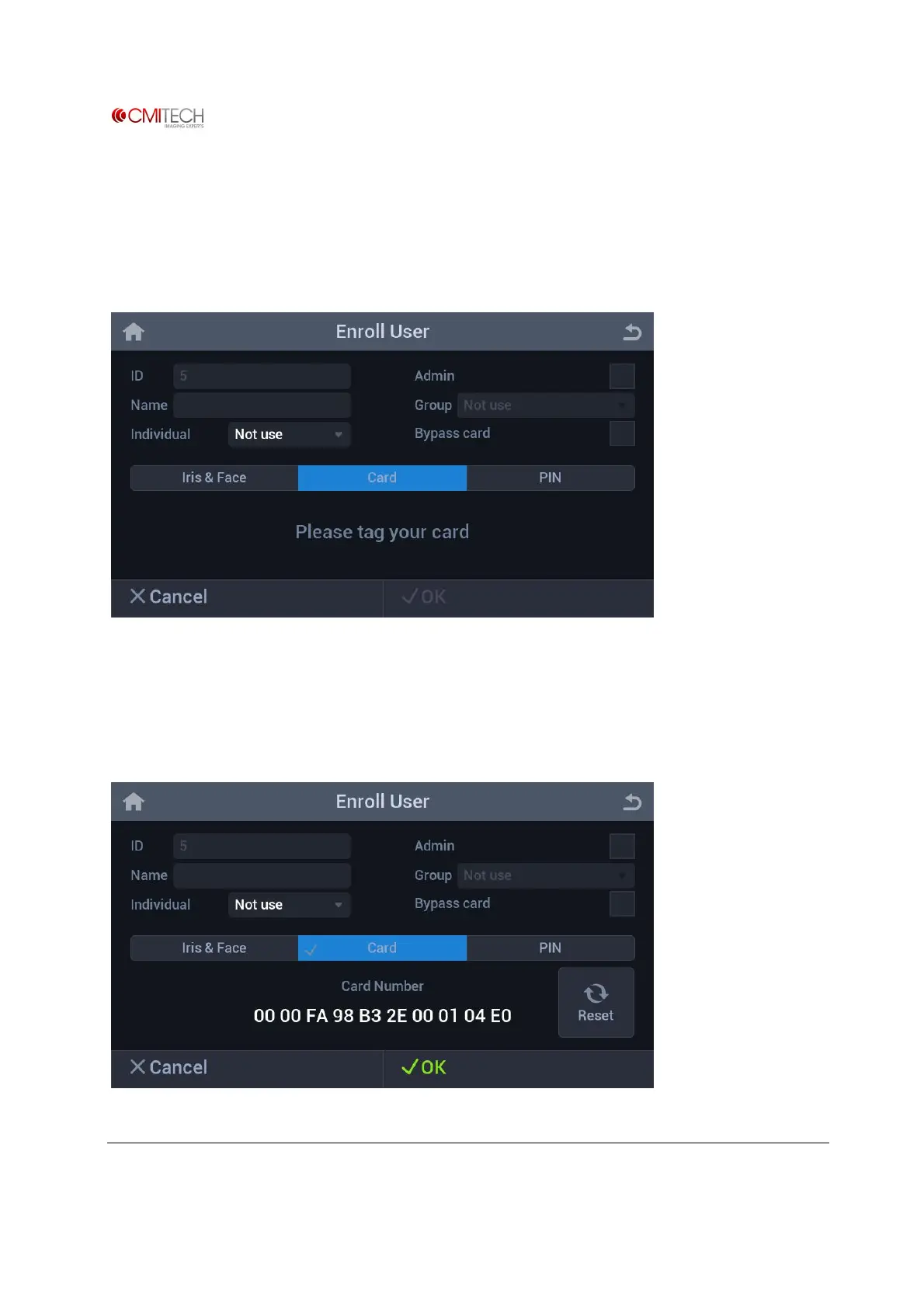
1.5 Card
Card tab Selection changes tab to blue color
If "Please tag your card" message appears, touch front-bottom part of device with user card.
1.5.1 Card à Save Data


 To Next Page