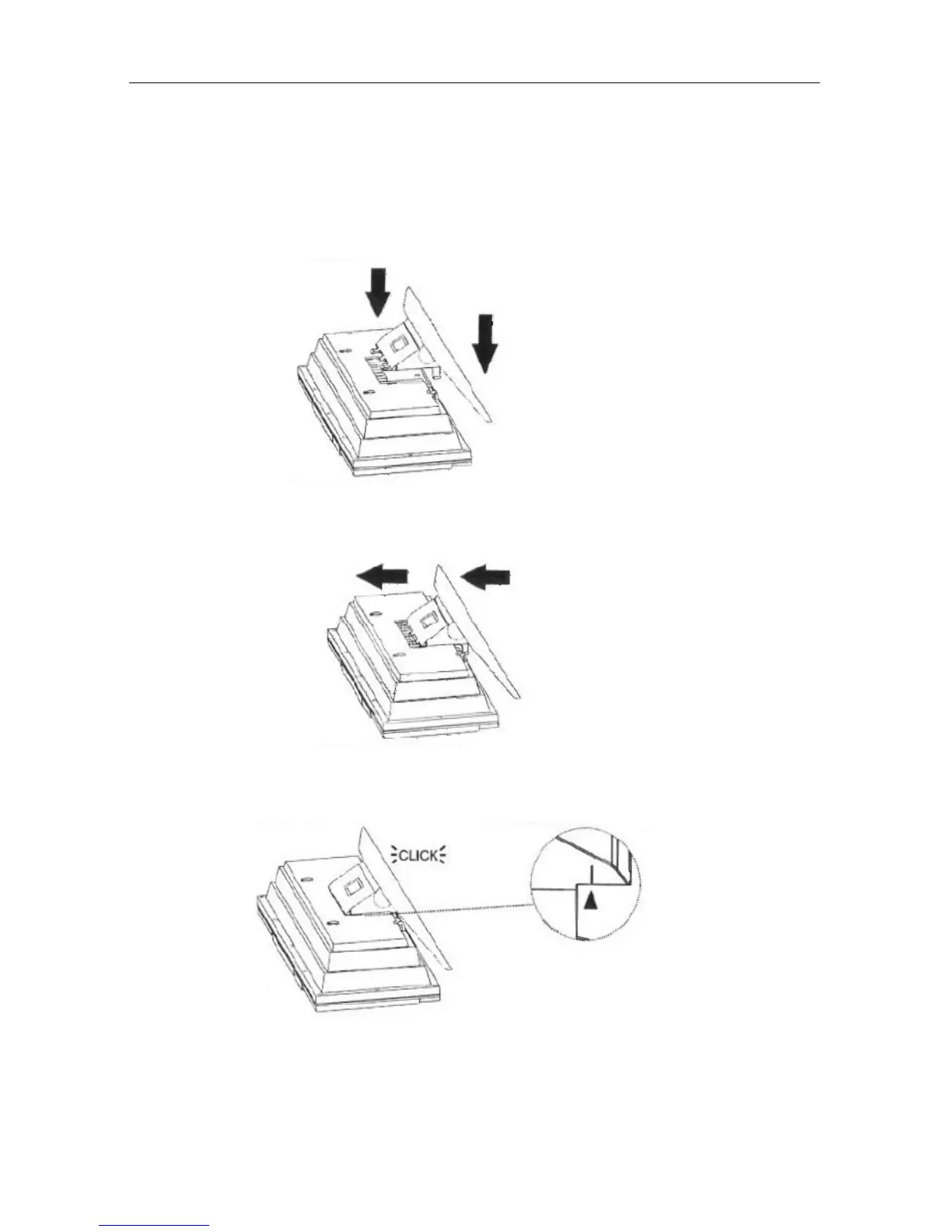
Fixing from the stand for the main unit
Version 1 cmx® DMS 7640 Seite 6 von 31
2. Fixing from the stand for the main unit
1. Place the stand under the main unit
2. Slide the stand from down to upward.
3. Stop when arrows are aligned. The stand is now locked to
main unit.
To release the stand from the main unit, slide the stand from
downwards (opposite direction) until it becomes released.



 To Next Page