4.3 NAT
4.3.1 Virtual Server
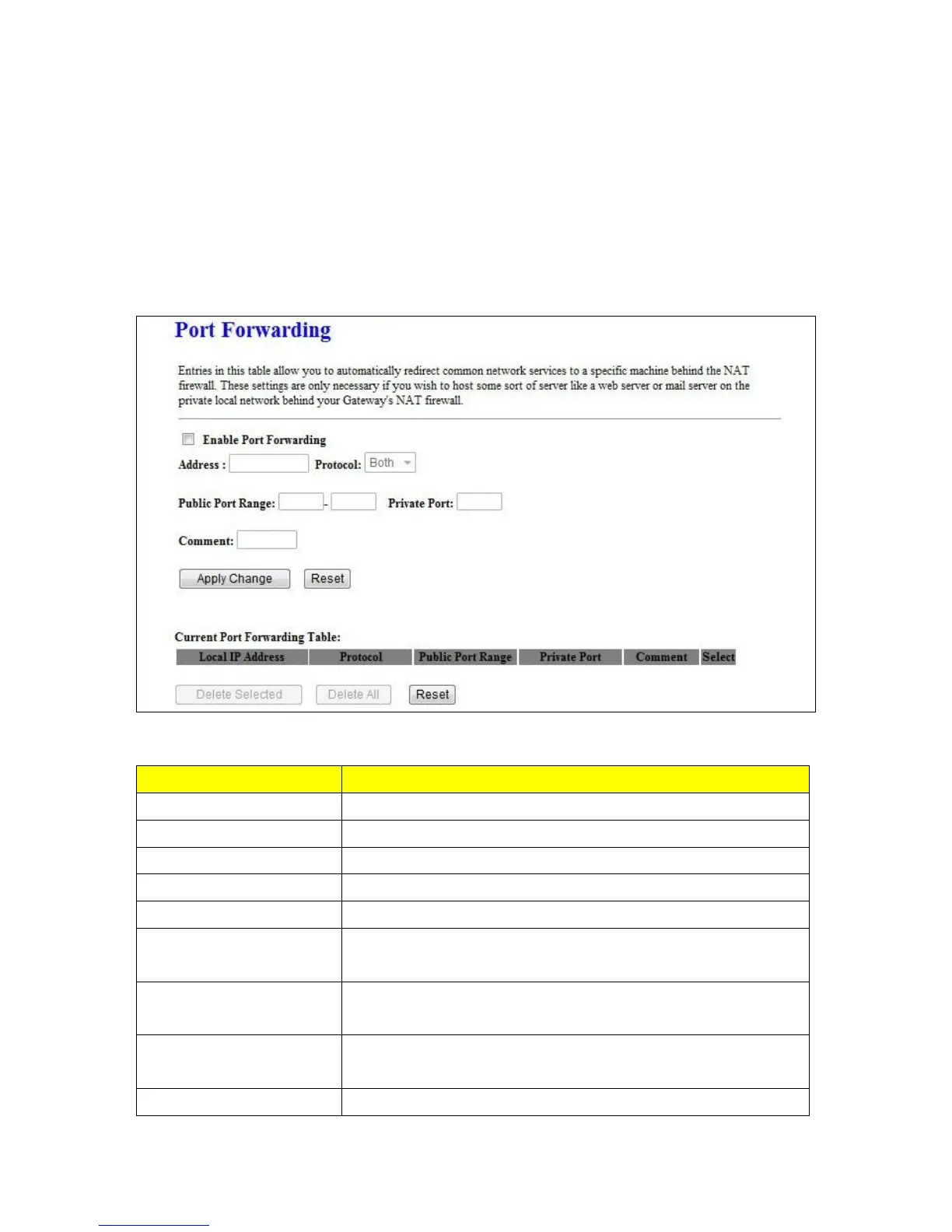
The Virtual Server feature allows users to create Virtual Servers by re-directing a particular range of
service port numbers (from the WAN port) to a particular LAN IP address.
Select to enable Port Forwarding service or not.
Specify the IP address which receives the incoming packets.
Select the protocol type.
Enter the port number, for example 80-80 or 20-22
Add comments for this port forwarding rule.
Click on Apply Changes to save the setting data. Or you may click on
Reset to clear all the input data.
Current Port Forwarding
Table
It will display all port forwarding regulation you made.
Delete Selected & Delete All
Click Delete Selected will delete the selected item. Click Delete All
will delete all items in this table.



 To Next Page