Chapter 5 AP Mode Advanced Configuration
5.1 IP Config
In this category, you can setup the IP rules under AP Mode.
Default IP Address: 192.168.1.254
Default IP subnet mask: 255.255.255.0
WEB login User Name: admin
WEB login Password: admin
5.1.1 LAN Setup
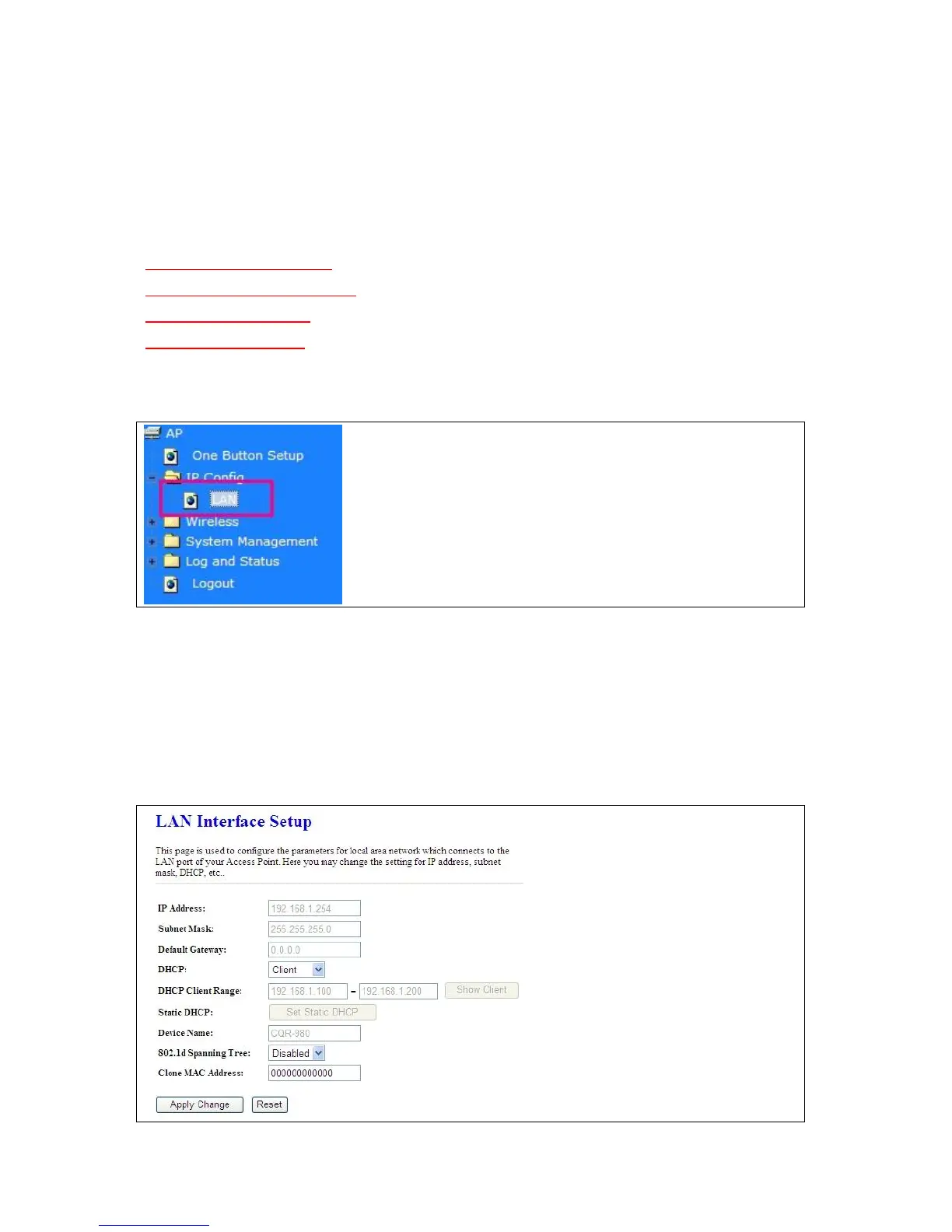
Please click on LAN of IP Config and follow the below setting.
5.1.2 LAN Interface Setup
This page is used to configure for local area network which connects to the LAN port of your Access
Point. Here users may change the setting for IP address, Subnet Mask, DHCP, etc.



 To Next Page