Take Readings
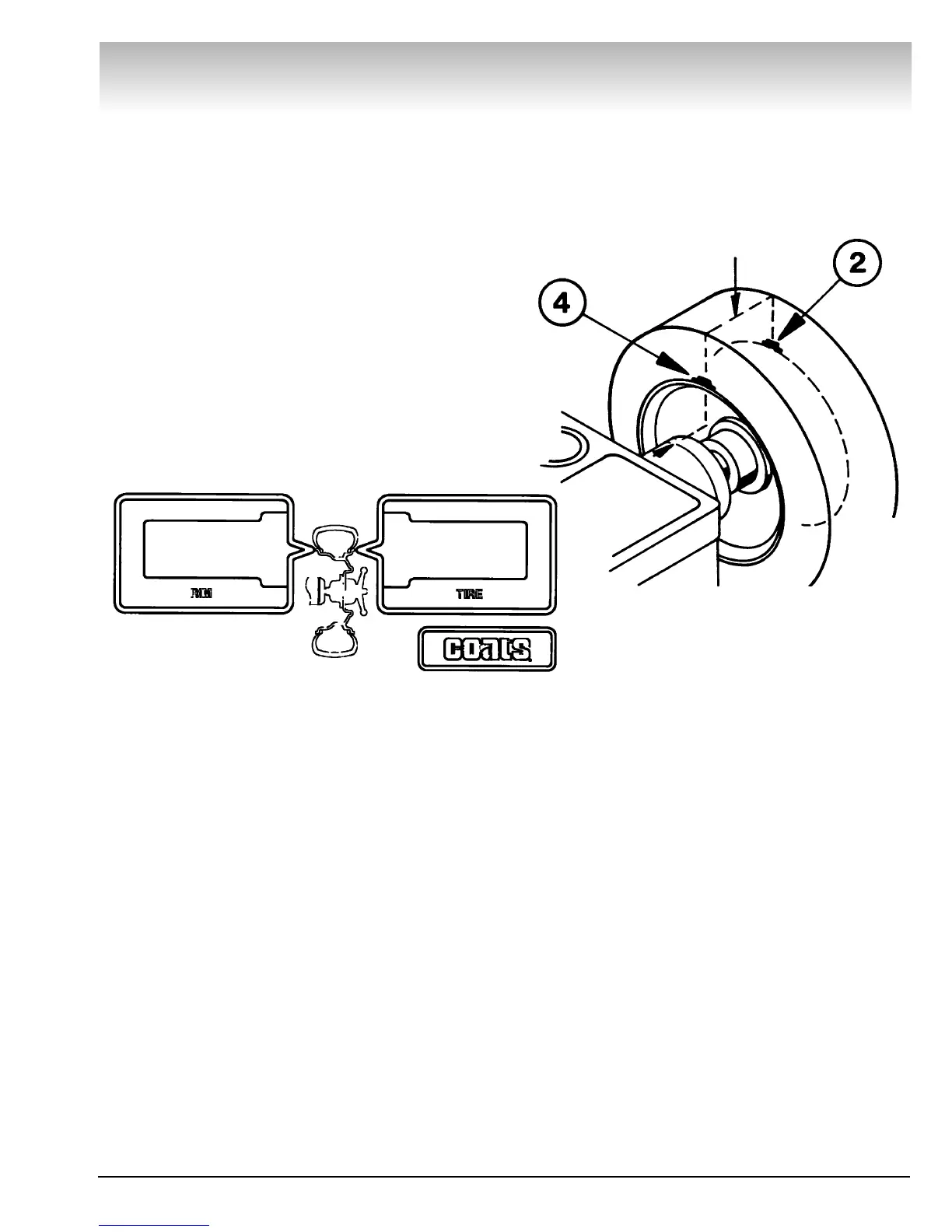
1. Weight and position readings will appear on displays as
balancer is braking tire.
Attach Weight
1. Rotate wheel until right (outer) red position lights begin to
flash.
2. Attach a weight equal to outer weight reading at top
dead center of outer rim (see #2).
3. Rotate wheel until left (inner) red position lights begin to
flash.
4. Attach a weight equal to inner weight reading at top dead
center of inner rim (see #4).
5. Respin wheel after weights are applied to obtain 0.00
reading.
COATS 6401 Truck Wheel Balancer • 11
Direct Drive
Note: The more accurate you are in selecting
the exact weight and position, the more often
you will balance in one spin.
00::0000
00::0000


 To Next Page