570-2000, Rev. E, 453-2000 Handheld Programmer Operations Manual
Purchase a Li-Ion battery pack only when you need a replacement, thus ensuring you
receive a fresh battery pack.
Stop using the battery if it exhibits abnormal heat, odor, color, deformation or is in
an abnormal condition.
Keep away from fire immediately when leakage or foul odor is detected.
If liquid leaks onto your skin or clothing wash well with fresh water immediately.
If liquid leaking from the battery gets into your eyes; do not rub your eyes. Rinse
well with clean water and consult a doctor immediately.
Before using the battery, be sure to read the user's manual and cautions on
handling thoroughly.
For information on installing and removing the battery from equipment, thoroughly
read the user's manual for the specific equipment.
Batteries have life cycles, so if the time that the battery is powering the equipment
becomes much shorter than usual, the battery life is at an end. Replace the
battery with a new one.
Remove a battery whose life cycle has expired from equipment immediately.
When the battery is discarded, make it non-conducting by applying vinyl tape to
the (+) and (-) terminals. The battery must either be discarded as specified by
local regulations or put it in the recycling box of a store that is cooperating in the
recycling of rechargeable batteries.
When not using the battery for an extended period remove it from the equipment
and store it in a place with a low humidity and low temperature.
2.2.3 Installation
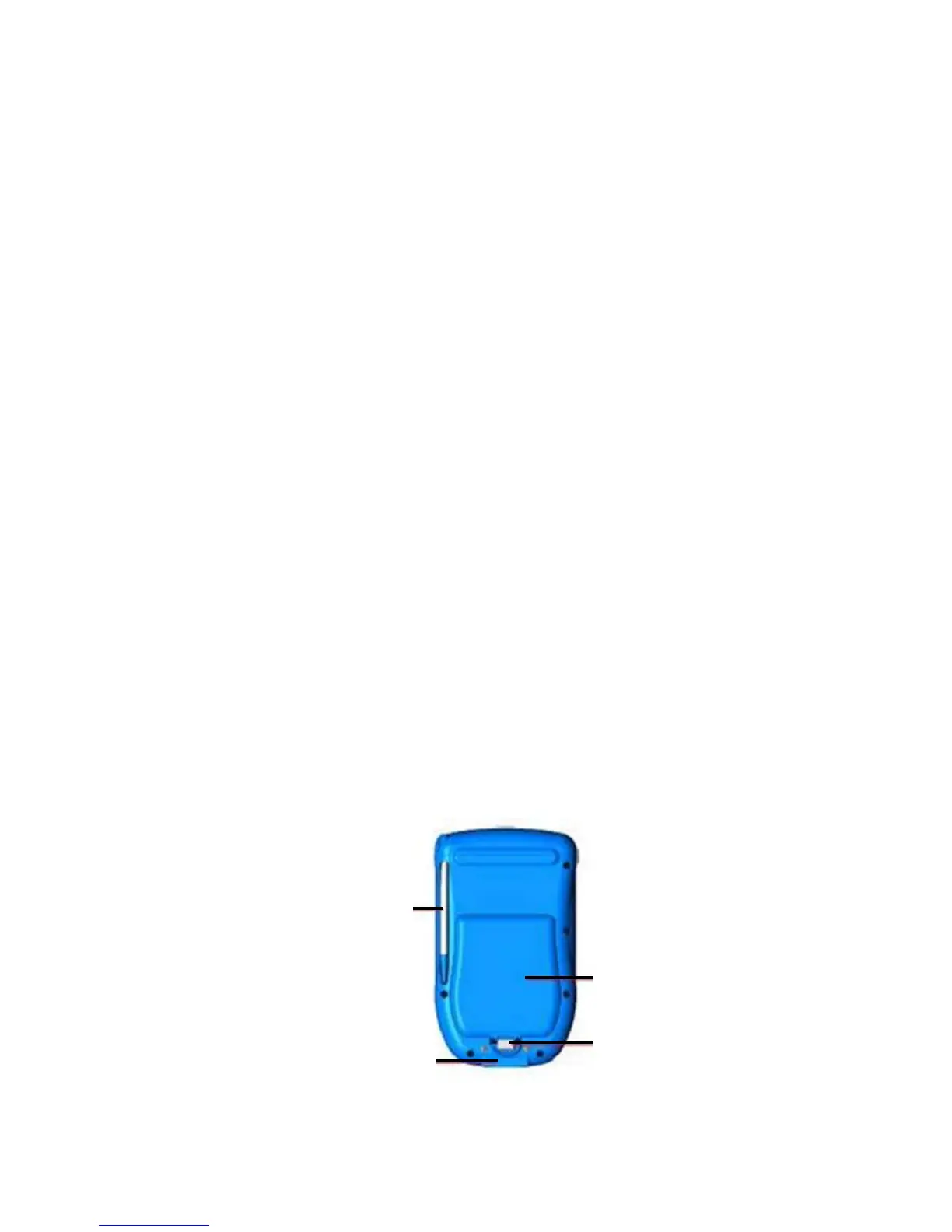
Referring to Figure 4:
1. Place the battery pack with the top end in first.
2. Push down on the bottom end of the battery ensuring that it is firmly in place.
3. Push the clip firmly towards the bottom of the test set until it clicks into place.
4. Charge the battery in accordance with Subsection 2.2.4.
STYLU
COMMUNICATION
NNE
T
BATTERY
PA
K
BATTERY
LI
Figure 4: Back Side View
Page 6


 To Next Page