Chapter 4: Using the Terminal Control Unit
34 Status indicators
Satellite terminal status indicator
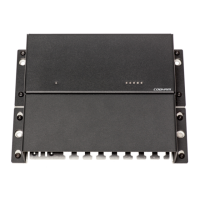
Terminal Control Unit Status indicator
Behaviour Meaning
Green Satellite terminal is on (including sleep mode).
Yellow Warning.
If a Message Terminal is connected you can
access the list of active warnings and errors by
selecting the icon in the top right corner of the
display.
Red Critical error.
Off Terminal Control Unit is in standby mode.
Note
If more than one event cause the same indicator to light up or
flash, the indication for the most critical event is shown. This
means there may be more than one event, even if only one
indication is shown. Check your user interface, e.g. the Message
Terminal, to see the events.
Behaviour Meaning
Steady green Terminal Control Unit is OK.
Steady yellow No mini-C (SAILOR 3027) is detected.
Flashing yellow Upload to micro controller failed
Steady red Critical error.
Flashing red Button failure. SSA alarm buttons or Non-SOLAS
Alarm Panels are not working properly.
Off Terminal Control Unit is in standby mode


 To Next Page