Chapter 4: Using the Terminal Control Unit
Configuration 35
44444
Using the Terminal
Configuration
Using commands
Using the com or serial port you can send commands to the Terminal
Control Unit or SAILOR 3027.
To access the Terminal Control Unit or SAILOR 3027 settings using
commands, do as follows:
1. Connect a computer to the RS-232 or LAN interface.
For details refer to RS-232 interface (X5) on page 19 and LAN interface
(X6) on page 20.
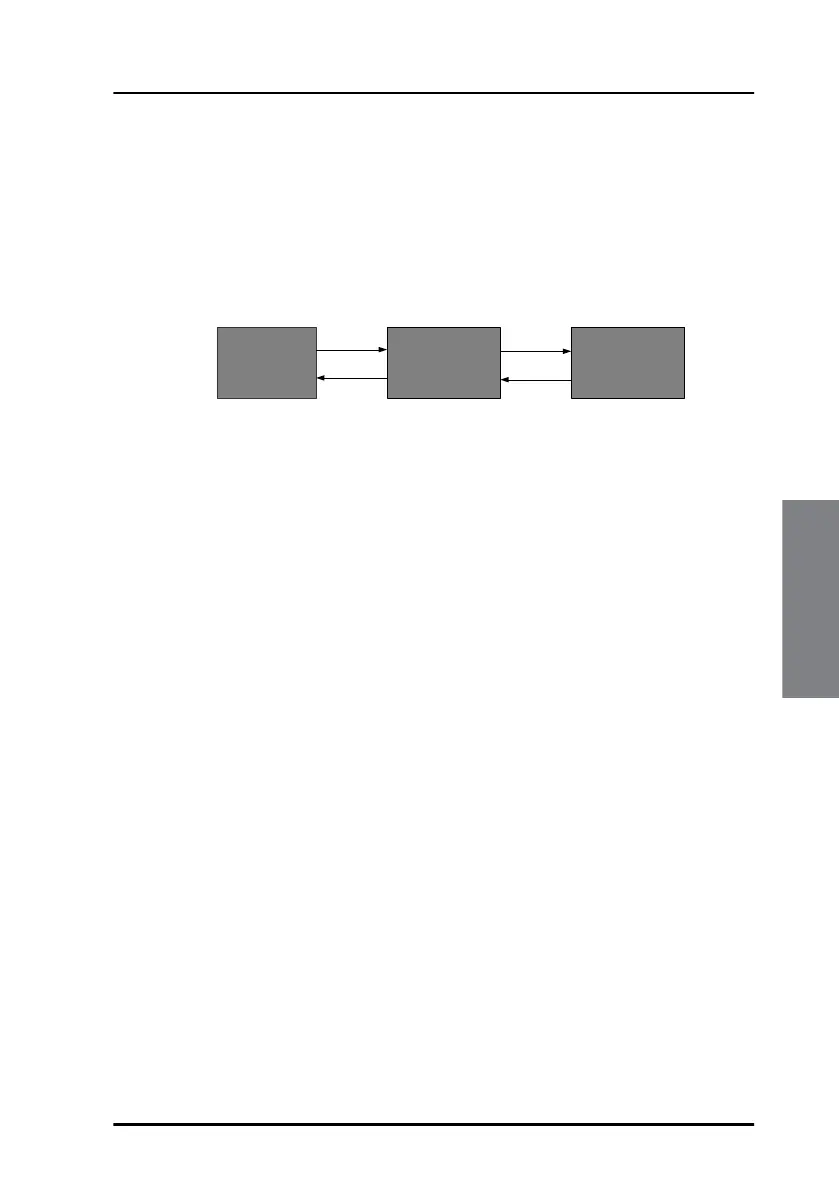
2. Start up a terminal program and connect to the Terminal Control Unit.
The prompt shows:
tt6194:/$
3. To configure the SAILOR 3027 type minic in your terminal
program.
To return to Terminal Control Unit configuration after
configuring SAILOR 3027, press Ctrl + D or type exit.
4. There are two access levels to the Terminal Control Unit:
• normal (User level, default)
• sysadm (administrator level), used for running scripts and for some
commands
To see which type of user is currently active type:
tt6194:/$ su
Current user: normal
To log-on as a system administrator (for running scripts), type:
tt6194:/$ su sysadm
Enter password:
PC with
terminal
program
SAILOR 6194
TCU
SAILOR 3027
Mini-C
tt6194:/$
can1:/$


 To Next Page