Chapter 2: Operation
DSC calls 23
22222
Operation
DROBOSE — Distress Relay on behalf of someone else
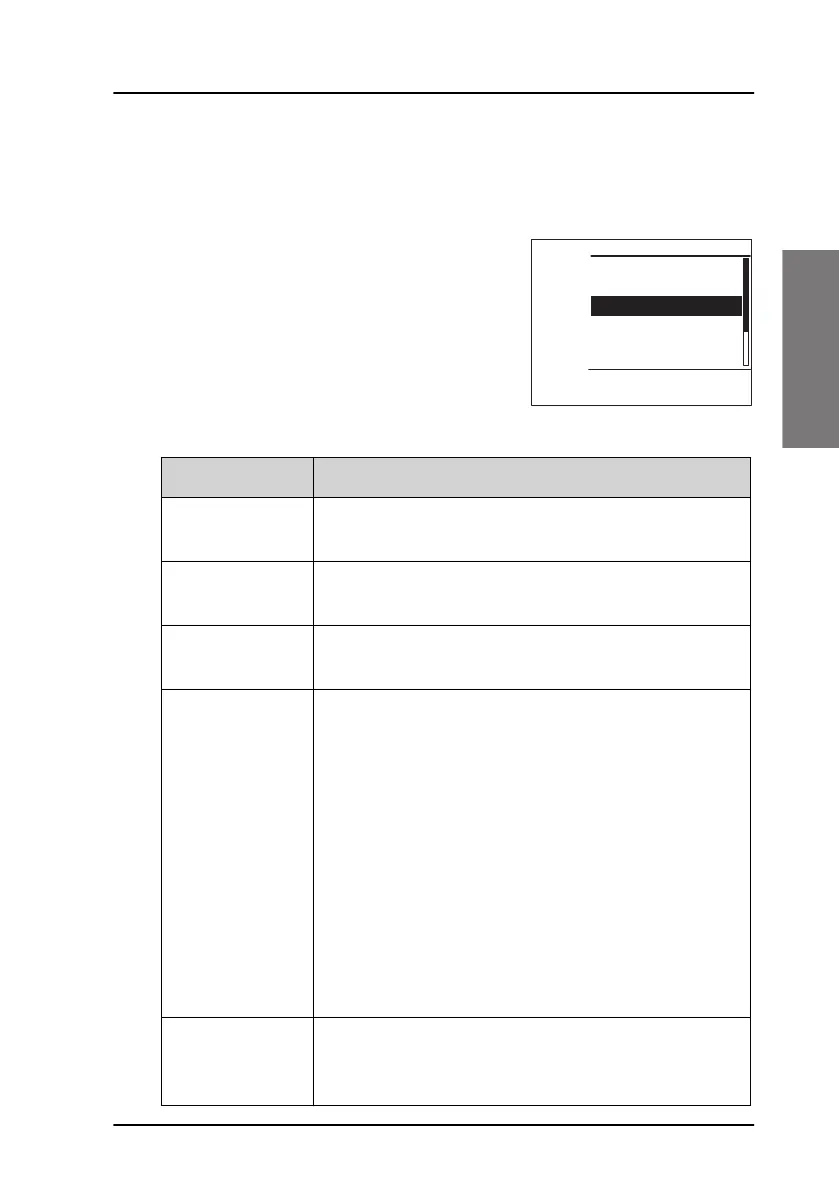
To send a distress message on behalf of someone else, do as follows:
1. From top-level standby press the soft key
DROBOS. If it is not in the display, press
the soft key MORE until DROBOS
appears.
2. Select one line at a time by pressing and
turning the selector knob.
3. Enter the necessary information using
the selector knob or the keypad:
Relay items Description
TYPE: Select RELAY ALL or RELAY INDIV. If yo select RELAY
INDIV., the field TO appears in the display.
DISTRESS MMSI: Enter the MMSI number of the vessel in distress, if
known, or else “unknown”
TO: Enter the MMSI number of the coast station you
send the relay to.
NATURE: Select the nature of distress:
FIRE, EXPLOSION
FLOODING
COLLISION
GROUNDING
LISTING (in danger of capsizing)
SINKING
DISABLED (and adrift)
UNDESIGNATED
ABANDONING (ship)
PIRACY (armed robbery attack)
MAN OVERBOARD
EPIRB
LAT:
LON:
POS UTC:
Enter the position and UTC information or unknown
of the vessel in distress.
EXIT DISTRESS RELAY
10
Unknown
Type: RELAY INDIV:
DISTRESS MMSI:
To:
PHBOOK
NAT: UNDESIGNATED
LAT: Unknown



 To Next Page