EasyManua.ls Logo

COBHAM SAILOR 6280 - User Manual

COBHAM SAILOR 6280
90 pages
Print Icon
To Next Page IconTo Next Page
Loading...
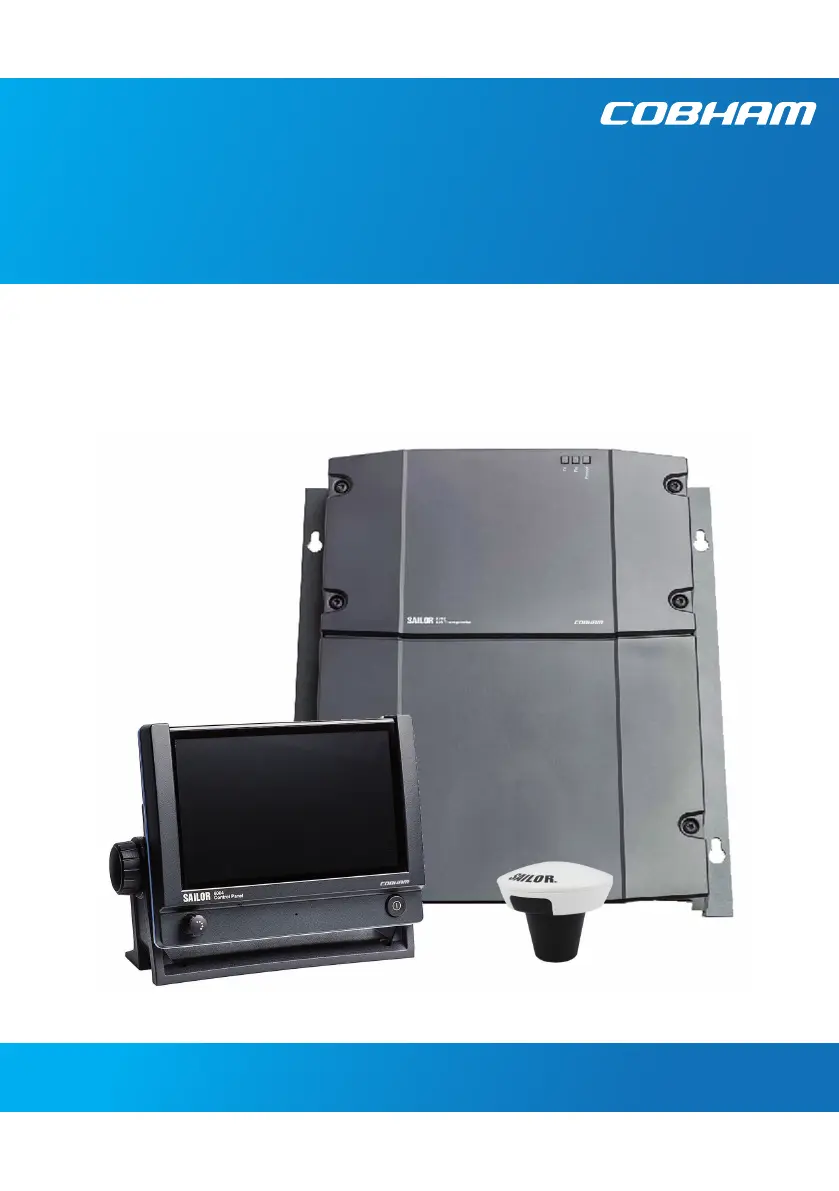
SAILOR 6282 AIS Transponder
SAILOR 6280/6281 AIS System
User manual

Other manuals for COBHAM SAILOR 6280

Questions and Answers

  • S
    Sheila RuizAug 14, 2025
    What to do if password entered, but padlock does not open on COBHAM SAILOR 6280?
    • M
      Michael AndersonAug 14, 2025
      If the padlock doesn't open after entering the password on your COBHAM Marine Radio, it could be due to an incorrect password or a lost connection to the SAILOR 6282 AIS Transponder. Verify that you're using the correct password. Check the power supplies, cabling, and Ethernet connection between the AIS transceiver and the SAILOR 6004 Control Panel. Try restarting both units: remove and reconnect power to the SAILOR 6282 AIS Transponder, and use the on/off button for the SAILOR 6004 Control Panel. Also, ensure that no one is logged into the Service Interface.
  • L
    Lynn BrowningAug 17, 2025
    Why is MMSI missing on my new COBHAM SAILOR 6280?
    • T
      Thomas JohnsonAug 18, 2025
      When you power up the COBHAM Marine Radio SAILOR 6282 AIS Transponder for the first time after it leaves the factory, there is no MMSI stored. To operate the device, you need to enter a valid MMSI.
  • L
    Linda LongAug 21, 2025
    What to do if I entered the wrong MMSI on my COBHAM SAILOR 6280 Marine Radio?
    • S
      Sara EllisonAug 21, 2025
      If a wrong MMSI number has been entered and stored on your COBHAM Marine Radio, or if you need to change it, you should contact your authorized dealer.
  • M
    Michael CastroAug 26, 2025
    How to switch off COBHAM Marine Radio SAILOR 6004 Control Panel if it won't turn off?
    • Z
      Zachary FitzgeraldAug 26, 2025
      If the SAILOR 6004 Control Panel of your COBHAM Marine Radio cannot be switched off normally (possibly due to a fault), push and hold the power button for 12 seconds.
  • M
    Mr. Alejandro AlvaradoAug 28, 2025
    How to fix COBHAM SAILOR 6280 SAILOR 6282 AIS Transponder that will not turn on?
    • S
      Shannon RasmussenAug 29, 2025
      If the SAILOR 6282 AIS Transponder of your COBHAM Marine Radio does not turn on, check the power cable connection. If the power cable is directly connected to the transponder, ensure the white wire is connected to the black wire (-DC). If power is connected via the connection board, verify that jumper W8 is in the AIS ON position.
  • T
    Timothy FaulknerSep 1, 2025
    What to do in case of device failure of COBHAM SAILOR 6280?
    • A
      Amy MontgomerySep 2, 2025
      If checks and tests do not resolve issues with your COBHAM Marine Radio, a fault may have developed in the AIS System. When contacting an authorized representative, provide as much detail as possible about the observed behavior, including the AIS unit type, serial number, and software release version. This information can be found in the setup menu of the connected SAILOR 6004 Control Panel.
  • B
    Barbara HillSep 5, 2025
    Why does my COBHAM SAILOR 6280 have no GPS signal?
    • J
      Jason GarciaSep 5, 2025
      Check the antenna cable connection to the GPS unit of your COBHAM Marine Radio.
  • A
    Andrew HillSep 9, 2025
    What to do if the test message does not pass on my COBHAM SAILOR 6280 Marine Radio?
    • U
      uwilsonSep 9, 2025
      If the test message on your COBHAM Marine Radio does not pass, and you don't receive an answer within 30 seconds, try the test with another ship.

Summary

AIS Introduction and System Overview

AIS System Overview and Applications

Overview of the Automatic Identification System (AIS) and its core functions and uses.

SAILOR AIS System Components and Configuration

Details the individual units, their roles, and the overall system setup.

Operating the SAILOR AIS System

Initial Setup and Basic Operation

Steps for powering on the unit, starting the application, and navigating the interface.

AIS System Settings and Configuration

Accessing and modifying voyage, static, dynamic data, and other system parameters.

AIS Message Management and Alerts

Procedures for sending/receiving messages and understanding system alerts and notifications.

Service, Maintenance, and Troubleshooting

AIS Unit Maintenance and Support

Guidelines for regular checks, contacting support, and checking software versions.

Troubleshooting the SAILOR AIS System

A guide to diagnosing and resolving common problems with the AIS unit.

Service Interface and Repair Procedures

Accessing the service interface, part numbers, and procedures for product repair.

SAILOR AIS System Specifications

SAILOR 6282 AIS Transponder Technical Specs

Detailed technical data including weight, dimensions, power, and frequency.

Antenna and Control Panel Specifications

Technical details for the GNSS antenna, connection box, and control panel.

NMEA Sentences and Glossary

Supported NMEA Sentences

Lists standard and proprietary NMEA sentences supported by the AIS system.

Glossary of AIS Terms

Definitions of technical terms used throughout the manual.

COBHAM SAILOR 6280 Specifications

General IconGeneral
TypeVHF Marine Radio
InterfaceNMEA 0183
Operating ModesSimplex, Duplex
Operating Temperature-15°C to +55°C
Supply Voltage21.6 - 31.2 V DC
ModulationFM

Related product manuals