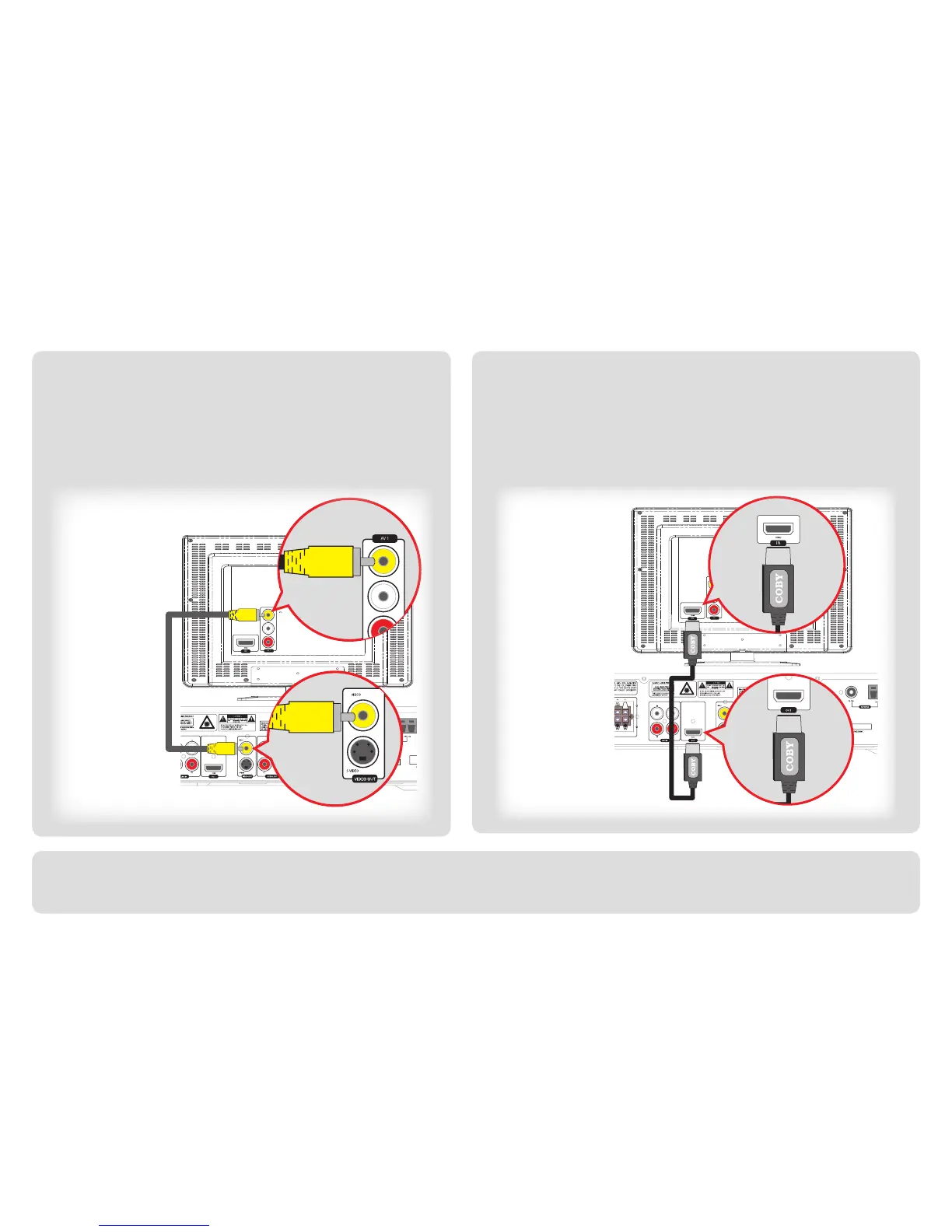
Step 2: Connecting Your Television
If you have an older TV that does not have a digital HDMI con-
nection, use the basic connection shown below.
For a composite video connection:
Plug one end of the supplied composite video cable (yellow plug)
into the “Video Out” socket of the DVD968. Plug the other end
into the “Video In” socket of your TV.
If your TV has a digital HDMI connection, use the optional connection
shown below to enable advanced features such as DVD upconversion.
For an HDMI video connection:
Plug one end of an (optional) HDMI cable into the “HDMI Out”
socket of the DVD968. Plug the other end into the “HDMI In” socket
of your TV.
After all connections have been made, plug the power cord of the DVD968 into an AC power outlet.
For a complete guide to your connection options, please refer to the accompanying Instruction Manual.



 To Next Page